If your menu is a blurry PDF, your hours are hard to find, or there’s no quick “Reserve” or “Order” button - you’re already losing ground to your competitors.
I’ll show you exactly how to build a restaurant website that turns casual visitors into loyal customers who book a table at your restaurant every week.
- Goal & audience: Pick 1 primary goal (Reservations or Orders) + 1 secondary. Sketch a quick persona.
- Build fast: Use a no-code builder (BOWWE) so staff can edit menus/hours.
- Domain: Short, brand-first; if taken, add city/cuisine. No hyphens/numbers.
- Homepage + menu: One great hero + one CTA. HTML menu with categories, prices, dietary tags.
- Reserve/Order: CTAs in header/hero/sticky bar. Mobile flow ≤ 3 taps.
- Location & hours: Visible everywhere (+ map).
- Trust: Real photos + recent reviews near decisions (hero/menu).
- Publish smart: Local SEO basics, fast images, announce launch, ask for first reviews.
First decide what your restaurant website must do for the business. Pick one primary goal and one secondary:
- Primary: Reservations, Online orders (pickup/delivery), Catering leads
- Secondary: Grow reviews, Collect emails, Hire staff
Not sure who you’re building for? Sketch a quick
buyer persona. Think about who your ideal visitors are (locals grabbing lunch, tourists exploring nearby, families celebrating, or regulars who love your specials) so you can design a restaurant website that speaks directly to them.
You’ve got three routes.
Pick based on time, budget, and who will maintain the site.
- Code it from scratch: Max control, slowest route. Good if you’ve got dev/design resources and time.
- Hire an agency: Custom look, higher cost, longer timeline. Better for complex, multi-brand ecosystems.
- Use a website builder: Fastest to launch. No code needed. Easy for staff to update menus/hours.
Try the Fast & Free Restaurant Builder!
Join restaurants growing with BOWWE
Start Free!
Short, brand-first, and easy to type. If your exact name is taken, add your city or cuisine (e.g., MikasTacosAustin.com). Avoid hyphens, numbers, and weird spellings. Keep it pronounceable, so your servers should be able to say it to a guest over the phone without spelling mistakes.
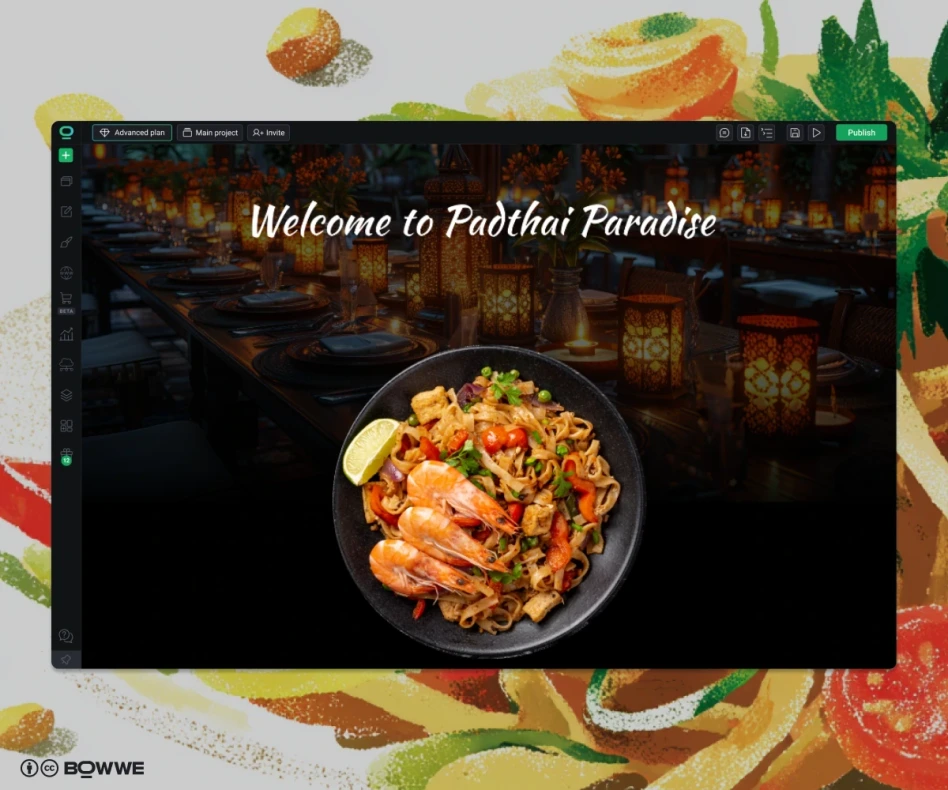
Your homepage should convert, not confuse. Start with a hero section that features one high-quality photo and a single, clear call to action, such as “Order Now” or “Reserve a Table.”
Next, include a quick facts bar so visitors can instantly find what they need: your hours, address, parking details, and accepted payment methods (for example: “Open today until 10 PM | 123 Main St | Free Parking | All Major Cards Accepted”).
Build trust with a social proof strip that highlights your top ratings, review site logos, or mentions in local media. You can also feature one or two of your signature dishes to tempt visitors to explore the menu.
⚡Growth Hack:
Add a small “What’s New” tag or banner (for example, “Fall Menu Now Live”). This simple update boosts return visits and signals freshness to both search engines and guests.
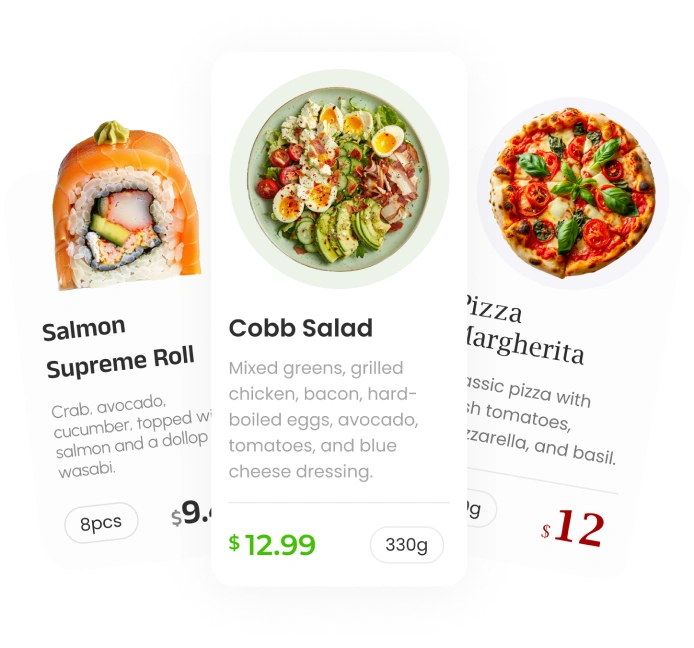
Your menu page is the moneymaker. Build it as a normal page, not just as a downloadable PDF (this is one of the crucial
restaurant menu design mistakes) - this keeps it readable on mobile, indexable by search engines, and fast to load.
Include:
- Clear categories (Starters, Mains, Kids, Drinks). Learn about menu engineering.
- Prices.
- Dietary/allergen icons.
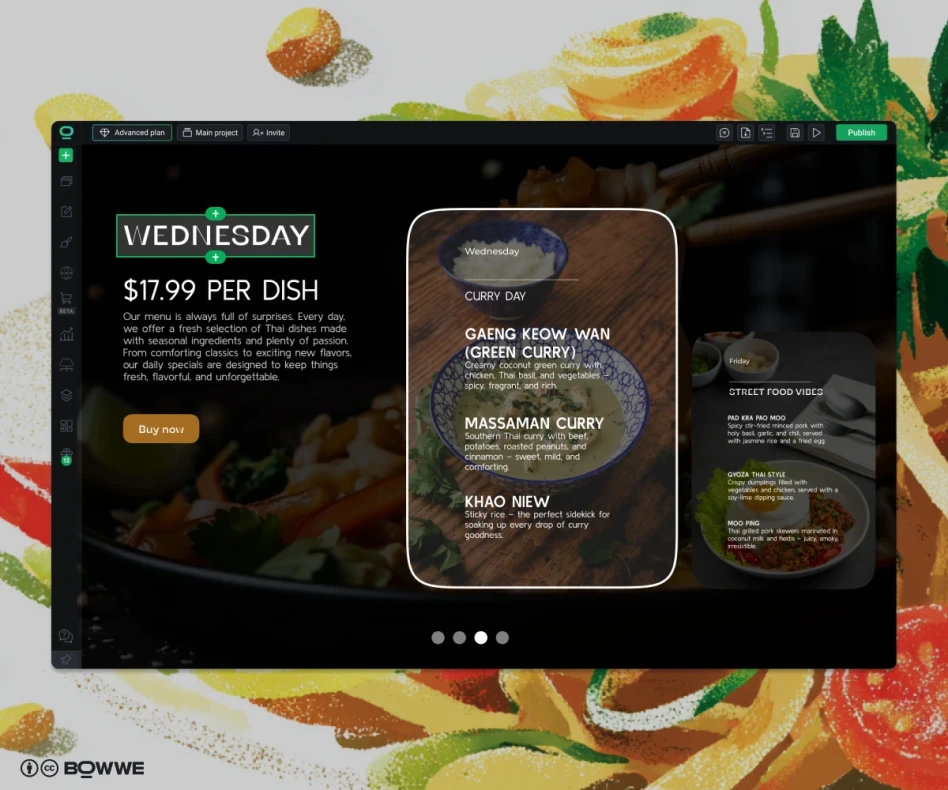
- Seasonal/specials section you can toggle.
Your About Us page is your chance to connect personally with guests. Tell the story behind your restaurant: why you opened it, your cooking philosophy, how you source ingredients (local, seasonal, or sustainable), and any awards or press mentions that add credibility.
Use one authentic kitchen photo that shows real faces - people connect far more with genuine moments than with stock images. Add a small proof row featuring review badges, awards, or media logos to reinforce trust.
End with a single, clear call to action, such as “See the Menu” or “Reserve a Table.” Make it obvious what you’d like visitors to do next.
⚡Growth Hack:
Pair a chef bio with their signature dish to make the story tangible and nudge orders for high-margin plates.
Make the path to action obvious by repeating “Order” or “Reserve" in the header, hero, and a sticky mobile bar, then keep the flow to three taps or fewer on phones.
Embed your booking tool with a simple, intuitive picker: date → time → party size. Show live availability, then confirm instantly via email or SMS, ideally with an add-to-calendar option.
Set expectations up front (busy-hour waits, large-party deposits), throttle during rush, and auto-mark sold-out items so guests never hit dead ends.
⚡Growth Hack:
In
BOWWE, you can easily add a contact form with key details on every page and enable a sticky mobile CTA in just a few clicks - streamlining the path from visit to conversion.
Put your address and open hours in the header or just under the hero on your main page, then repeat them on a dedicated Contact page with an interactive map and different contact options: call, WhatsApp, email.
Add practical notes:
- parking options,
- nearest transit stops,
- accessibility details,
- last-seating times,
- holiday schedules.
⚡Growth Hack:
If you have multiple locations, create a hub page and give each venue its own page with unique NAP (name, address, phone), hours, and menu; it’s friendlier for visitors and better for local SEO.
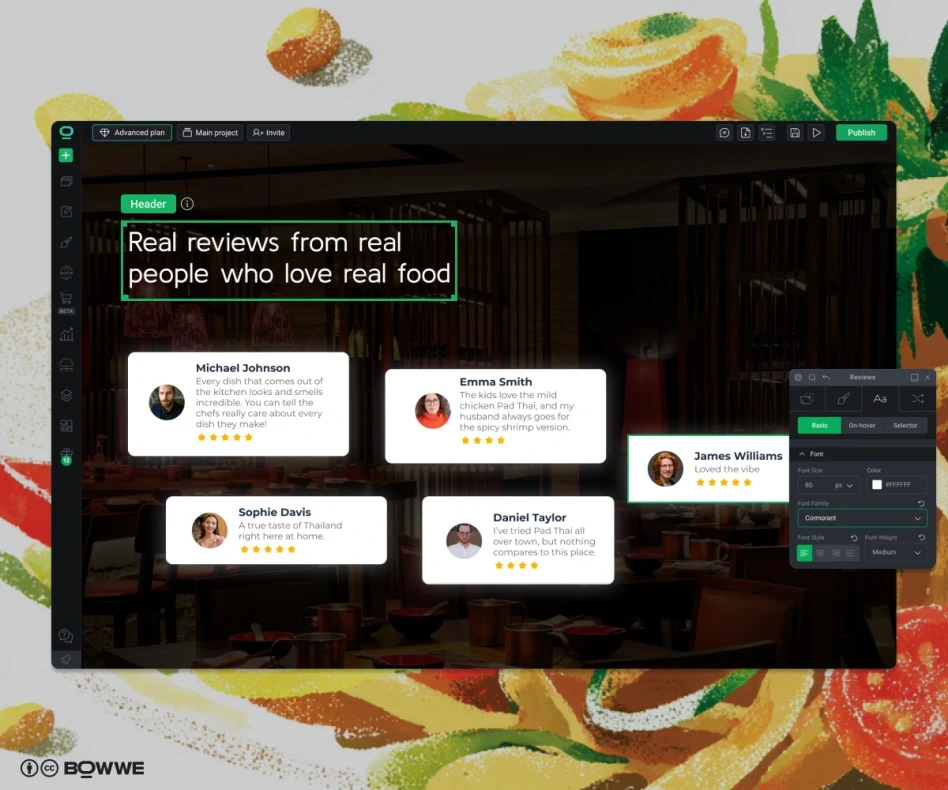
Your social proof should appear exactly where decisions are made. Place a strong pull quote near the hero section to build instant credibility, another beside the Menu section to nudge orders, and a dedicated Reviews page for visitors who want to explore more feedback.
⚡Growth Hack:
Use
BOWWE’s ready-to-go Reviews section to add social proof to your restaurant website in no time. Customize the design to match your brand and fill it with authentic customer feedback that builds trust and credibility.
Use verified review sources such as Google or Yelp, or manage testimonials through a trusted review platform to filter out spam and competitor noise. For reliable verification and easy management, consider using
Honaro.
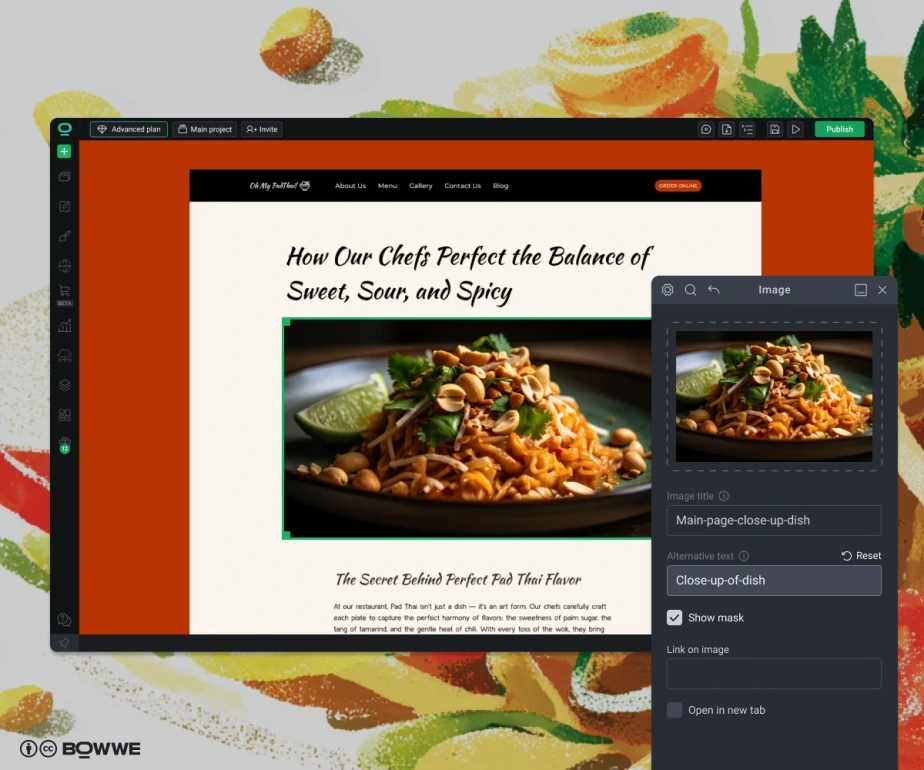
When it comes to designing a restaurant website, nothing sells better than photos of your dishes. Show the full guest experience: 6–10 high-quality images of your signature dishes, shots of the dining room (day and night), the bar’s energy, and a few candid kitchen moments.
Keep aspect ratios consistent, compress images for fast page loading, and include short, descriptive alt text. A subtle nudge beneath the gallery, like “Love what you see? Reserve a table”, captures visitors’ attention when their appetite is high.
⚡Growth Hack:
In
BOWWE, simply drag in a ready-made gallery layout, swap in your images, and your gallery is live in minutes.
If you sell sauces, gift cards, coffee beans, or meal kits, create a storefront that works seamlessly on mobile. Be crystal-clear about fulfillment: indicate pickup vs. shipping options, prep or lead times, and return policies.
Keep the checkout process short and simple, support popular payment methods, and include gentle upsells to boost order value (ex: “Bundle with our chili oil for 10% off.”).
Embed a live Instagram or TikTok feed to showcase real experience from happy customers, without having to update your site manually. Keep it simple: one clean row on the homepage, and a fuller grid on your Gallery page, so it enhances the experience rather than taking over.
A simple, regularly updated blog brings locals back, feeds long-tail SEO, and gives you fresh content to share on social media. Keep posts short and useful: new menu drops, chef notes on seasonal ingredients, neighborhood guides, behind-the-scenes of a dish, or event recaps with photos. Aim for one post every 2–4 weeks; consistency beats volume.
Give private dining, off-site catering, and ticketed events their own space with clear packages, sample menus, headcount ranges and a short inquiry form (date, guest count, budget, dietary needs). Add venue photos, floor plans, and “popular setups” to help planners visualize quickly, then showcase 1–2 short testimonials from past events to build confidence.
⚡Growth Hack:
If you’re promoting a seasonal dinner or live event, create a focused landing page with a single CTA (Book seats / Request proposal) and track results separately. This
restaurant landing page approach converts far better than a generic page.
When you’re ready to publish your restaurant website, make sure you don’t forget to check these key areas:
Restaurant SEO:
- Optimize page titles, meta descriptions, and alt text for your dishes and location.
- Include your address, hours, and contact info in a consistent format for local search.
- Submit your site to Google Business Profile and other local directories.
Performance & accessibility:
- Ensure your site loads quickly on both desktop and mobile.
- Compress images, use a reliable hosting service, and check mobile responsiveness.
- Make your site accessible with readable fonts, proper contrast, and alt text for images.
Website promotion:
- Share your new site on social media and email newsletters.
- Consider a launch special or campaign to drive first visits.
- Encourage reviews and testimonials to build trust right away.
Building a restaurant website is all about turning casual visitors into loyal guests. From a clear, welcoming homepage and an easy-to-navigate menu to online reservations, social proof, and mouthwatering galleries, every element should guide your visitors toward taking action.
With thoughtful design, authentic content, and strategic features, your website becomes a powerful tool to grow your restaurant and keep guests coming back.
Try the Fast & Free Restaurant Builder!
Join restaurants growing with BOWWE
Start Free!
You can start with free website builders like BOWWE or Wix, which offer templates specifically for restaurants. While free plans may include the platform’s branding and limited features, they allow you to launch a professional-looking site quickly without upfront costs.
The cost varies based on features, design, and hosting. A basic website can range from $0–$50/month using a website builder. A custom website with professional design, reservations, and e-commerce capabilities can cost $500–$5,000 or more, depending on complexity and added tools.
Platforms like BOWWE, Squarespace or Wix are popular for restaurant websites because they combine easy drag-and-drop design, mobile responsiveness, online ordering, and SEO-friendly features. Choose one based on your technical comfort level, desired features, and budget.
Yes. A website is your digital storefront and is often the first place potential guests look for your menu, hours, location, and online booking. It builds credibility, showcases your dishes and ambiance, and makes it easy for customers to order or reserve.
Article by
Karol Andruszków
Karol is a serial entrepreneur, e-commerce speaker among others, for the World Bank, and founder of 3 startups, as part of which he has advised several hundred companies. He was also responsible for projects of the largest financial institutions in Europe, with the smallest project being worth over €50 million.
He has two master's degrees, one in Computer Science and the other in Marketing Management, obtained during his studies in Poland and Portugal. He gained experience in Silicon Valley and while running companies in many countries, including Poland, Portugal, the United States, and Great Britain. For over ten years, he has been helping startups, financial institutions, small and medium-sized enterprises to improve their functioning through digitization.