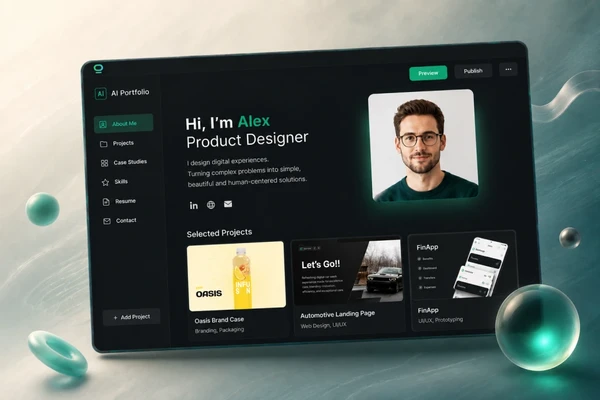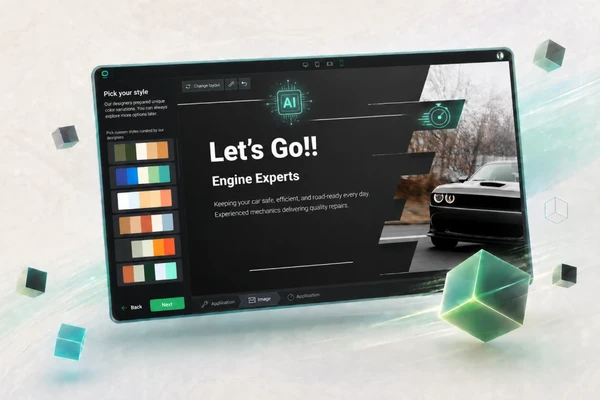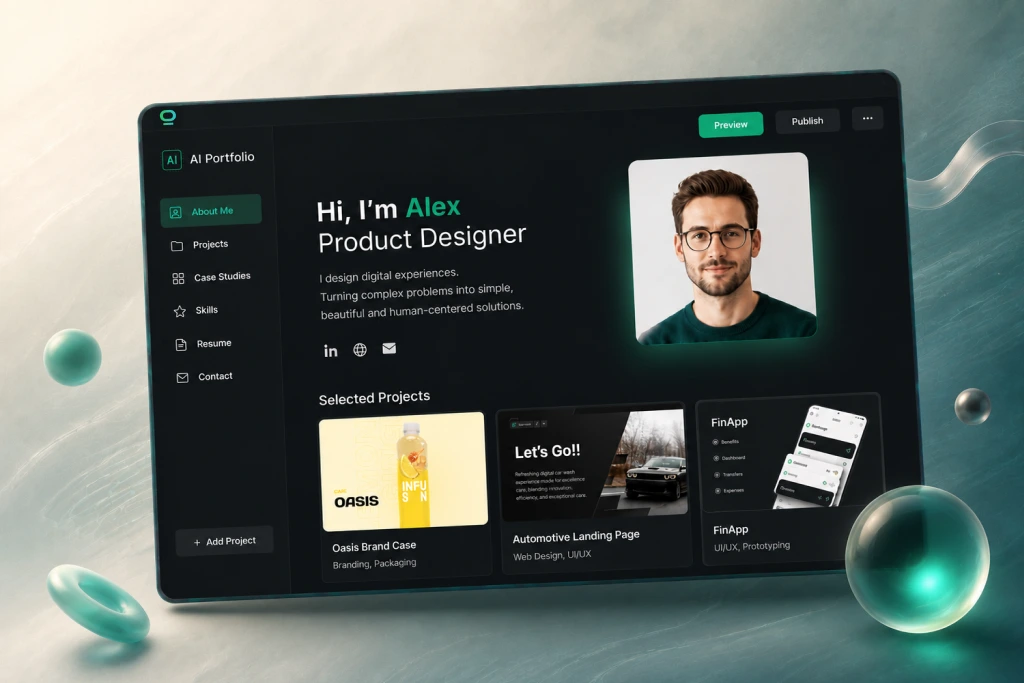

Your work is somewhere out there: in Google Drive, Instagram posts, Behance links, LinkedIn updates, PDFs, screenshots, old folders, or maybe even on an old, forgotten website.
The problem is simple: clients, recruiters, and collaborators don’t have time to hunt for your best work.
They need to understand fast:
- who you are,
- what you do,
- what your best work looks like,
- what value you can bring,
- and how to contact you.
That is exactly what a good portfolio website should do.
Today, you don’t need to code, hire a designer, or spend weeks building your portfolio from scratch. With the right AI portfolio builder, you can create a professional portfolio website in minutes.
In this guide, I’ll show you how to create a portfolio with AI step by step. You’ll see what to prepare, what to write into AI, what sections your portfolio should include, how to improve project descriptions, and what to check before publishing.
⚡TL;DR:
- Define your goal: decide whether your portfolio is for clients, recruiters, job applications, or personal branding.
- Choose an AI portfolio builder that offers AI generation, customization, SEO tools, and no-code editing.
- Describe yourself clearly: tell AI who you are, what you do, who you help, and what projects you want to showcase.
- Review the generated structure and make sure it includes your best projects, about section, services, proof, and contact information.
- Personalize the design by adjusting colors, fonts, visuals, and CTAs to match your personal brand.
- Improve your content using AI-generated project descriptions, service pages, and portfolio copy.
- Add strong visuals such as project screenshots, mockups, case studies, or supporting AI-generated graphics.
- Build trust with testimonials, certifications, results, awards, and other proof of expertise.
- Optimize for SEO by adding keyword-focused titles, meta descriptions, image alt text, and mobile-friendly design.
- Create multilingual versions to reach international clients, recruiters, and opportunities.
AI - your imagination is the only limit
Start Free
What is an AI portfolio builder?
Instead of starting from a blank page, you describe who you are, what you do, what projects you want to show, and what you want your portfolio to achieve. Then AI helps generate your portfolio: structure, sections, copy, design direction, and sometimes visuals.
For example, you can tell an AI portfolio website builder:
I am a freelance graphic designer helping small brands create logos, social media visuals, and packaging. I want a clean portfolio website that shows my best projects, explains my services, and helps clients contact me.
A good AI portfolio builder can turn that into a portfolio website with a homepage, project sections, about section, services, testimonials, contact form, and clear calls to action.
Can you really create a portfolio with AI in minutes?
You portfolio created with AI could include:
- homepage,
- portfolio,
- selected project sections,
- about section,
- skills or services section,
- contact section,
- CTA buttons,
- project descriptions,
- basic visuals,
- SEO fields.
Before your portfolio goes live, you still need to check:
- project accuracy,
- your role in each project,
- client names and permissions,
- images and visuals,
- project links,
- spelling,
- contact details,
- mobile view,
- SEO title and meta description,
- whether the portfolio actually shows your best work.
AI can build the draft fast. You still add the proof, personality, and real project details that make people trust you.
How to Build a Website with AI in 7 Minutes?
What to prepare before using an AI portfolio builder
Here is what helps most:
- your name or brand name,
- your profession or role,
- short bio,
- target audience,
- portfolio goal,
- best projects or work samples,
- project images, screenshots, videos, or links,
- skills,
- services,
- testimonials or proof,
- contact details,
- preferred style,
- main CTA.
This preparation helps the AI portfolio builder create something more useful from the start.
If you only say “make me a portfolio,” you will probably get something generic.
If you explain who you are, what you do, and what kind of opportunities you want, the result will be much closer to what you actually need.
Quick input formula for better AI portfolio results
I am a [profession/role] helping [target audience] with [main skills/services]. I want my portfolio to help me [main goal]. My style should feel [style/tone]. Please include [important sections/projects/proof].
Example:
I am a freelance graphic designer helping small brands create logos, social media visuals, and packaging. I want my portfolio to help me get client inquiries. My style should feel clean, creative, and professional. Please include a homepage, selected projects, services, about section, testimonials, and contact form.
AI Portfolio Builder Tutorial: Create Your Portfolio Step by Step
Step 1. Choose one clear portfolio goal
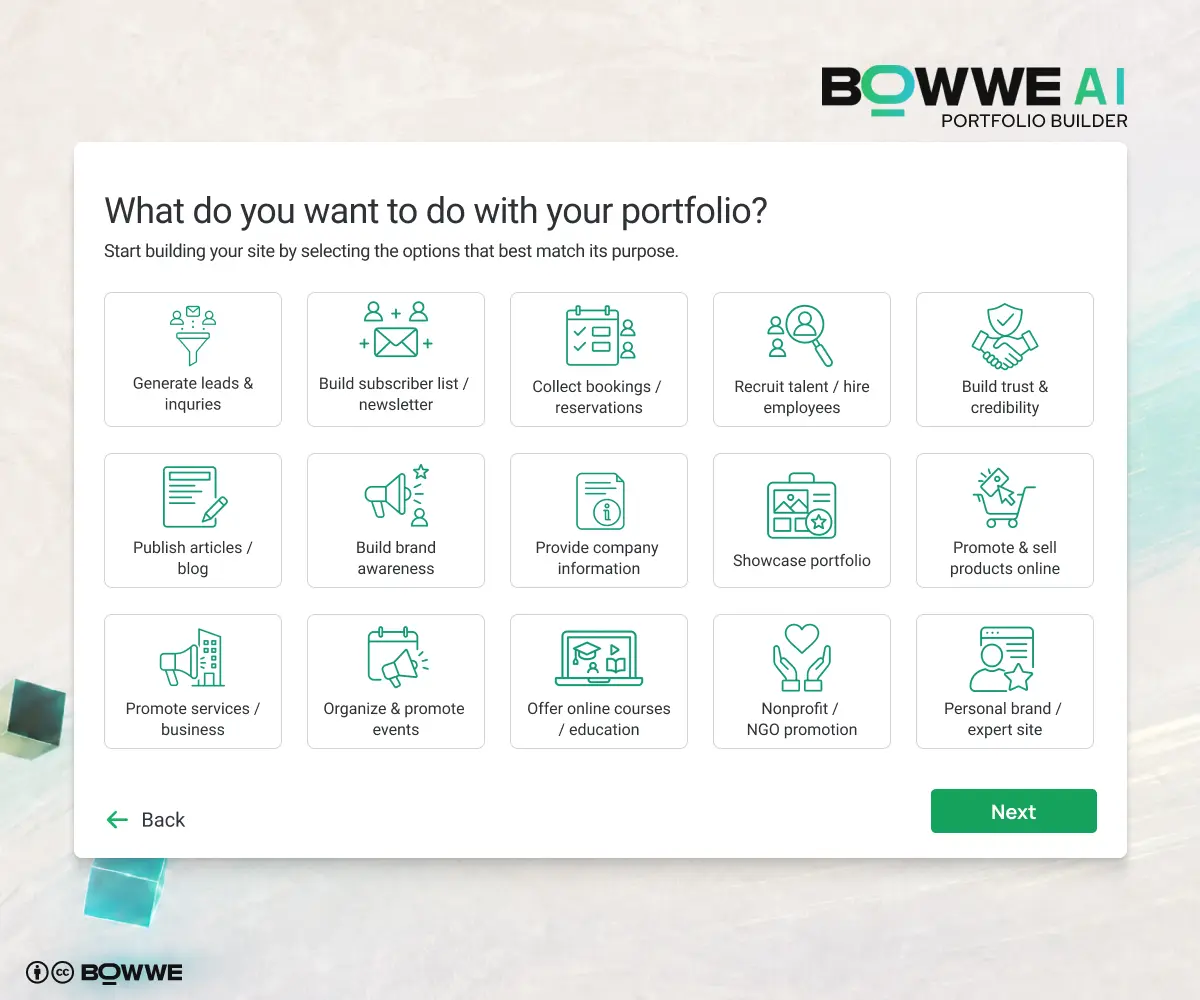
Your portfolio should help you achieve something specific, for example:
- get freelance clients,
- apply for jobs,
- attract recruiters,
- present creative work,
- show student projects,
- sell services,
- build your personal brand,
- collect inquiries,
- show case studies,
- apply to school, grants, or creative programs.
Step 2. Choose an AI portfolio builder
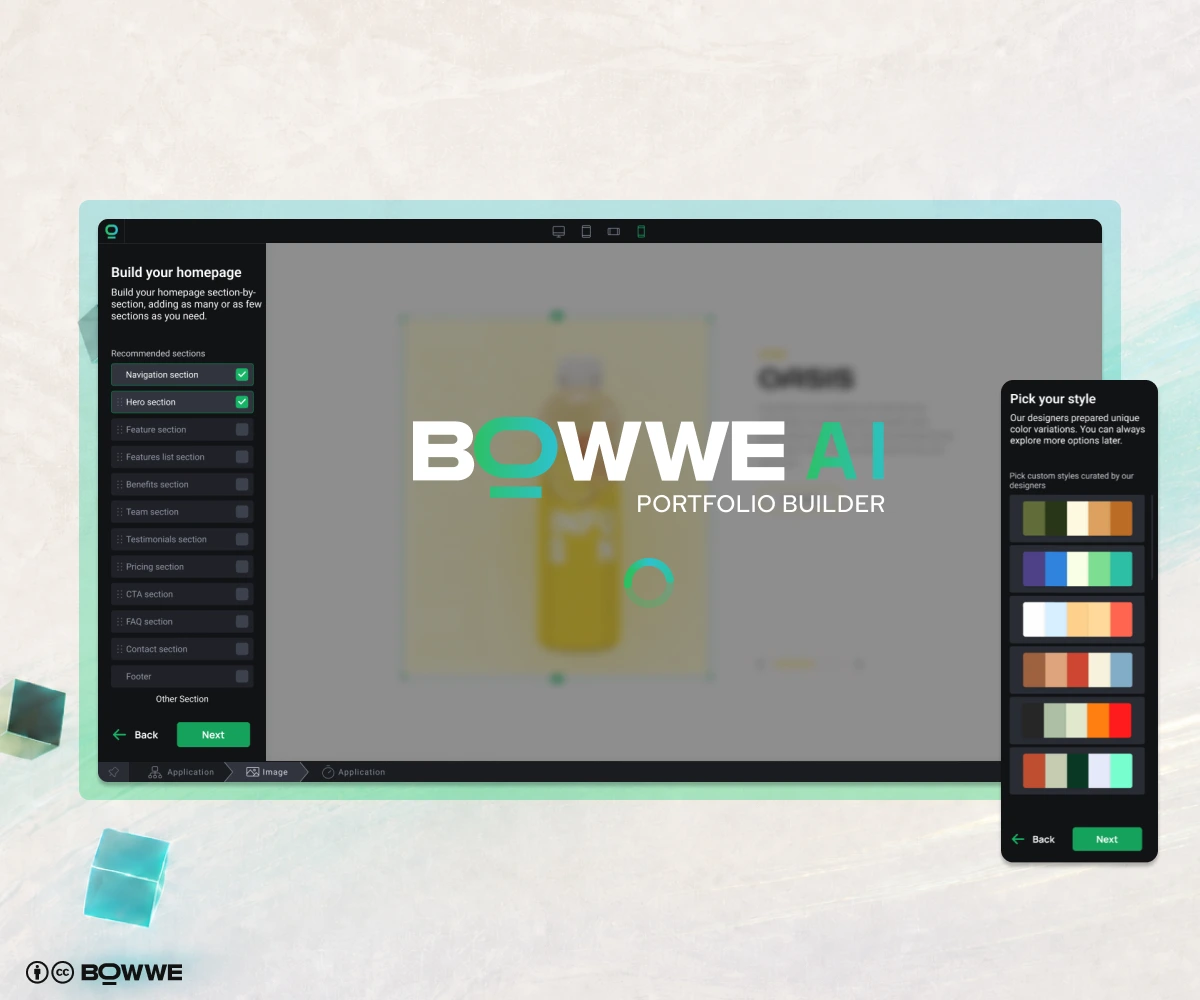
Some tools generate a nice-looking page, but then give you little control. Others help with text but leave you stuck with design. A good AI portfolio website builder should help you create the first version fast and then let you customize everything without coding.
Here is what I would look for:
- AI portfolio generation: you should be able to describe your work and get a real portfolio draft.
- No-code editing: you must be able to change text, images, sections, colors, buttons, and layout yourself.
- Project sections: your portfolio should present work clearly, not just display random images.
- AI text support: useful for project descriptions, bio, services, CTA, and SEO.
- AI image support: helpful for hero visuals, backgrounds, blog covers, or supporting graphics.
- SEO tools: your portfolio should be easy to optimize for search engines.
- Mobile responsiveness: your work must look good on phones.
- Contact forms: people should be able to reach you fast.
- Custom domain support: important if you want your portfolio to look professional.
- Multilanguage options: useful if you work with international clients.
- Publishing control: you should be able to launch, edit, and improve your portfolio whenever you want.
BOWWE AI Portfolio Builder fits this process well because it helps you create a portfolio website with AI and then customize it in the editor. You can adjust structure, improve content, add visuals, change design, optimize SEO, and publish without coding.
That matters because AI shouldn’t just create a pretty page. It should help you build a portfolio that supports your real goal.
Step 3. Describe your work clearly to AI
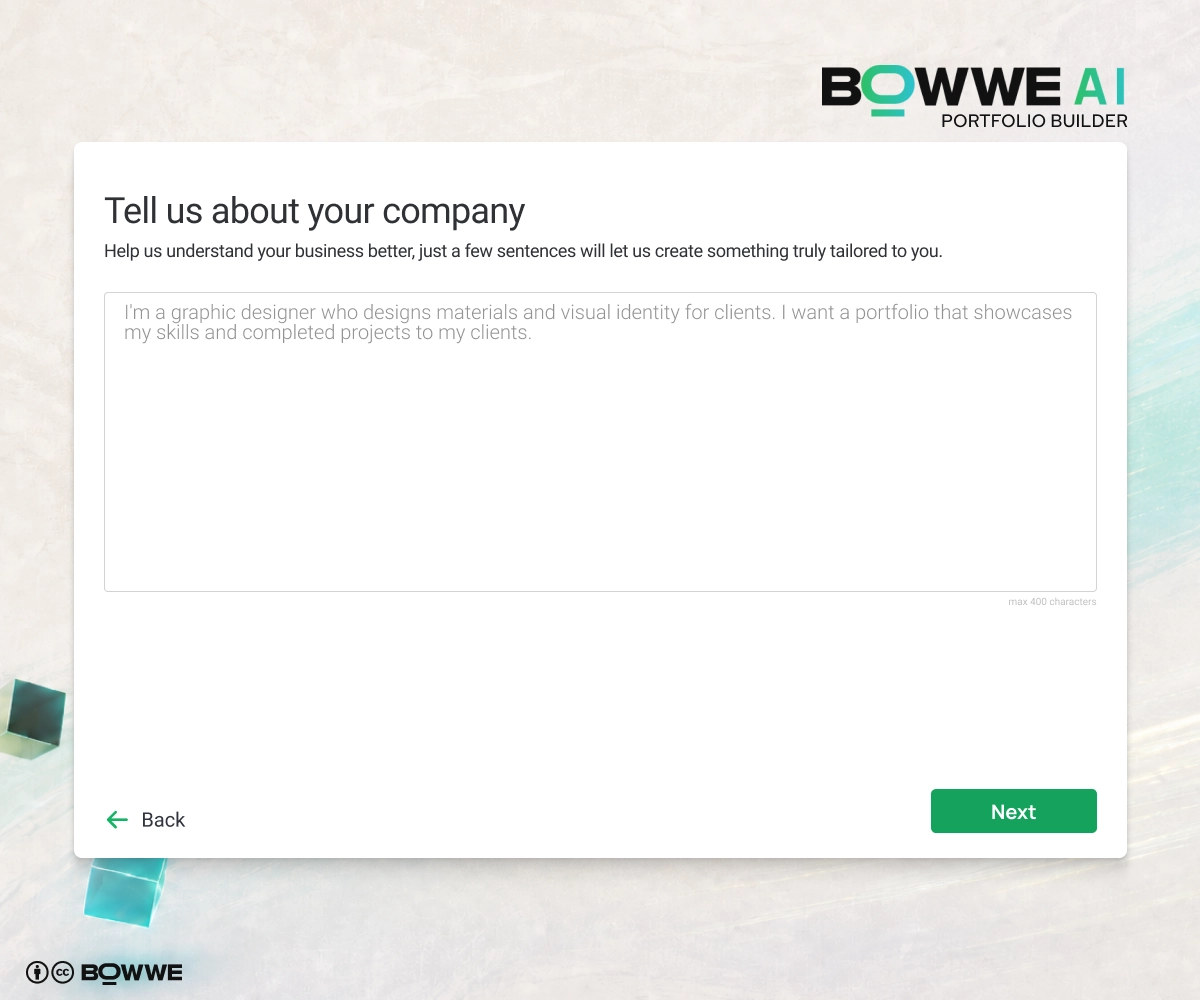
If you write:
Make me a portfolio.
You will probably get a generic portfolio. Not useless, but not exactly the thing that makes someone say, “Yes, I want to work with this person.”
Instead, give the AI portfolio builder a clear description.
Include:
- who you are,
- what you do,
- who you want to attract,
- what projects you want to show,
- what skills matter most,
- what style you want,
- what tone you want,
- what CTA you need,
- what proof you already have.
Here is a simple prompt you can use:
I am a freelance web designer helping small businesses create clean, modern websites. I want my portfolio to attract local business owners who need a website or redesign. Please include homepage, selected projects, services, about section, testimonials, and contact form. The tone should be professional, simple, and friendly. The main CTA should be “Book a Free Consultation.”
The better your input, the better your portfolio draft.
Step 4. Check your portfolio structure
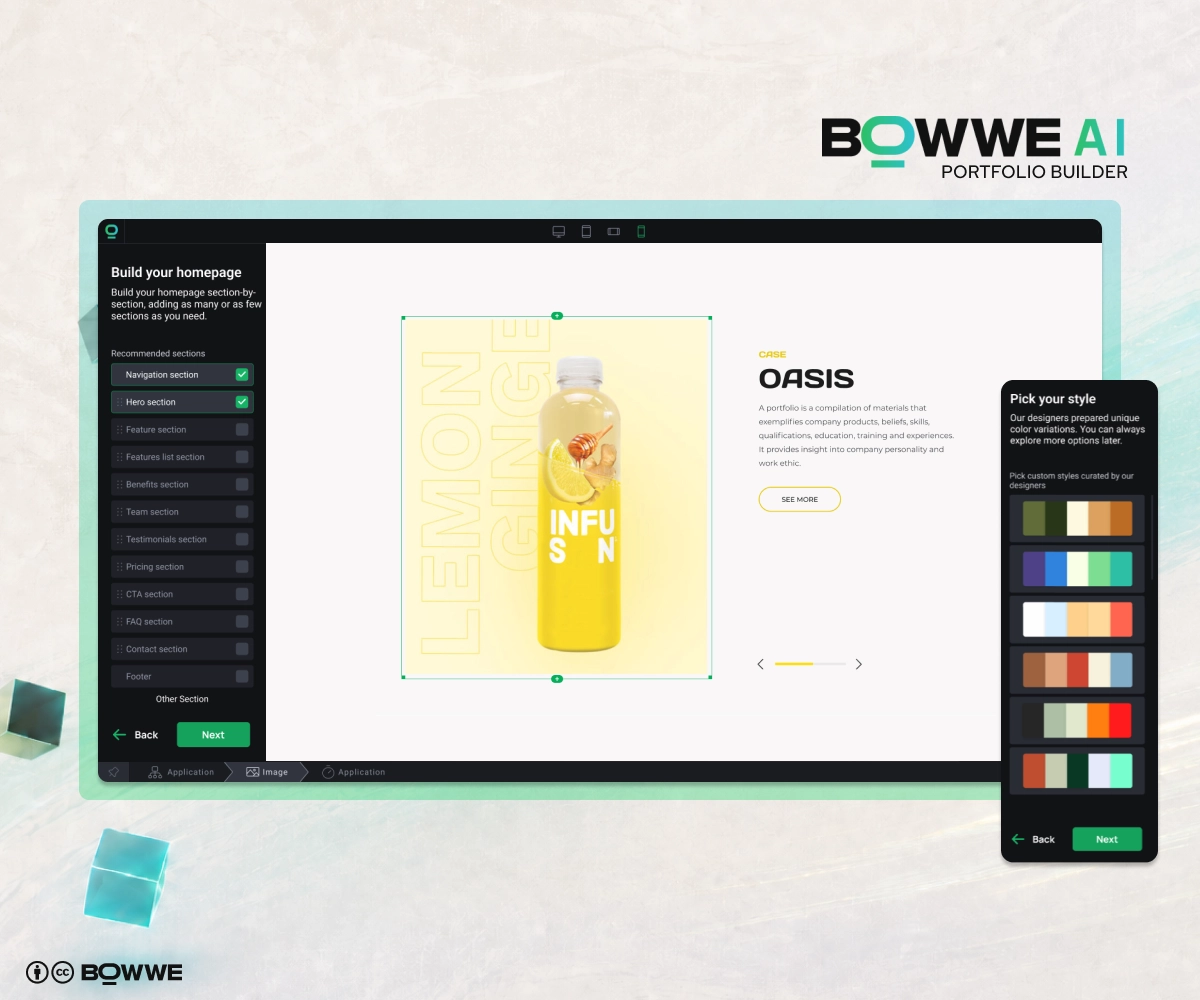
First, check the structure.
A good portfolio should answer these questions fast:
- Who are you?
- What kind of work do you do?
- What are your best projects?
- What was your role?
- What value did you create?
- How can someone contact you?
Here are the most important sections to check:
- Hero section: your name, role, short value statement, and main CTA.
- Selected projects: your best work, not everything you ever touched.
- Project or case study pages: problem, process, solution, result.
- About section: who you are, what you do, and why people should trust you.
- Skills or services: what you can actually help with.
- Testimonials or proof: quotes, results, clients, awards, or certifications.
- Gallery or visuals: screenshots, photos, designs, mockups, videos, or project images.
- Contact section: form, email, social links, or booking link.
- CTA sections: clear next steps across the page.
Step 5. Personalize your portfolio to fit your personal brand
AI gives you the first version, but personalization is what makes your portfolio feel real. This is where you adjust fonts, colors, visuals, buttons, spacing, and style so the portfolio matches your personal brand instead of looking like a generic AI draft.
Start with fonts.
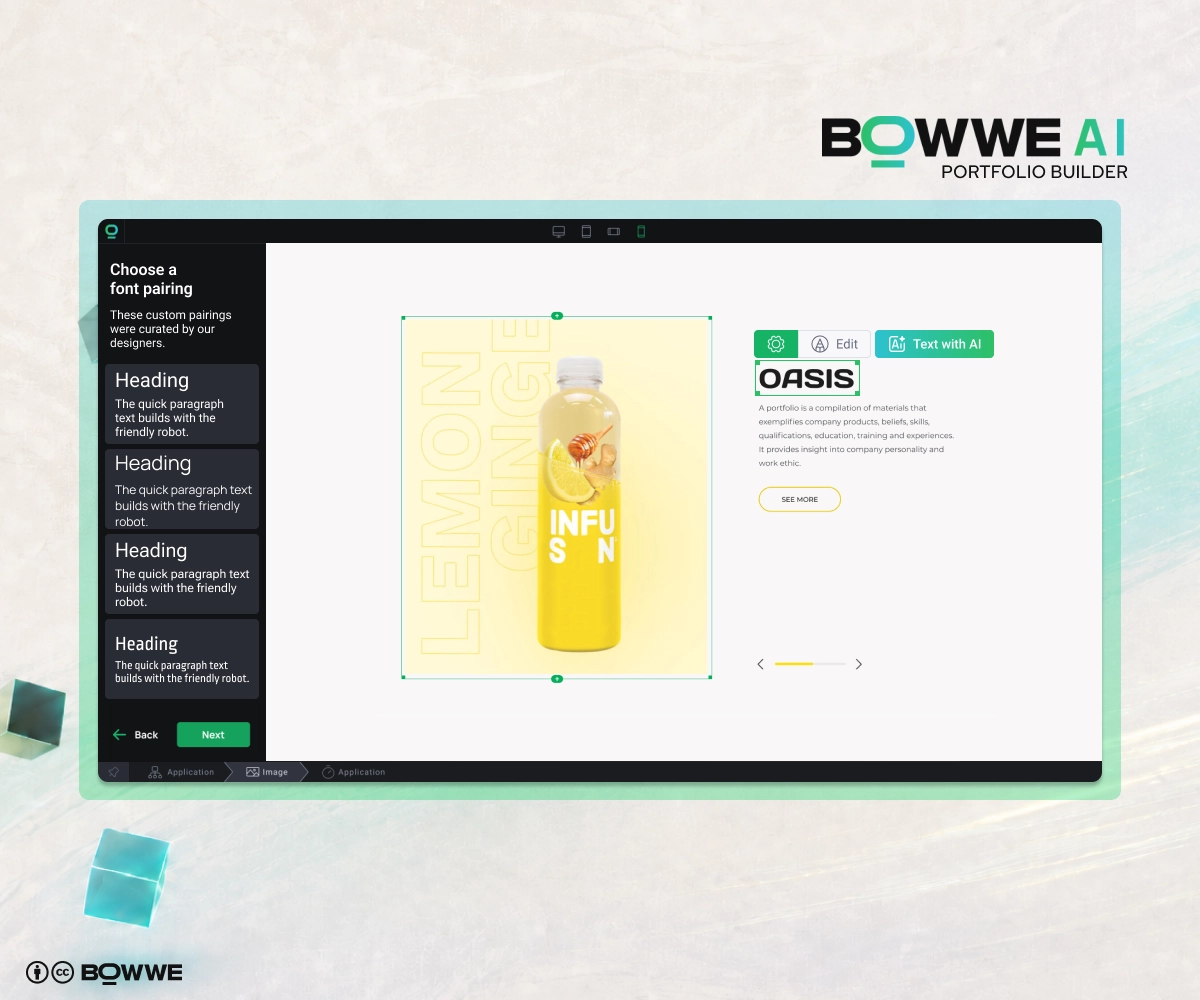
For example:
- bold modern heading font + simple readable body font,
- elegant serif heading font + clean sans-serif body font,
- minimal heading font + neutral body font,
- creative display font + very simple body font.
The rule is simple: your portfolio text must be easy to read. If someone has to fight your font, the font is not helping.
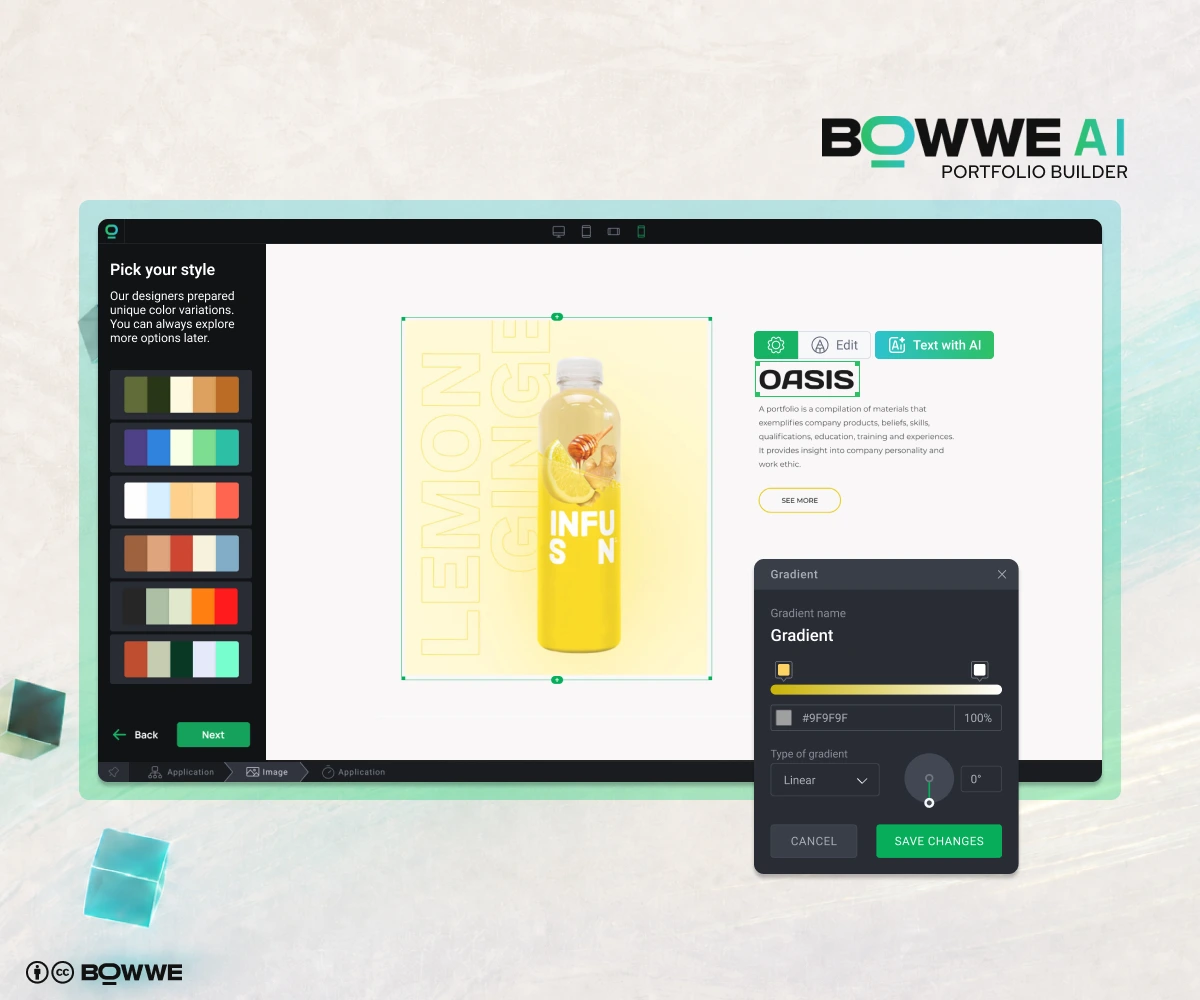
For example:
- graphic designer portfolio: clean, modern, sometimes bold,
- photographer portfolio: minimal colors that let images stand out,
- developer portfolio: clean, technical, high contrast,
- consultant portfolio: professional and trustworthy,
- artist portfolio: more expressive, but still easy to navigate,
- student portfolio: simple, clear, and polished.
Then check your buttons.
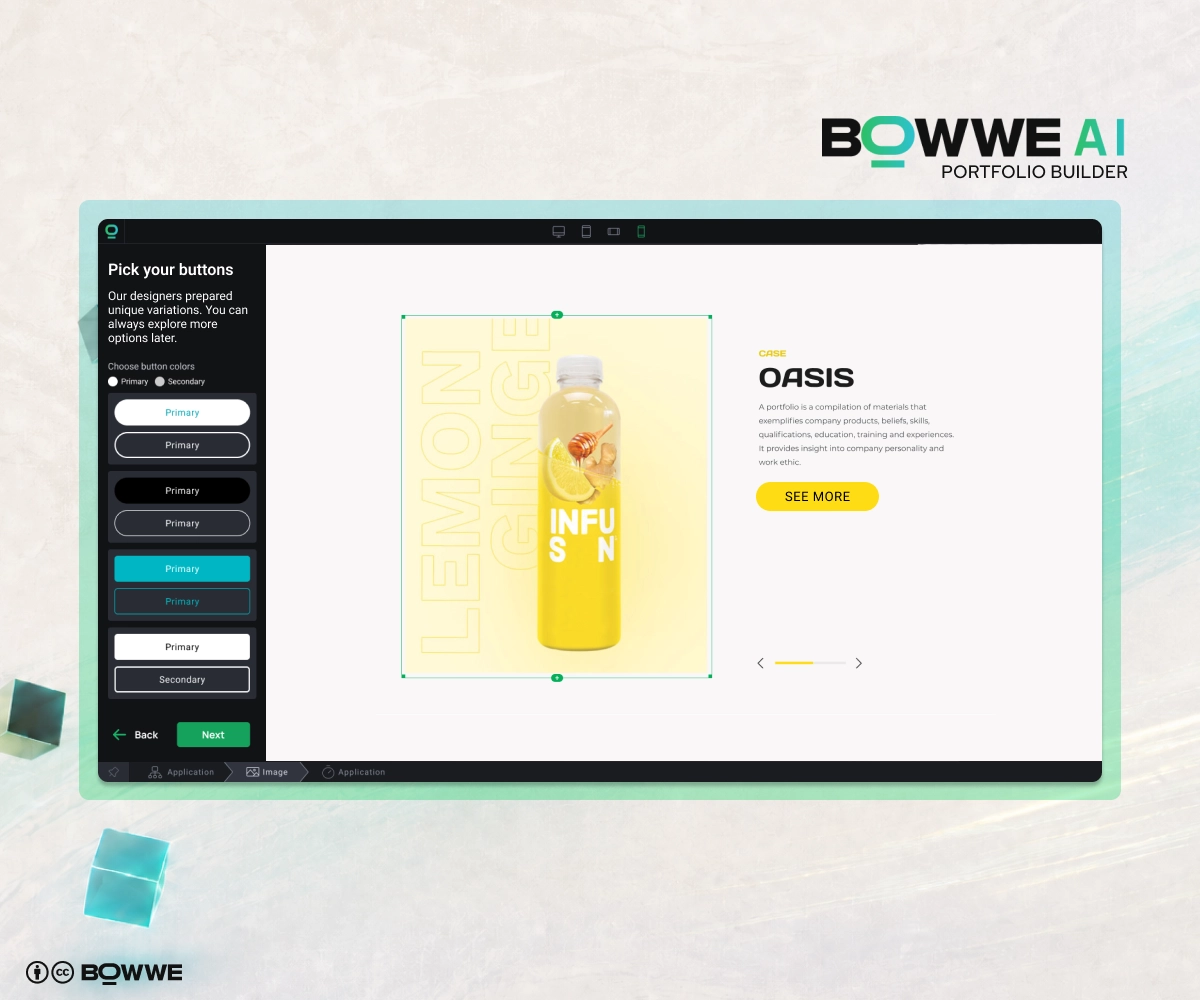
Use CTAs like:
- View Projects,
- See Case Studies,
- Contact Me,
- Hire Me,
- Book a Call,
- Download Resume,
- View My Work,
- Get in Touch.
Avoid vague button text everywhere. “Learn More” is fine sometimes, but if every button says “Learn More,” people don’t know what they are actually clicking.
Step 6. Improve your project descriptions with AI Text Generator
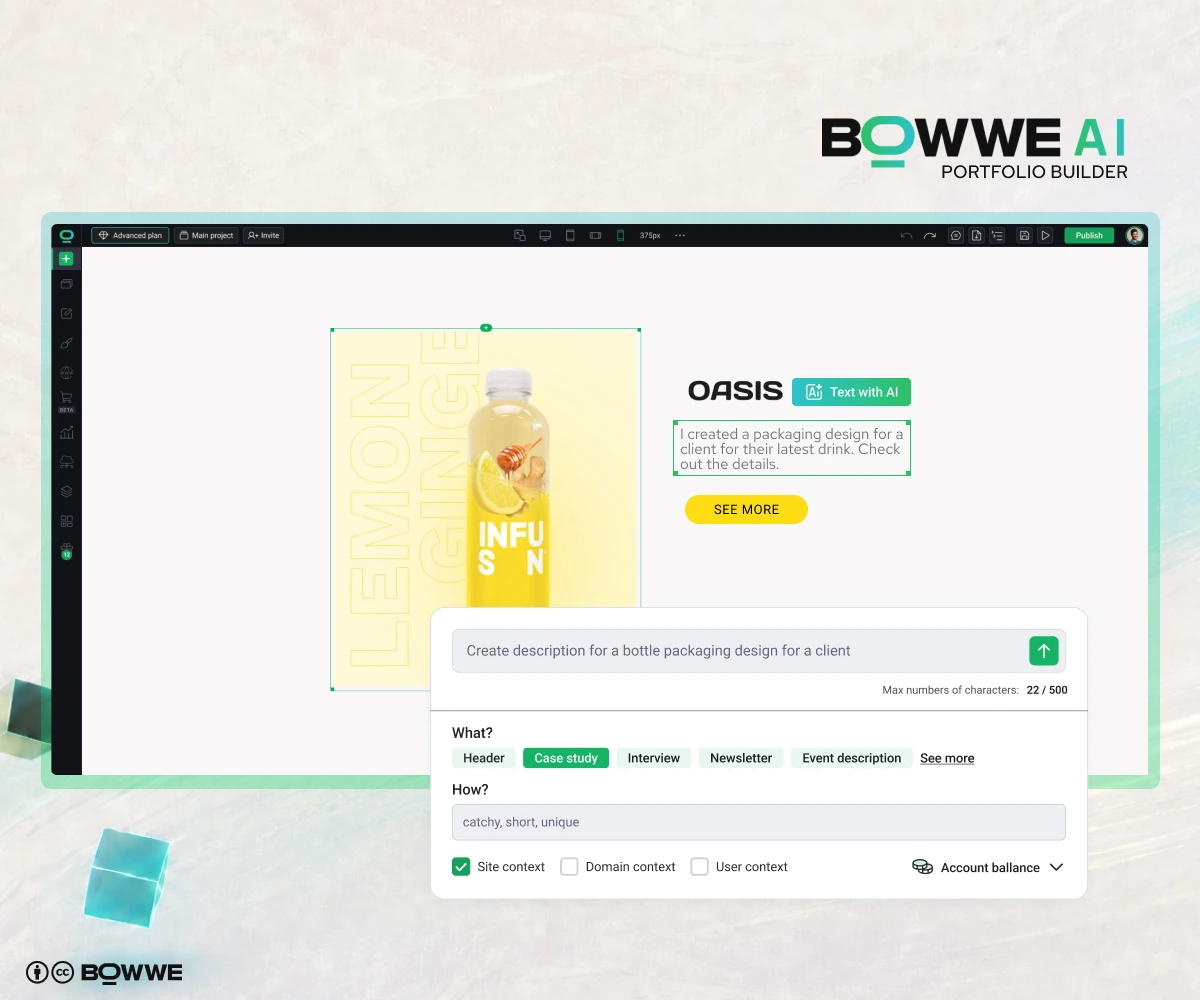
BOWWE AI Text Generator can help you write or improve:
- project descriptions,
- case study intros,
- about section,
- service descriptions,
- skill summaries,
- CTA text,
- FAQ answers,
- SEO titles,
- meta descriptions.
Use this simple project description formula:
Project goal → Your role → Process → Result → Tools used
For each project, answer:
- What was the project?
- Who was it for?
- What problem did it solve?
- What was your role?
- What did you create?
- What tools did you use?
- What was the result?
Example of a weak project description:
Logo design for a coffee brand.
Better version:
I created a visual identity for a local coffee brand that wanted to look modern, warm, and easy to recognize on packaging and social media. My work included logo design, color palette, typography, packaging mockups, and Instagram templates.
Much better. Now people understand what you actually did.
To make your AI-generated project descriptions sound more natural, add real details:
- client or project type,
- your role,
- goal,
- tools,
- timeline,
- process,
- result,
- feedback,
- numbers if you have them.
Step 7. Add or improve visuals with AI Image Generator
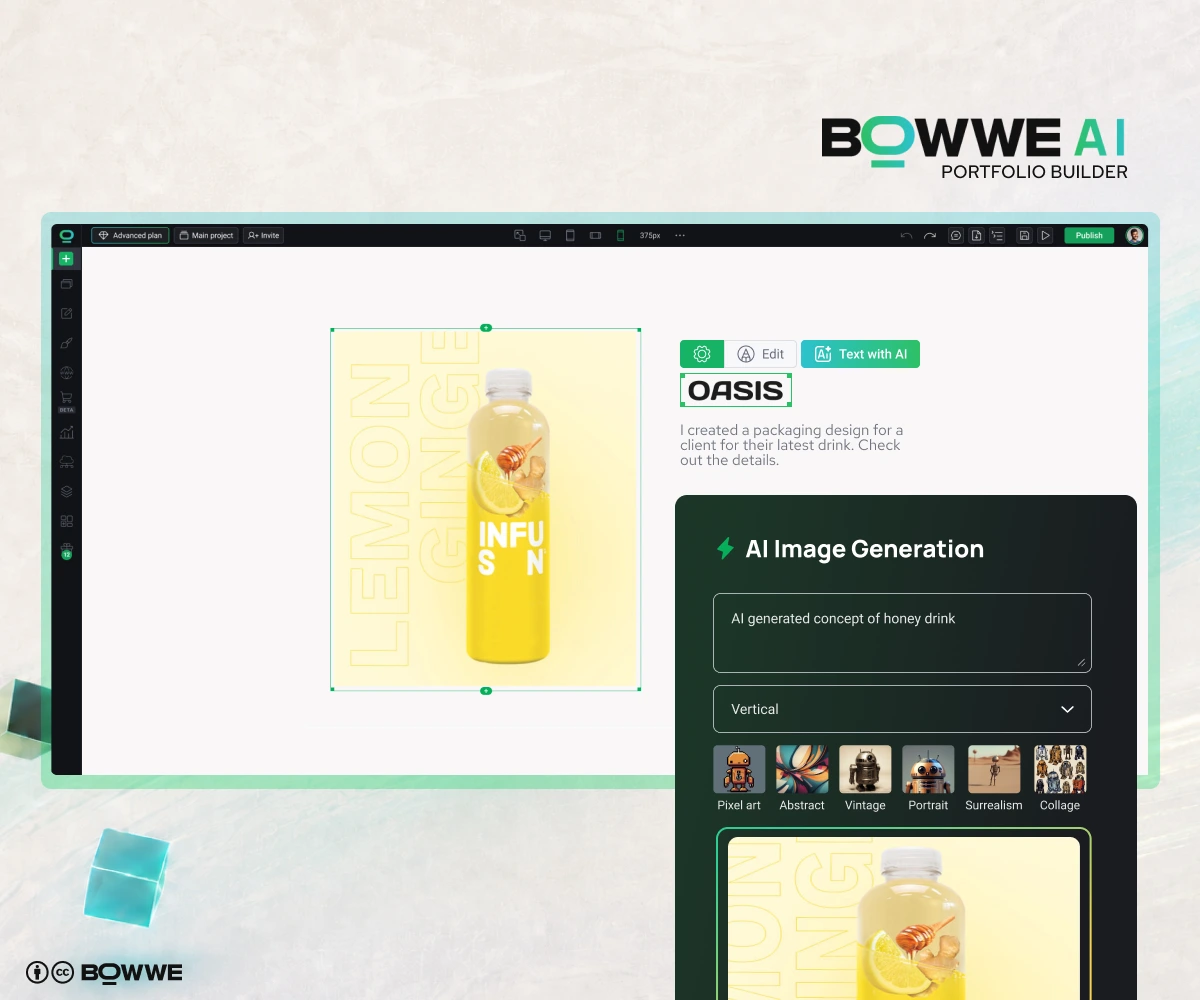
But finding the right visuals can take time. Maybe your project screenshots are messy. Maybe your thumbnails do not match. Maybe you need a clean hero graphic, blog cover, or mockup-style image.
BOWWE AI Image Generator can help you create or improve supporting visuals for your portfolio.
You can use AI images for:
- hero section visuals,
- section backgrounds,
- mockup-style graphics,
- blog covers,
- visual concepts,
- service illustrations,
- presentation images,
- placeholder visuals while you organize real work.
But here is the important part: your actual portfolio work should be real.
- Don’t use fake projects.
- Don't use fake clients.
- Don't use fake results.
AI visuals can make your portfolio presentation cleaner, but your real work should stay honest.
Step 8. Add testimonials, proof, and trust signals
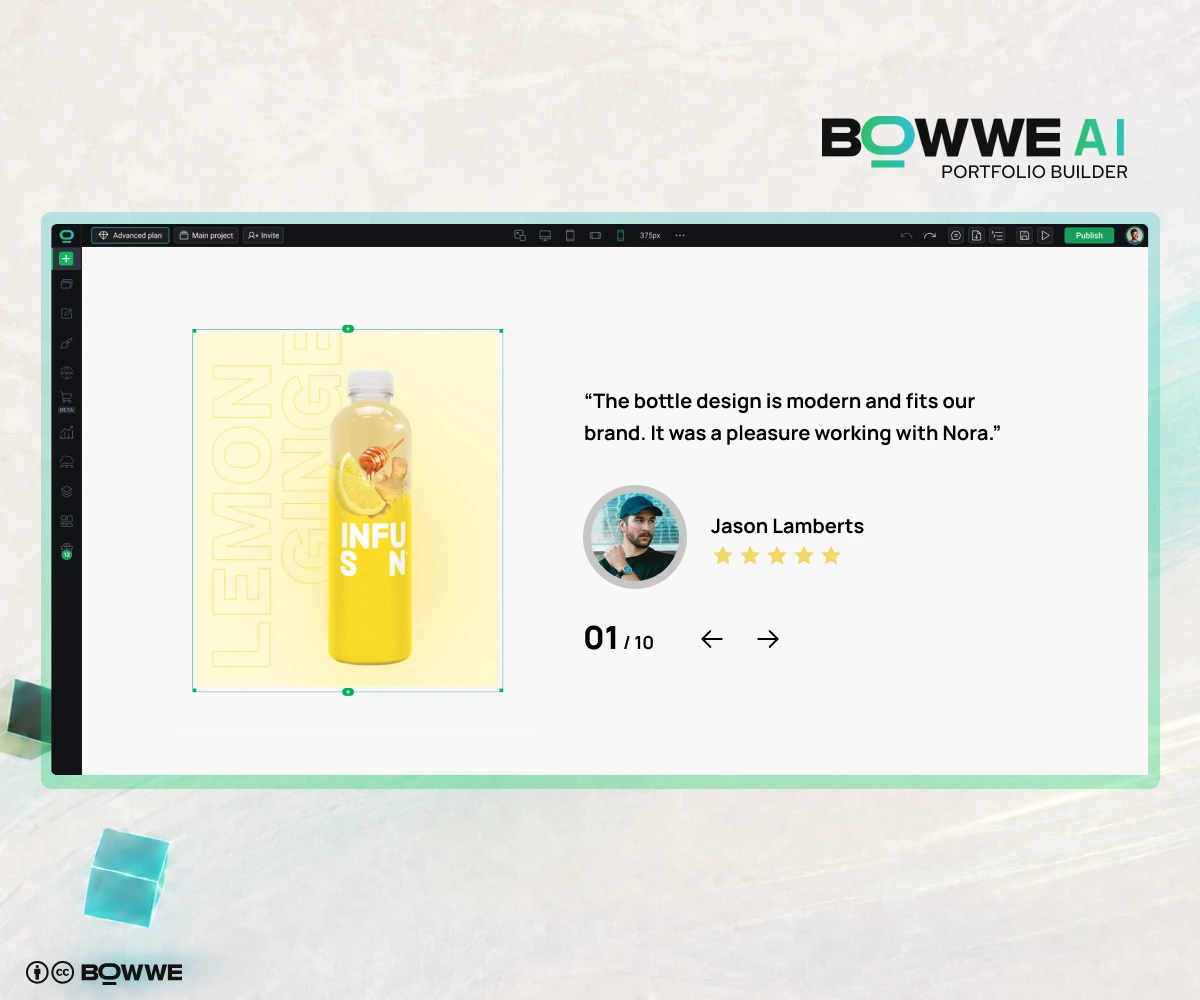
People want to know whether you can actually deliver, communicate, solve problems, and create value. That is why proof matters.
Add trust signals like:
- testimonials,
- client quotes,
- client logos if allowed,
- awards,
- certificates,
- numbers and results,
- before/after examples,
- publications,
- GitHub, Behance, Dribbble, LinkedIn, or other relevant links,
- downloadable resume,
- case study results,
- short feedback from teachers, mentors, managers, or clients.
If you have client testimonials, use them near your projects and contact section.
If you don’t have testimonials yet, don’t panic. Use other proof.
You can show:
- personal projects,
- school projects,
- volunteer work,
- public reviews,
- certifications,
- detailed process,
- before/after examples,
- open-source contributions,
- small project results.
Step 9. Add SEO basics and publish
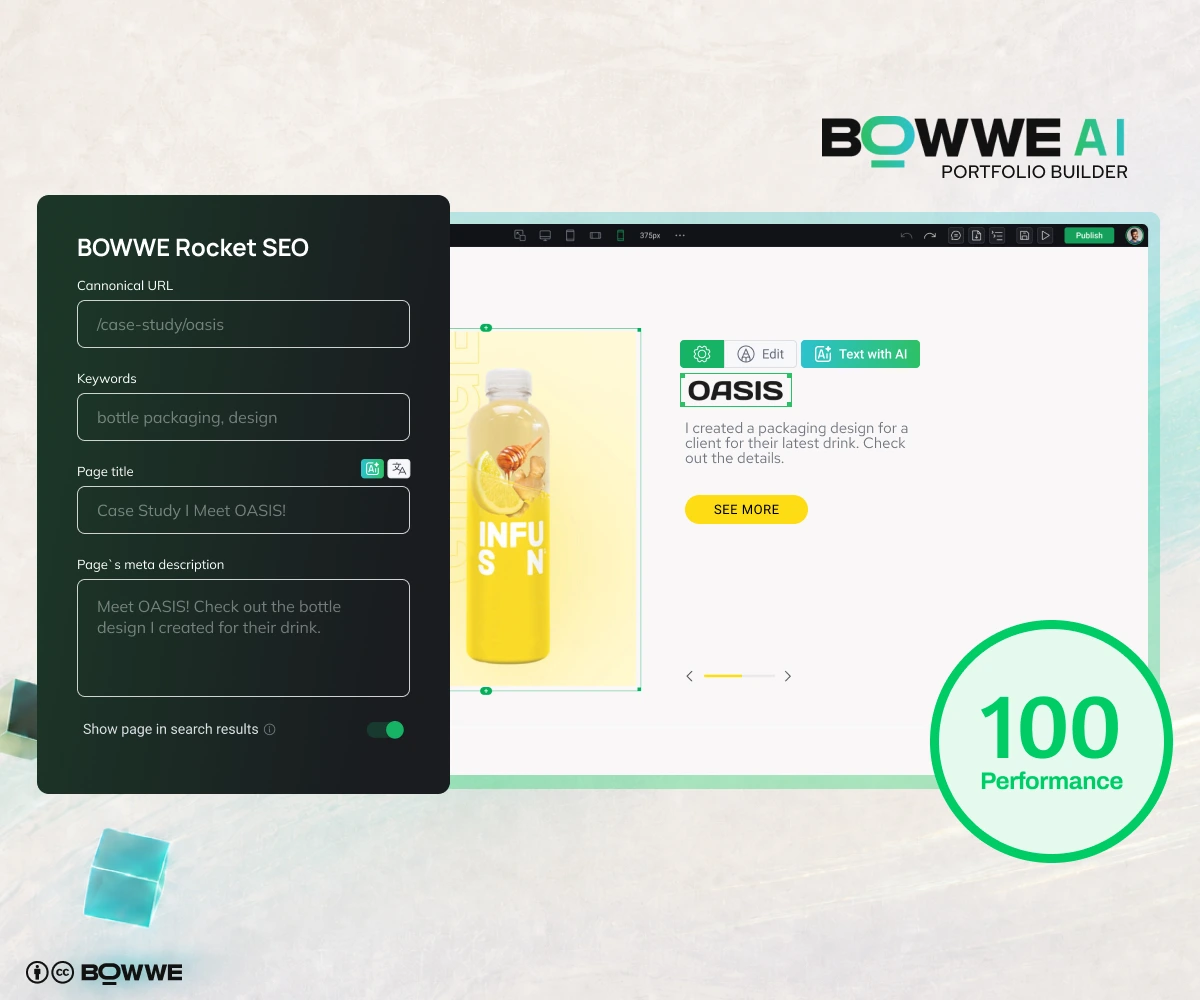
Your portfolio shouldn’t just look good. It should also be findable.
Check these elements:
- SEO title,
- meta description,
- clear H1 heading,
- simple URL,
- project page titles,
- image alt text,
- keywords in important sections,
- internal links,
- mobile responsiveness,
- fast loading,
- working contact form,
- working project links.
For example, instead of a vague page title like:
- Portfolio
- Freelance Graphic Designer Portfolio | Sarah Miller
- Welcome to my portfolio.
Use:
- Explore Sarah Miller’s graphic design portfolio, including logo design, branding, packaging, and social media projects for small businesses.
This helps both people and search engines understand what your portfolio is about.
Step 10. Make your portfolio multilingual
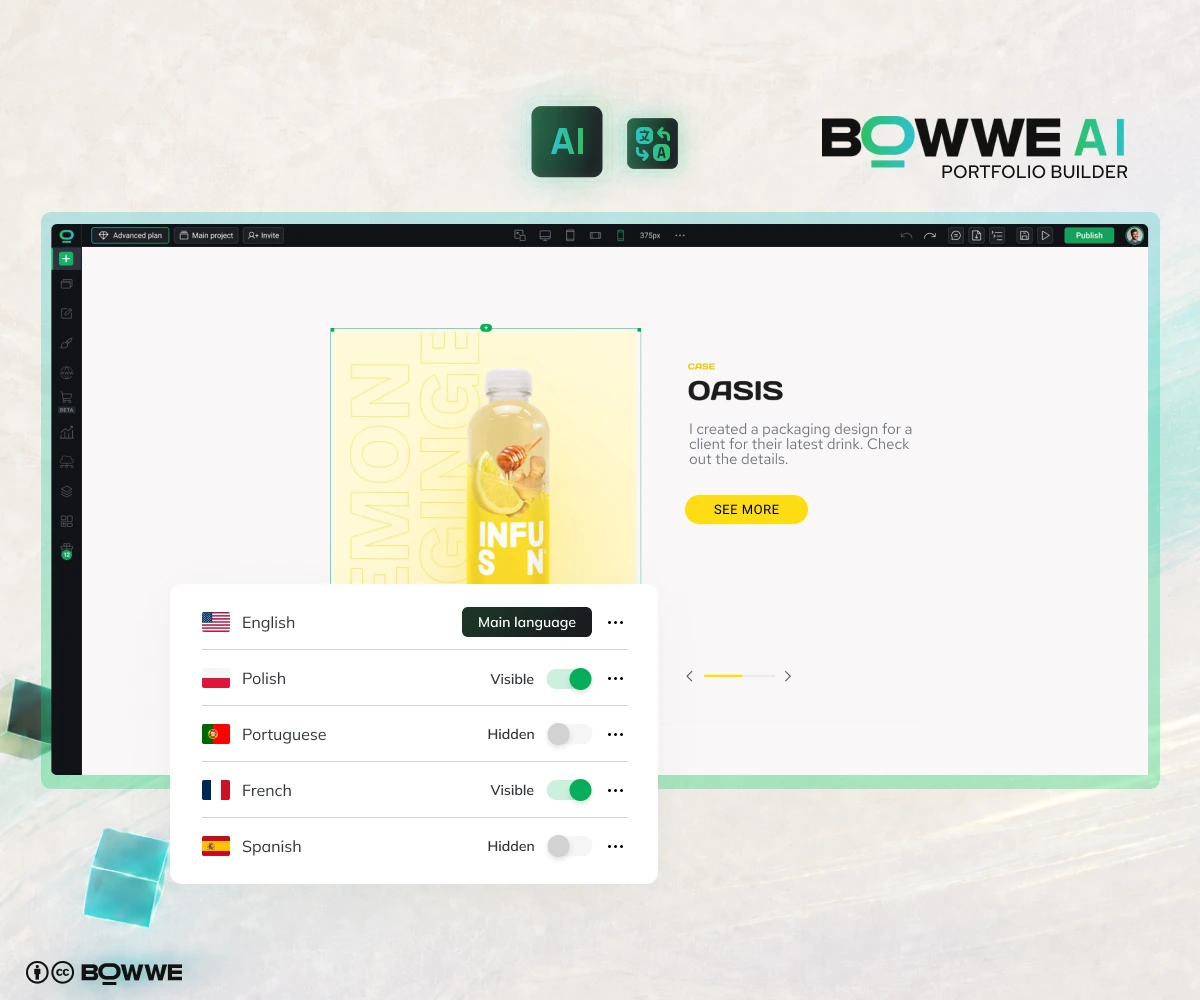
This is useful if you:
- work with clients in different countries,
- apply for jobs abroad,
- serve tourists or international customers,
- want to reach a global creative audience,
- speak more than one language,
- apply to international schools, programs, or grants.
A multilingual portfolio can build trust faster because people understand your work in their own language.
Best AI portfolio builder features to look for
Some tools only generate a pretty page. That is nice, but a portfolio needs more than “pretty.” It needs clear projects, strong descriptions, proof, easy contact, mobile-friendly design, and SEO.
Here is what to look for:
Feature
Why it matters
AI portfolio generation
Helps you start without a blank page
No-code editor
Lets you customize everything yourself
AI Text Generator
Helps write stronger project descriptions
AI Image Generator
Helps create supporting visuals
SEO settings
Helps your portfolio get found
Mobile responsiveness
Makes your work look good on phones
Contact forms
Makes it easy to reach you
Multilanguage support
Helps you reach international clients
Editing control
Lets you update your portfolio over time
Analytics
Helps you understand what visitors do
Create your portfolio with AI – summary
- You don’t need to start from a blank page.
- You don’t need to code.
- You don’t need to spend weeks wondering how to describe your projects.
That combination gives you a portfolio that is not only fast to create, but also actually useful for your career, business, or personal brand.
Use AI to start quickly. Then use your real work to make the portfolio worth remembering.
AI - your imagination is the only limit
Start Free
AI Portfolio Builder - FAQ
What is an AI portfolio builder?
How do I create a portfolio with AI?
Can I create a portfolio with AI for free?
What should an AI-generated portfolio include?
What is the best AI portfolio builder?
Is an AI-generated portfolio good for SEO?
Do I need coding skills to use an AI portfolio builder?

Karol is an entrepreneur, e-commerce speaker among others, for the World Bank, and founder of 3 startups, as part of which he has advised several hundred companies. He was also responsible for projects of the largest financial institutions in Europe, with the smallest project being worth over €50 million.
He has two master's degrees, one in Computer Science and the other in Marketing Management, obtained during his studies in Poland and Portugal. He gained experience in Silicon Valley and while running companies in many countries, including Poland, Portugal, the United States, and Great Britain. For over ten years, he has been helping startups, financial institutions, small and medium-sized enterprises to improve their functioning through digitization.