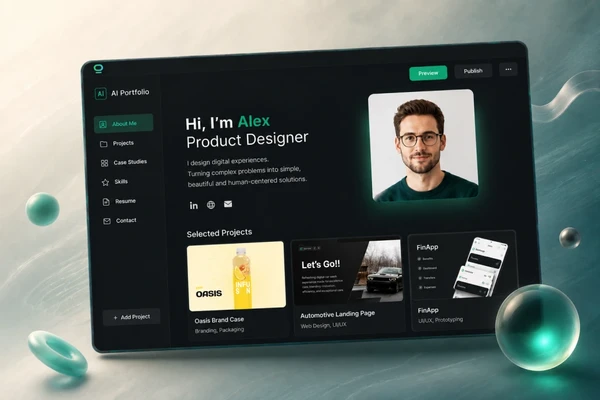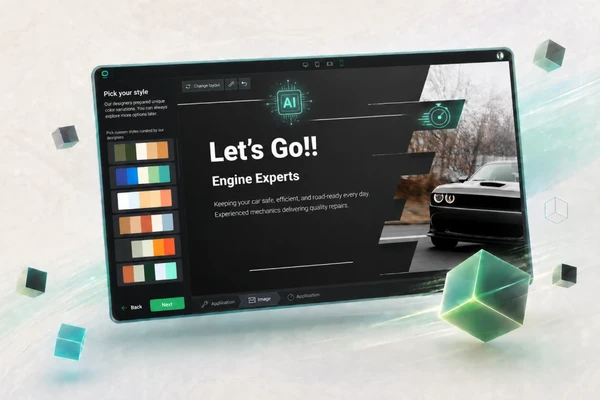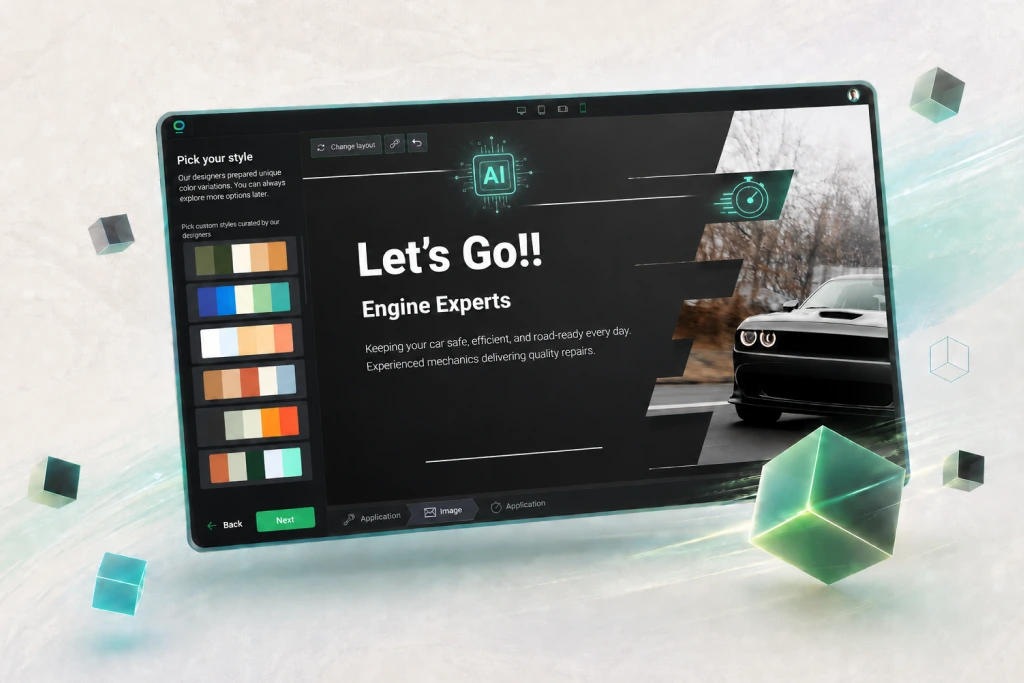

Good news: with the right AI website builder, you can create a professional first version of your website in minutes.
In this guide, I’ll show you how to build a website with AI using AI Website Builder. The goal is simple: get your business online fast with a website that looks professional, explains your offer clearly, and helps visitors take action.
⚡TL;DR:
- Pick one clear goal for your website.
- Describe your business in detail.
- Use BOWWE AI Website Builder to generate your first website draft.
- Customize the structure, design, text, and images.
- Improve your copy with AI Text Generator.
- Create or adjust visuals with AI Image Generator.
- Add basic SEO, test mobile view, check forms, and publish.
AI - your imagination is the only limit
Start Free
What is an AI website builder?
Instead of starting from an empty page, you tell AI what you do, who your customers are, what you sell, and what goal your website should support. Then the AI website generator creates the first version of your site: page structure, sections, text, design direction, and sometimes images.
For example, you can tell an AI site builder:
I run a local cleaning company in Austin. I need a website that gets quote requests from homeowners and small offices. The tone should be friendly, professional, and trustworthy.
A good AI website creator can turn that into a homepage with a headline, service sections, benefits, testimonials, contact form, and call-to-action buttons.
BOWWE AI Website Builder works exactly around that idea. You describe your business, and AI helps create a growth-ready website that you can edit later in a no-code builder.
Can you really build a website with AI in 7 minutes?
In 7 minutes, you can create:
- a homepage draft,
- a basic website structure,
- first website texts,
- design direction,
- CTA sections,
- basic visuals,
- a solid starting point for your business website.
That doesn't mean you should publish blindly without checking anything. Before you send real customers to your AI-generated website, you should still check:
- your business name,
- contact details,
- service descriptions,
- pricing or offer details,
- mobile view,
- buttons,
- contact forms,
- SEO title and meta description,
- spelling,
- images.
What to prepare before using an AI website builder
Here is what helps most:
- your business name,
- short description of what you do,
- target audience,
- location or service area,
- main services or products,
- main website goal,
- preferred tone of voice,
- main CTA,
- logo or brand colors if you already have them,
- real testimonials, reviews, or proof,
- contact details.
This preparation makes your AI-generated website much better because the tool has real material to work with.
Quick input formula for better AI website results
I run [business type] in [location]. I help [target audience] with [main services/products]. My website goal is [main goal]. The tone should be [tone]. The main CTA should be [CTA]. Please include [important sections or trust signals].
Example:
I run a local dog grooming salon in Miami. I help busy dog owners with grooming, bath packages, nail trimming, and puppy care. My website goal is to get appointment bookings. The tone should be friendly, warm, and trustworthy. The main CTA should be “Book an Appointment.” Please include services, reviews, gallery, location, opening hours, and FAQ.
AI Website Builder Tutorial: Build Your Site in Minutes
Step 1. Choose one clear website goal
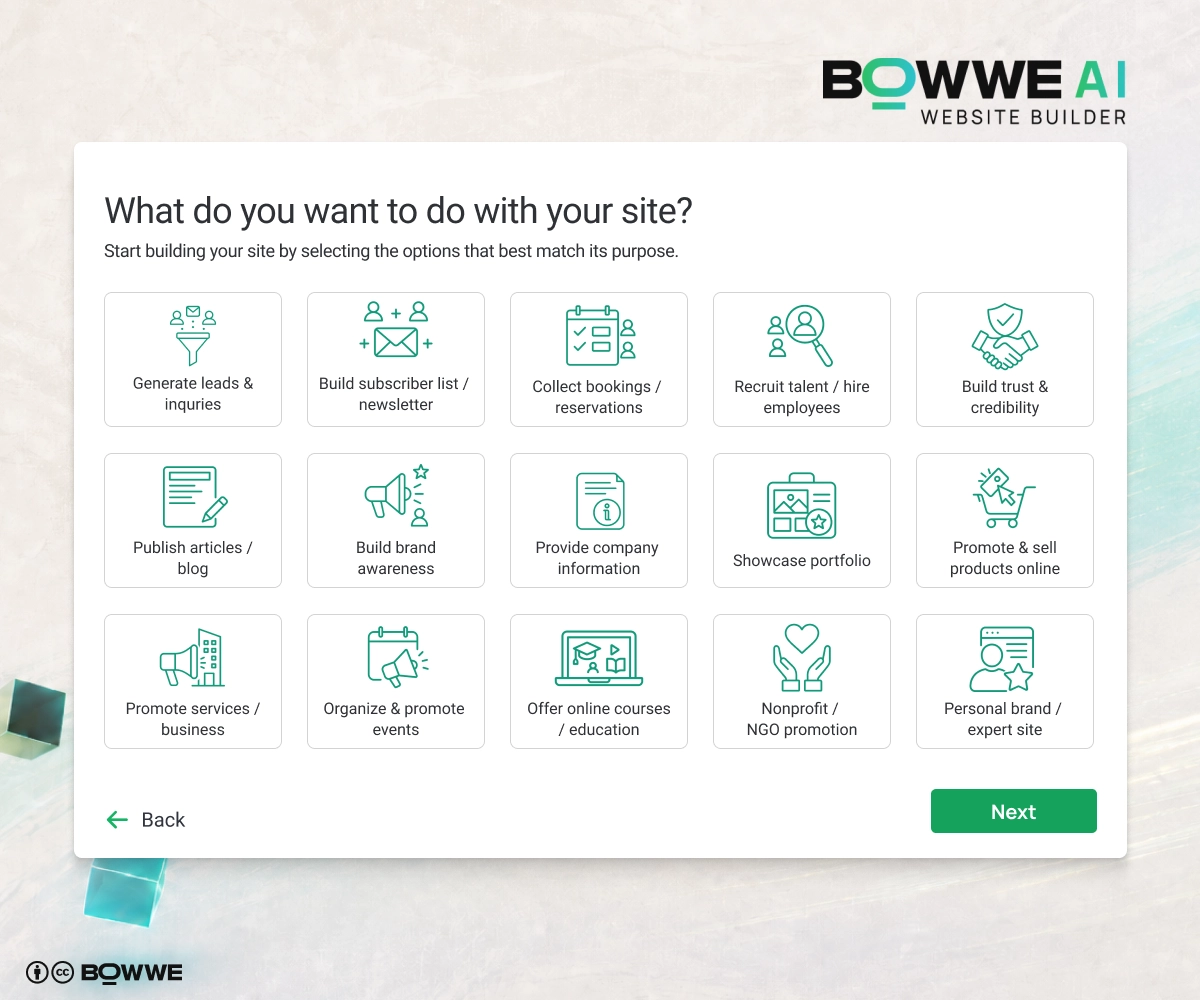
Your website should help visitors do something specific, for example:
- request a quote,
- book a call,
- make a reservation,
- order online,
- buy a product,
- view your portfolio,
- contact your team,
- sign up for a free trial,
- download a resource.
Pick one main goal first. You can add secondary goals later.
Step 2. Choose an AI Website Builder to create your website
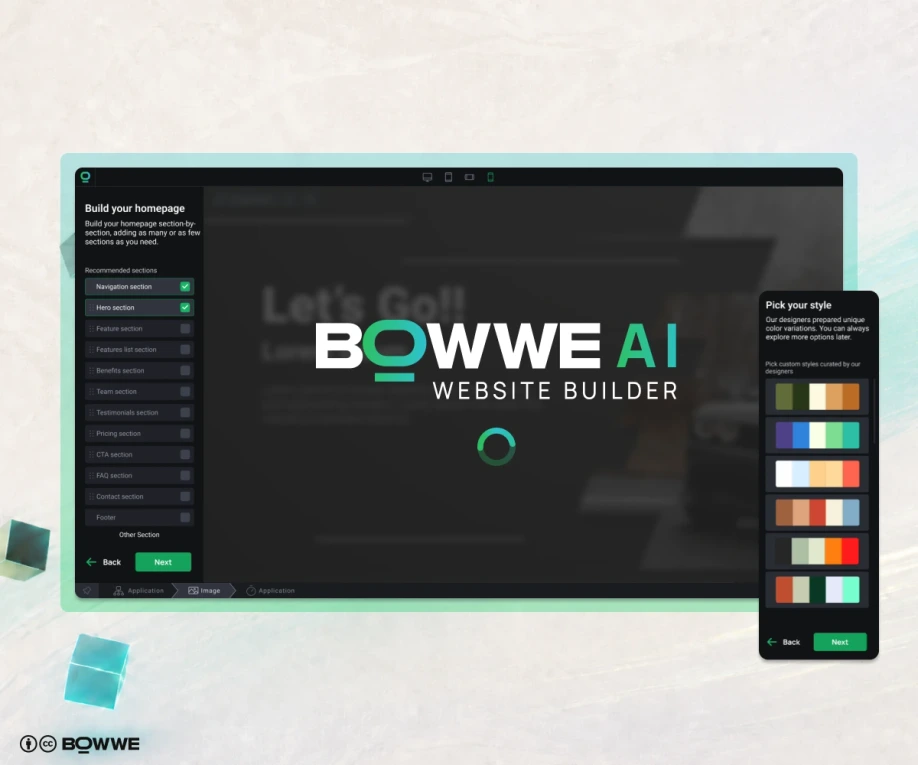
Some tools can generate a nice-looking page, but then give you very little control. Others help with content, but leave you stuck with design. The best AI website builder should help you create the first version fast and then let you customize everything without touching code.
Here is what I would look for:
- AI website generation: you should be able to describe your business and get a real website draft, not just a random layout.
- Easy editing: you must be able to change text, images, sections, colors, and buttons yourself.
- AI text support: because writing website text from scratch is where many people get stuck.
- AI image support: useful when you need visuals, blog covers, hero graphics, or section images fast.
- SEO tools: your website should be easy to optimize for Google from day one.
- Mobile responsiveness: the site must look good on phones, not only on a giant desktop screen.
- Multilanguage options: helpful if you want to reach customers in more than one language.
- Publishing control: you should be able to launch, edit, and improve your website whenever you want.
BOWWE AI Website Builder can help you create a website structure, content, and design direction based on your business description.
With BOWWE, you can describe your business, generate a website with AI, and then customize it in an easy no-code editor. That matters because AI shouldn’t just create a page. It should help you build a website that supports your business goal.
Step 3. Describe your business clearly to AI
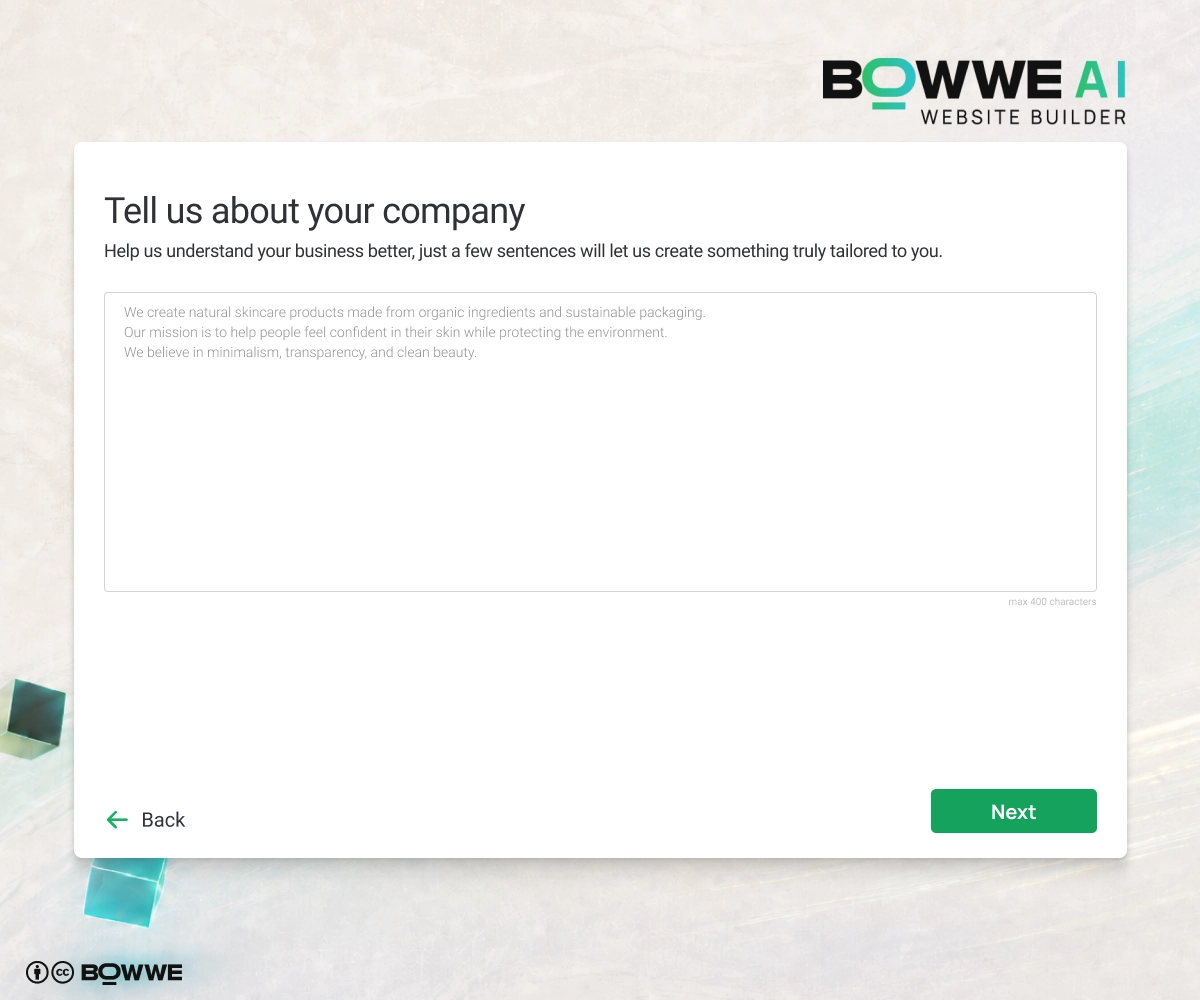
Include:
- what your business does,
- where you operate,
- who your customers are,
- what services or products you offer,
- what makes you different,
- what tone you want,
- what action visitors should take,
- any trust signals you have.
Here is a simple prompt you can use:
I run a local cleaning company in Austin. We offer home cleaning, office cleaning, and move-out cleaning. Our customers are busy homeowners, landlords, and small offices. I want the website to get quote requests and phone calls. The tone should be friendly, trustworthy, and professional. The main CTA should be “Get a Free Quote.”
See the difference? The better your input, the better your first draft.
You answer a few focused questions about your industry, offer, audience, goals, and style. BOWWE uses that information to generate a website that is much closer to your real needs from the start. That means less guessing, less rewriting, and less time fixing AI output later.
Step 4. Check and customize your website structure
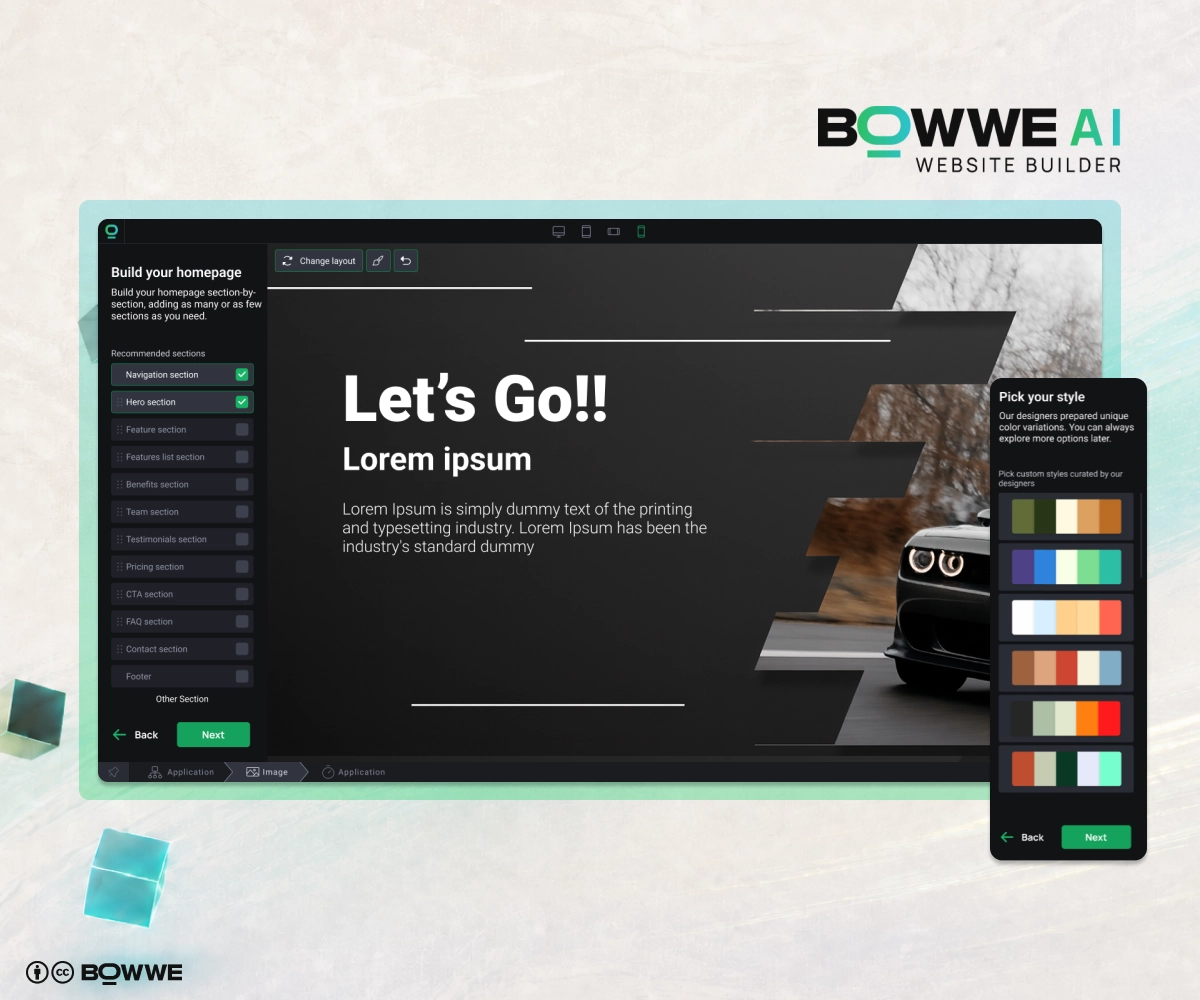
A good business website should answer three questions fast:
- What do you offer?
- Who is it for?
- What should I do next?
If your homepage doesn’t answer those questions, fix it.
Here are the most important sections to check:
- Hero section: the top section of your website with headline, short description, and CTA.
- Services or offer: what you sell and why it matters.
- Benefits: why customers should choose you.
- About section: who you are and why people should trust you.
- Testimonials or reviews: proof that real people like your work.
- Gallery or portfolio: examples, photos, projects, or products.
- FAQ: answers to common doubts.
- Contact form: the easiest way to reach you.
- CTA sections: clear next steps.
So if you later need a Pricing page, FAQ section, Portfolio, Services page, or new landing page, you don’t have to build everything manually from scratch. BOWWE helps generate the new parts, and you simply review, customize, and publish.
Step 5. Personalize your website to fit your brand
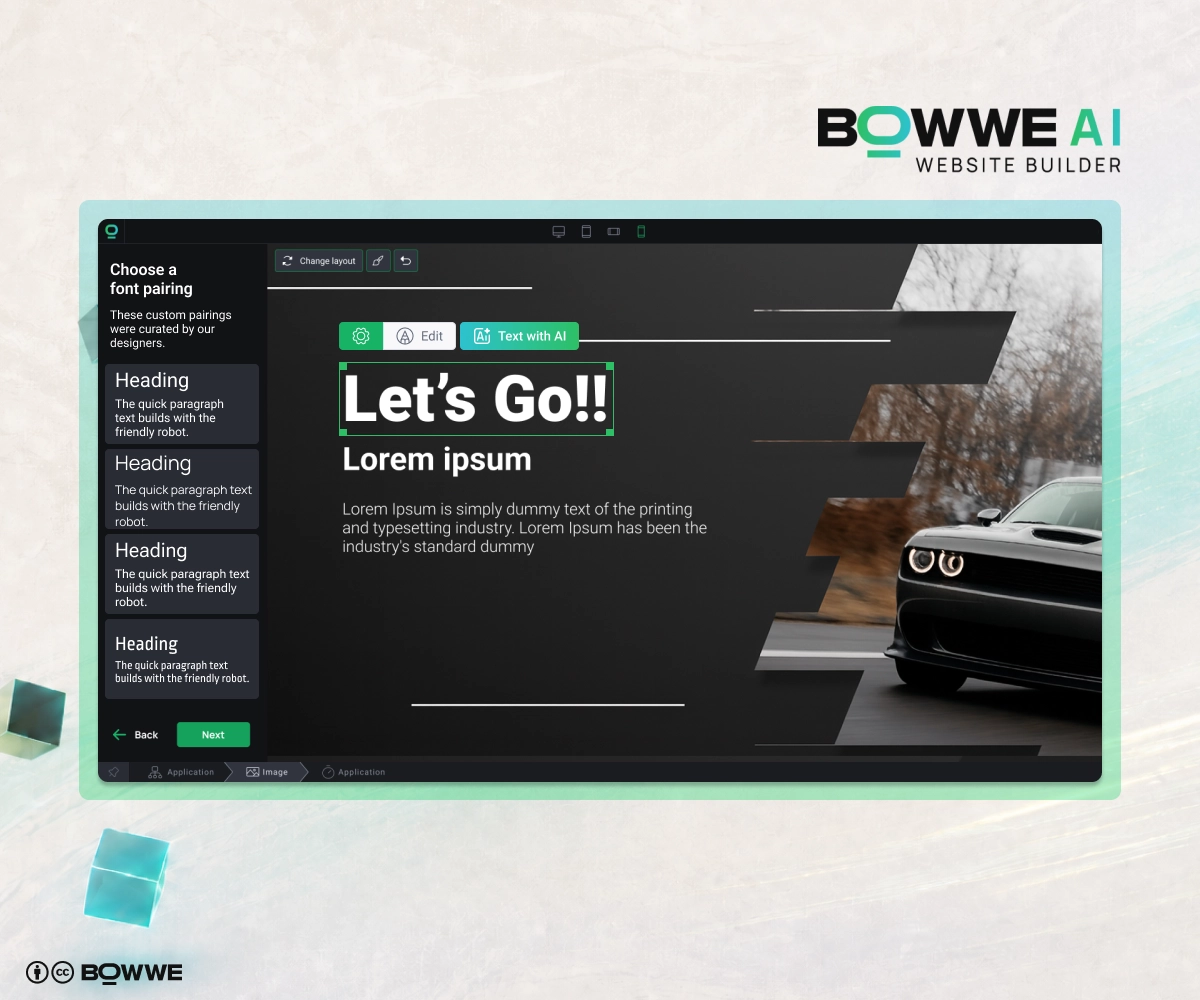
AI gives you the first version, but personalization is what makes the website feel real. This is where you adjust fonts, colors, buttons, images, and style so the site matches your brand instead of looking like a generic AI draft.
Start with fonts.
You don’t need anything complicated. In most cases, one clean font for headings and one simple font for body text is enough. For example:
- bold, modern heading font + simple readable body font,
- elegant serif heading font + clean sans-serif body font,
- strong industrial font + neutral body font.
The rule is simple: your website text must be easy to read.
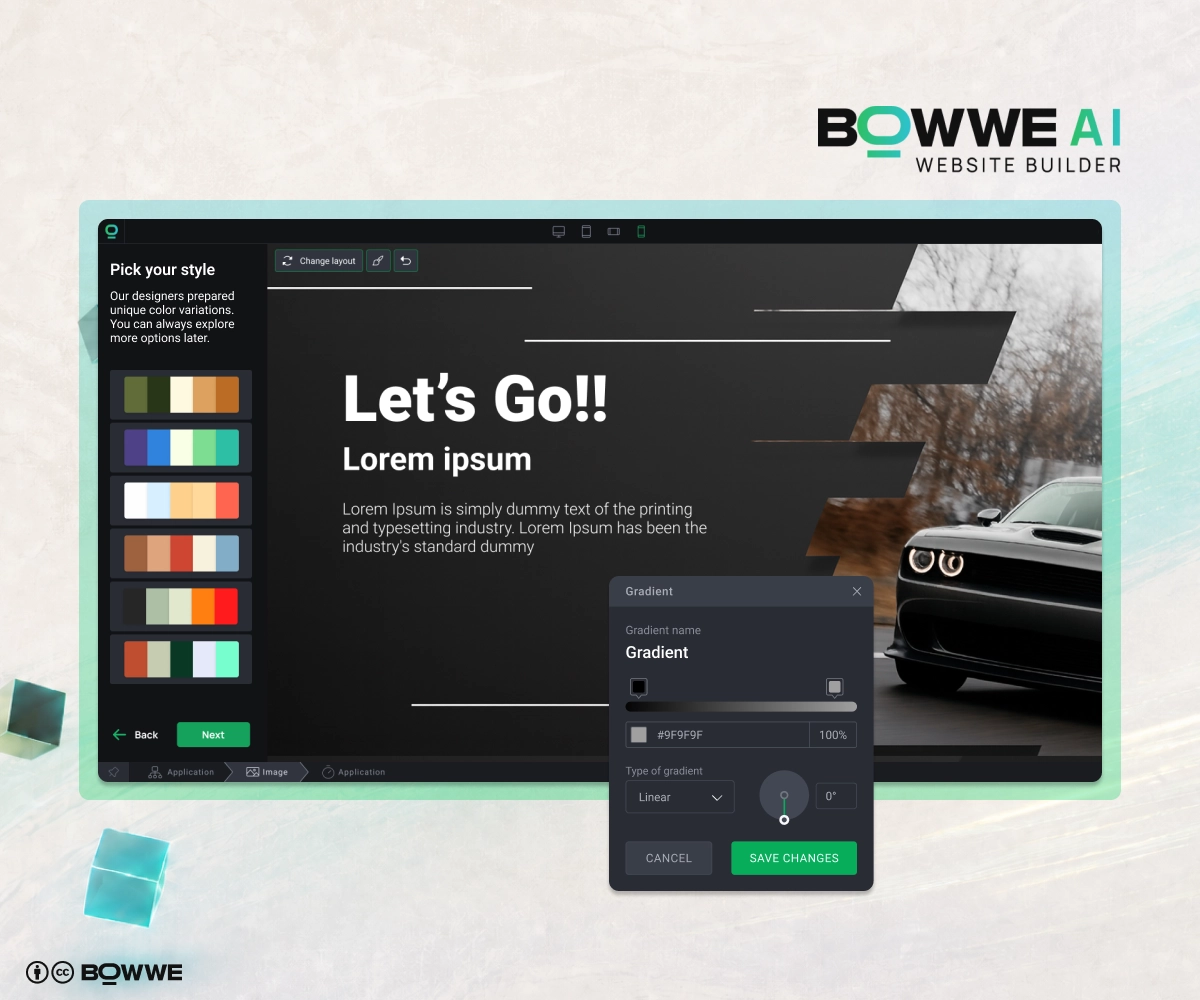
For example:
- local service business: clean, trustworthy colors,
- restaurant: warm and appetizing colors,
- fitness brand: energetic and bold colors,
- consultant or freelancer: professional and simple colors,
- tech startup: modern, clean, high-contrast colors.
Don’t use ten colors just because you can. Pick one main brand color, one accent color, and neutral background colors. That is enough for most websites.
Then check your buttons.
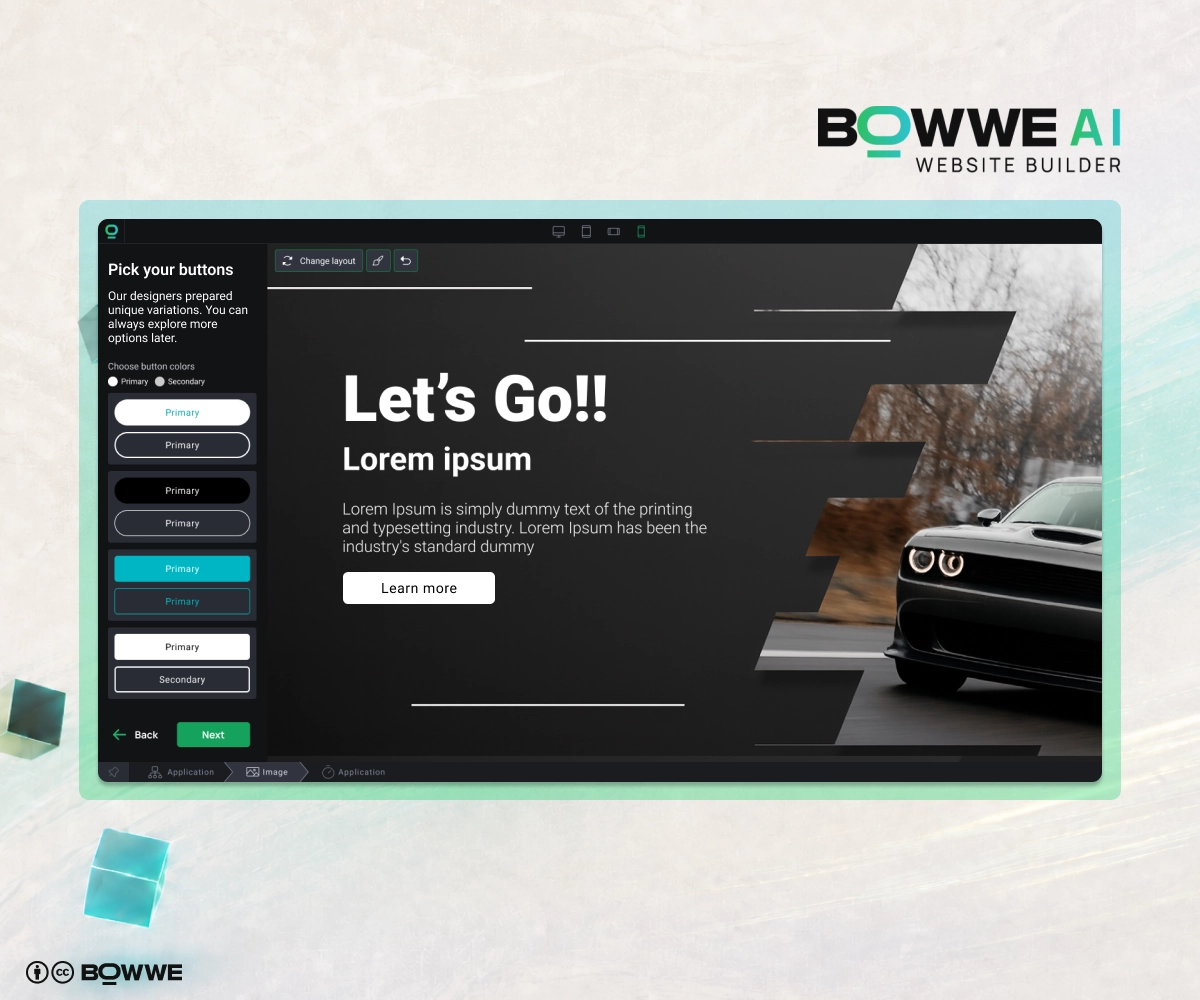
- Get a Free Quote
- Book a Call
- Reserve a Table
- Start Free
- Contact Us
- View Services
- Order Now
Step 6. Improve your copy with AI Text Generator
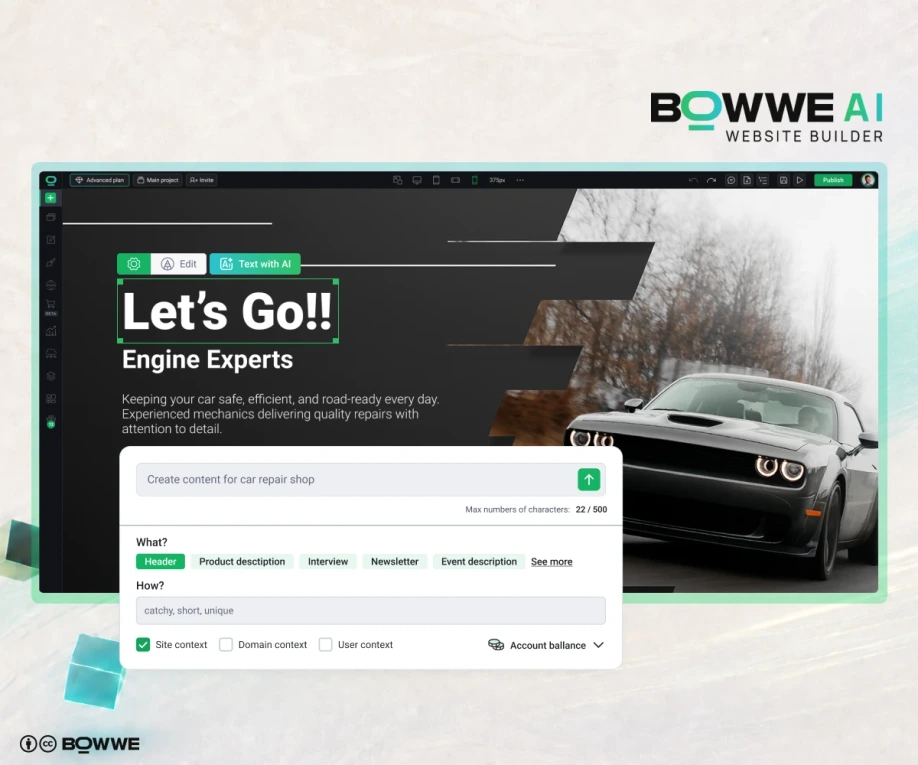
That is where BOWWE AI Text Generator helps.
You can use it to create or improve:
- homepage headlines,
- service descriptions,
- product descriptions,
- about section,
- calls to action,
- FAQ answers,
- blog sections,
To make your AI-generated texts sound more natural, add real details:
- years of experience,
- service area,
- guarantees,
- pricing details,
- customer reviews,
- certifications,
- project examples,
- real benefits.
Step 7. Create or improve visuals with AI Image Generator
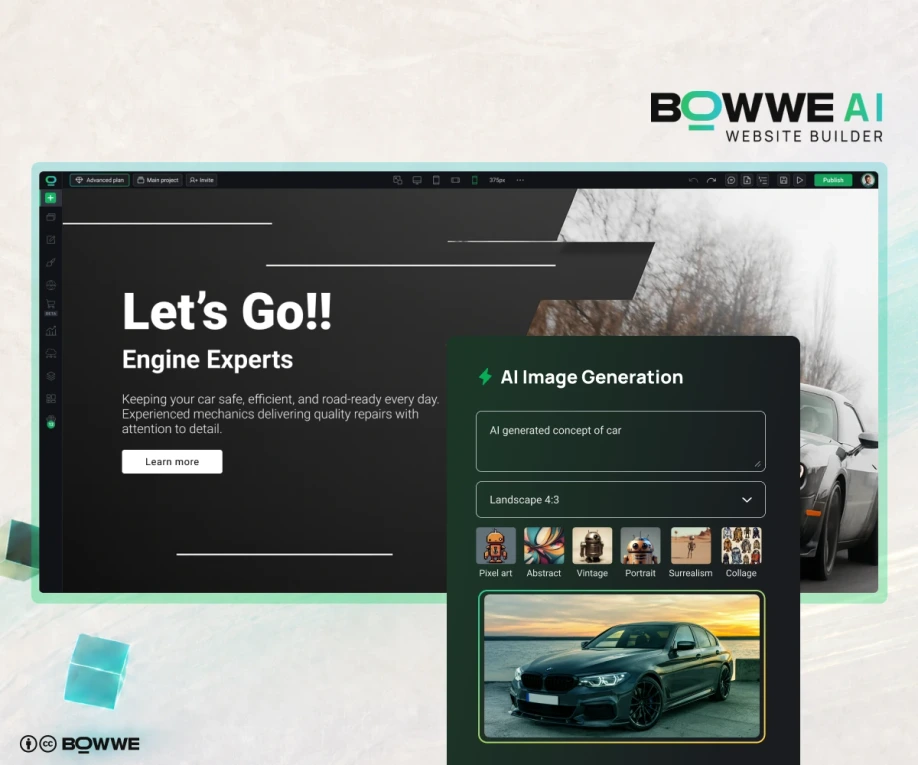
BOWWE AI Image Generator can help you quickly create visuals for your website.
You can use AI images for:
- hero section backgrounds,
- service illustrations,
- blog covers,
- landing page graphics,
- icons or visual concepts,
- promotional sections.
Step 8. Add SEO basics and publish
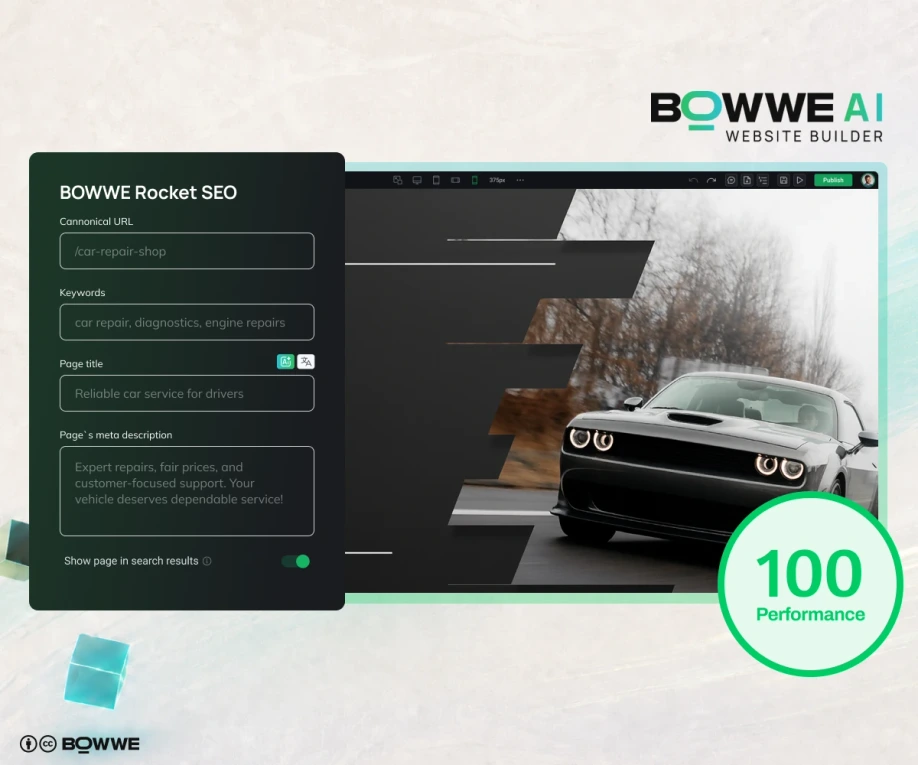
Check these elements:
- SEO title,
- meta description,
- clear H1 heading,
- simple URL,
- keywords in important sections,
- image alt text,
- internal links,
- mobile responsiveness,
- fast loading,
- working contact forms.
For example, instead of a vague page title like:
- Home
- Home Cleaning Services in Austin | Sarah’s Cleaning Co.
Instead of a vague meta description like:
- Welcome to our website.
- Need reliable home or office cleaning in Austin? Get a free quote from Sarah’s Cleaning Co. Fast, friendly, and professional service.
This helps both search engines and people.
BOWWE includes SEO tools so you can optimize your website without touching code. That matters because a website should not just exist. It should be findable.
Step 9. Make your website multilingual
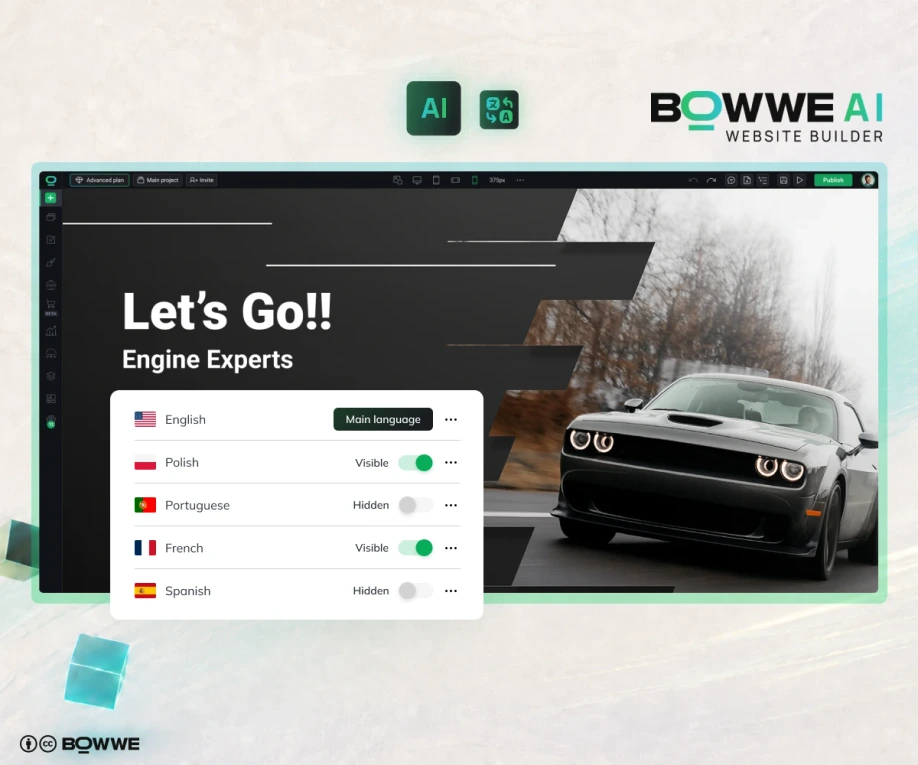
A multilingual website can help you reach more people, build trust in local markets, and improve international SEO. This is especially useful if you serve tourists, international clients, immigrant communities, cross-border customers, or multiple countries.
And no, copying your text into a random translation tool and pasting it back into your website is not a great long-term plan. That usually ends with broken layouts, mixed languages, missing SEO fields, and one sad person trying to fix everything manually.
With BOWWE AI Multilanguage, you can create language versions of your website much faster. AI can help translate your website content, including important SEO elements like meta titles and meta descriptions. You can also manually adjust translations when you want more control over tone, local wording, or specific offers.
Best AI website builder features to look for
Some tools only generate a pretty page. A good AI website builder should help you create a website that is clear, editable, SEO-ready, and built around your business goal.
Look for these AI website builder features:
Feature
Why it matters
AI website generation
Helps you start fast without a blank page
No-code editor
Lets you customize the site yourself
AI Text Generator
Helps create and improve website copy
AI Image Generator
Helps create visuals faster
SEO settings
Helps your pages get found in search
Mobile responsiveness
Makes the site usable on phones
Contact forms
Turns visitors into leads
Multilanguage support
Helps you reach more markets
Editing control
Lets you improve the site after launch
Analytics
Helps you understand what works
That is what makes it more useful than a simple AI website generator that gives you one static result and then leaves you alone with your thoughts.
Build your website with AI – summary
Use AI to start quickly. Then add your real business details, real proof, and real personality. That combination gives you a website that is not only fast to create, but also actually useful for your business.
Before you publish your AI-generated website, run through this quick checklist:
- Is your main offer clear in 5 seconds?
- Is your main CTA visible near the top of the page?
- Does every button work?
- Does your contact form work?
- Are phone and email links clickable?
- Does the website look good on mobile?
- Are your business name, address, and opening hours correct?
- Are your services or products easy to understand?
- Did you add testimonials, reviews, or other proof?
- Did you fill in the SEO title and meta description?
- Are your images relevant?
- Is the page easy to scan?
- Does every section help visitors take action?
AI - your imagination is the only limit
Start Free
AI Website Builder - FAQ
What is the best AI website builder?
BOWWE is a strong option if you want to create business websites, landing pages, portfolios, and multilingual websites with AI support and no-code editing.
How do I build a website with AI?
Can I create a website with AI for free?
How long does it take to build a website with AI?
Can AI create website content and images?
Is an AI-generated website good for SEO?
Do I need coding skills to use an AI website builder?

Karol is an entrepreneur, e-commerce speaker among others, for the World Bank, and founder of 3 startups, as part of which he has advised several hundred companies. He was also responsible for projects of the largest financial institutions in Europe, with the smallest project being worth over €50 million.
He has two master's degrees, one in Computer Science and the other in Marketing Management, obtained during his studies in Poland and Portugal. He gained experience in Silicon Valley and while running companies in many countries, including Poland, Portugal, the United States, and Great Britain. For over ten years, he has been helping startups, financial institutions, small and medium-sized enterprises to improve their functioning through digitization.