

- choose profitable languages,
- translate cost-effectively content,
- optimize multilingual content to rank and convert globally.
Ready to boost your international presence?
Get Started
5 steps breakdown of multilingual content strategy
1. Pick languages that actually pay off
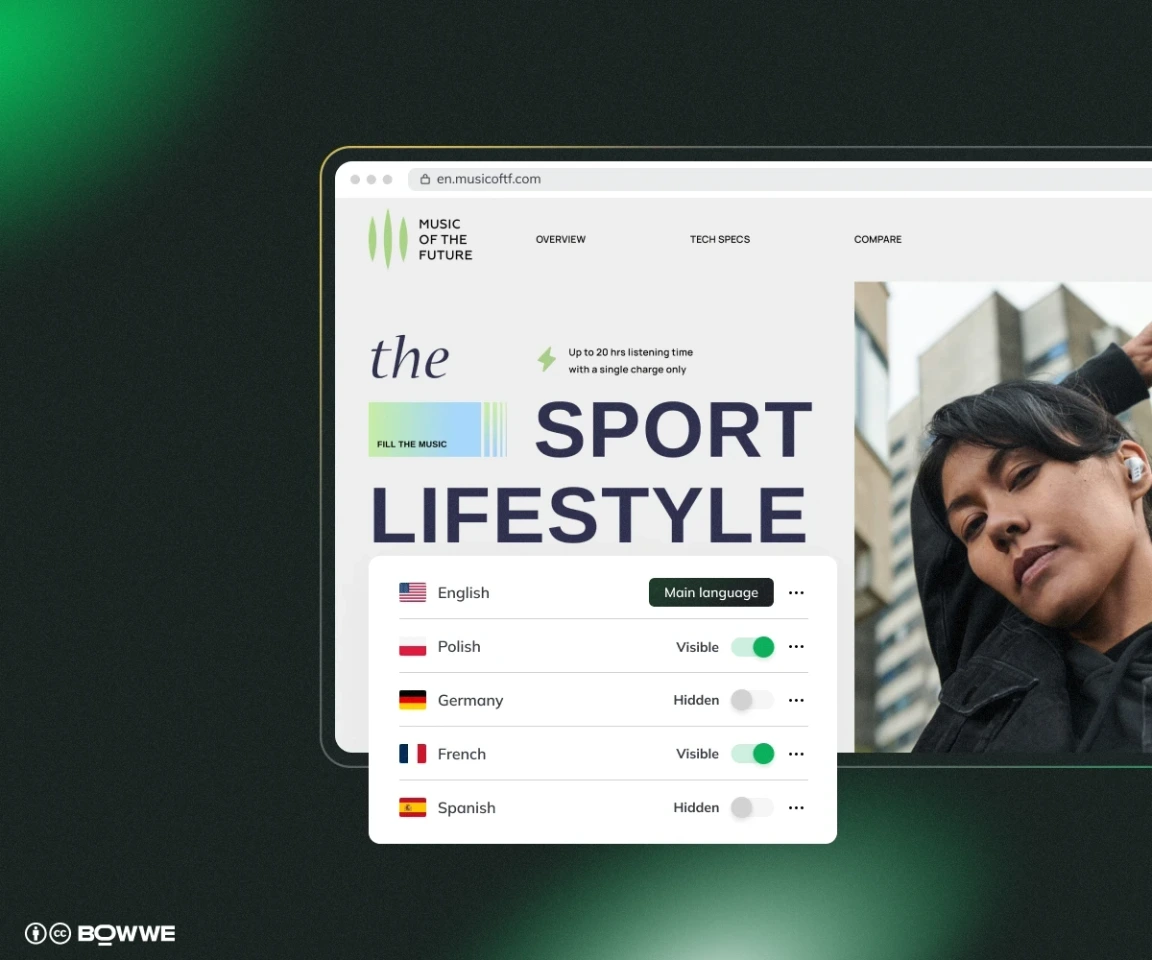
1.1 Check where demand already exists
If 8‑10 % of traffic is already landing from, say, Mexico and Spain (but you don’t have content in such language), that’s your easiest win.
1.2 Run the simple ROI formula
- Clone your base keyword list (product names, top blog themes, problem phrases).
- Translate+localize the terms with DeepL or Google Translate, then check the phrasing in a local SERP (does it autocomplete? do real sites use it in titles?).
- Add the localized terms into Ahrefs, Semrush, or Google Keyword Planner to the target country. Note three things: Monthly volume, Keyword Difficulty/Competition Metric, Suggested CPC (Cost Per Click in ads).
Now you’ve got enough data to verify profitability of investing in a multilingual content strategy for a given language. If the search volume is high, competition is low, and translation cost is reasonable, that’s usually a green light to go ahead.
Even if you only reach a small slice of that traffic, the upside can easily outweigh the cost, especially if you’re selling a product or building long-term visibility.
2. Pick a multilingual content solution
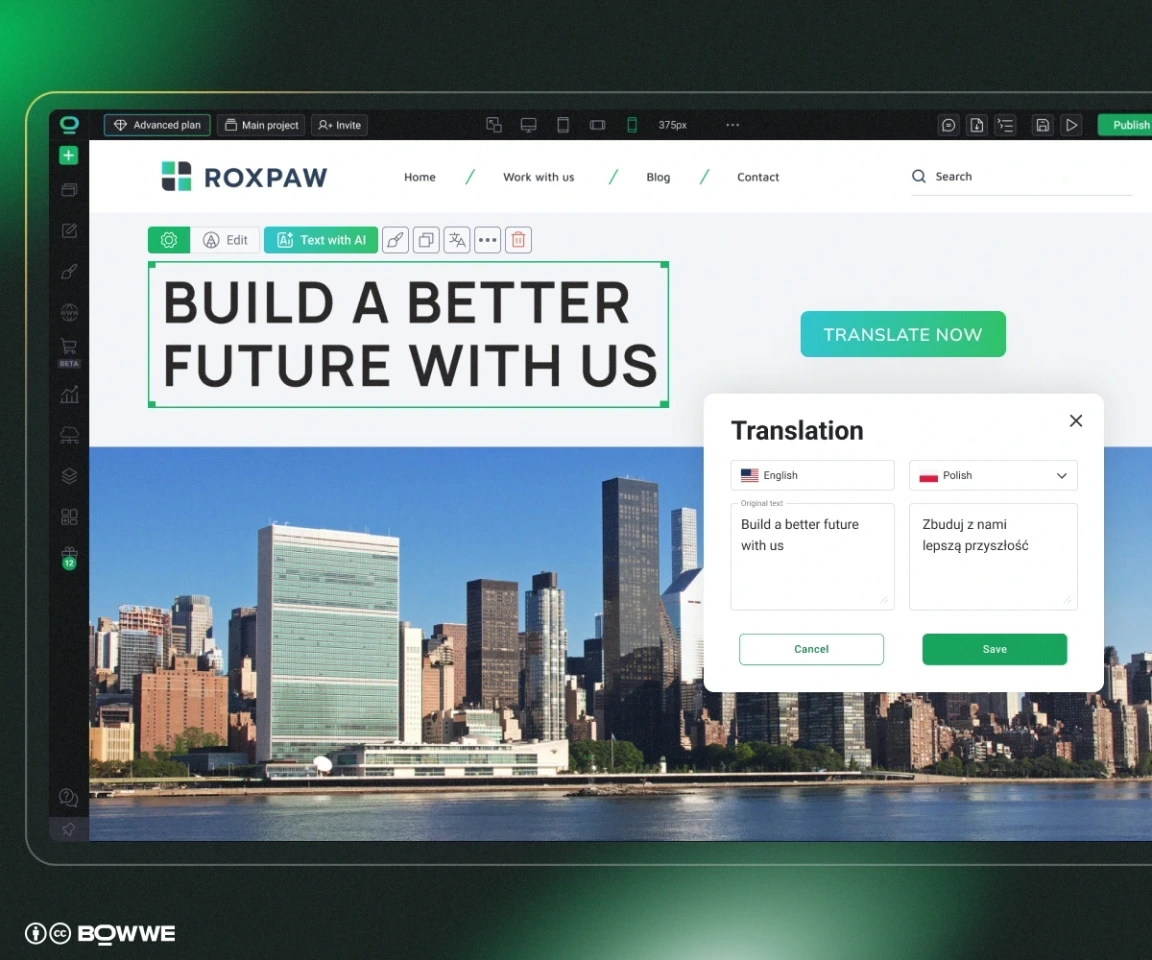
Must‑have
Why you care
Quick reality check
Built‑in multilingual engine
No third‑party plugin juggling, no string‑file exports.
Does it let you add language in one click and keep all versions under one roof?
SEO solutions
Clean hreflang tags, language‑specific URLs, sitemap updates.
View page source on a live multi‑language site built with the tool - are the tags there?
Flexible URL structure
Subdirectory vs subdomain vs ccTLD - your stack should support the one that makes sense today and scale tomorrow.
Does the platform let you choose /es/, es.example.com, or example.es (and keep slugs editable) without hacks?
Performance & Core Web Vitals
Extra language scripts shouldn’t burden load times.
Run a PageSpeed test on a translated page; aim for an 80+ mobile score.
Central content reuse
Update a headline once, watch it propagate everywhere.
Look for a string library / “dictionary” system or robust API.
No‑code flexibility
Marketers and writers should handle most updates solo.
Can a non‑dev change a hero image for the French market?
3. Choose the right content translation method
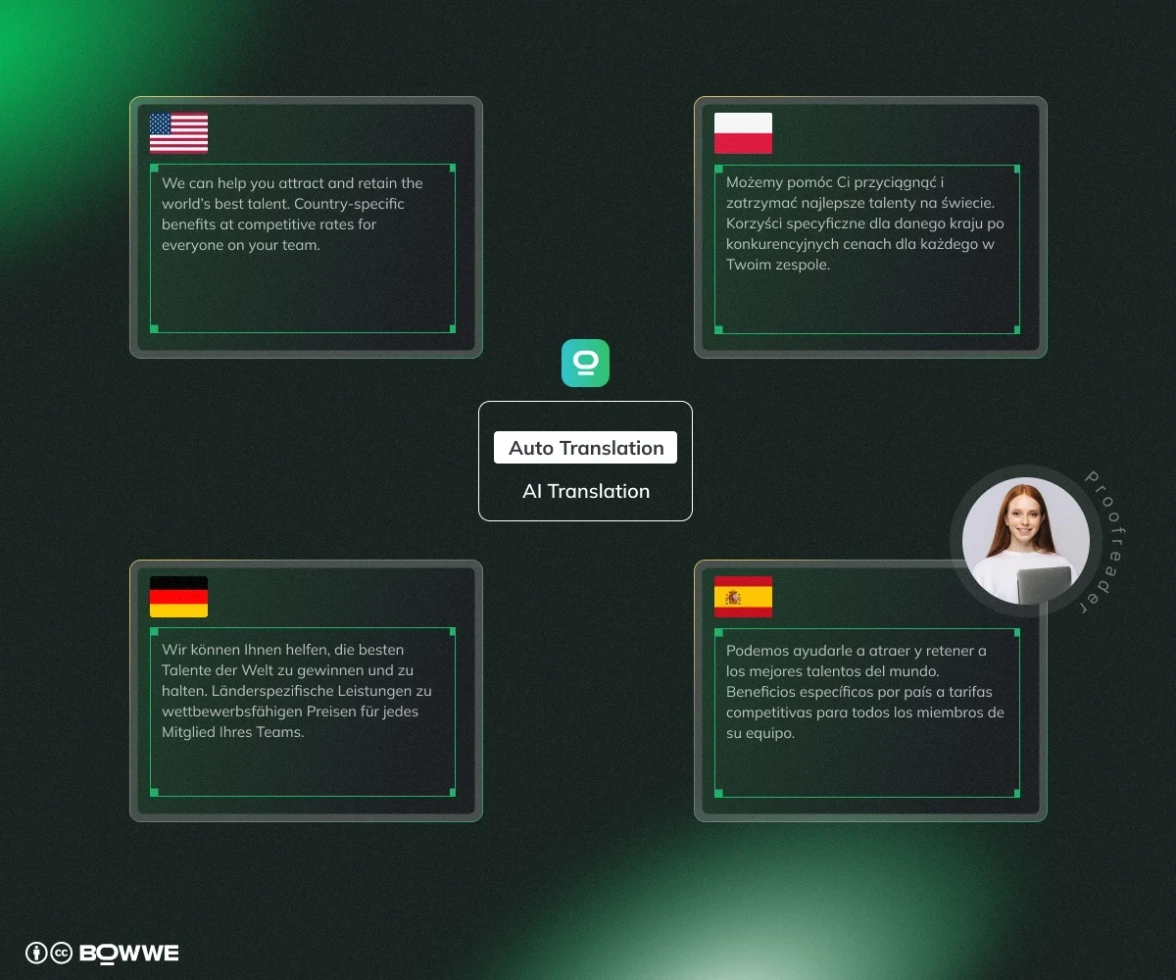
3.1 Pure Machine Translation (MT)
- Speed: Super fast
- Cost: Almost free
- Best for: FAQs, alt-text, or behind-the-scenes documents. Things that don’t need to sound perfect.
- Comment: Translations can feel robotic. A quick human check is usually still a good idea.
3.2 Machine Translation + Human Editing (MTPE)
- Speed: Fast - AI writes, humans fix
- Cost: Low to medium
- Best for: Blog posts, product descriptions, newsletters and anything public-facing that still needs to sound good.
- Comment: You keep your tone and brand voice while saving time (compared to full human translation).
Get Started
3.3 Pro translation (agencies or native experts)
- Speed: Slowest option
- Cost: Highest cost
- Best for: Legal pages, ads, slogans and anything that needs to be 100% accurate and culturally spot-on.
- Comment: Usually includes quality checks and expert review for extra peace of mind.
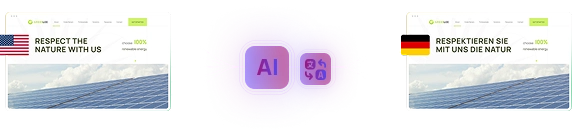
3.4 Built-in AI translation (like BOWWE + Dictionary)
- Speed: Fast and visual, you see changes right in the builder
- Cost: Low to medium, AI usage + optional human review
- Best for: Full landing pages with buttons, forms, and SEO tags. Great when you want to manage everything in one place.
- Comment: When you update text in your main language, it can sync changes across all translations automatically.
- With just one click, you can translate entire pages (including blog posts, buttons, and SEO settings) into as many languages as you need.
- It’s built to support not only content translation, but also full localization.
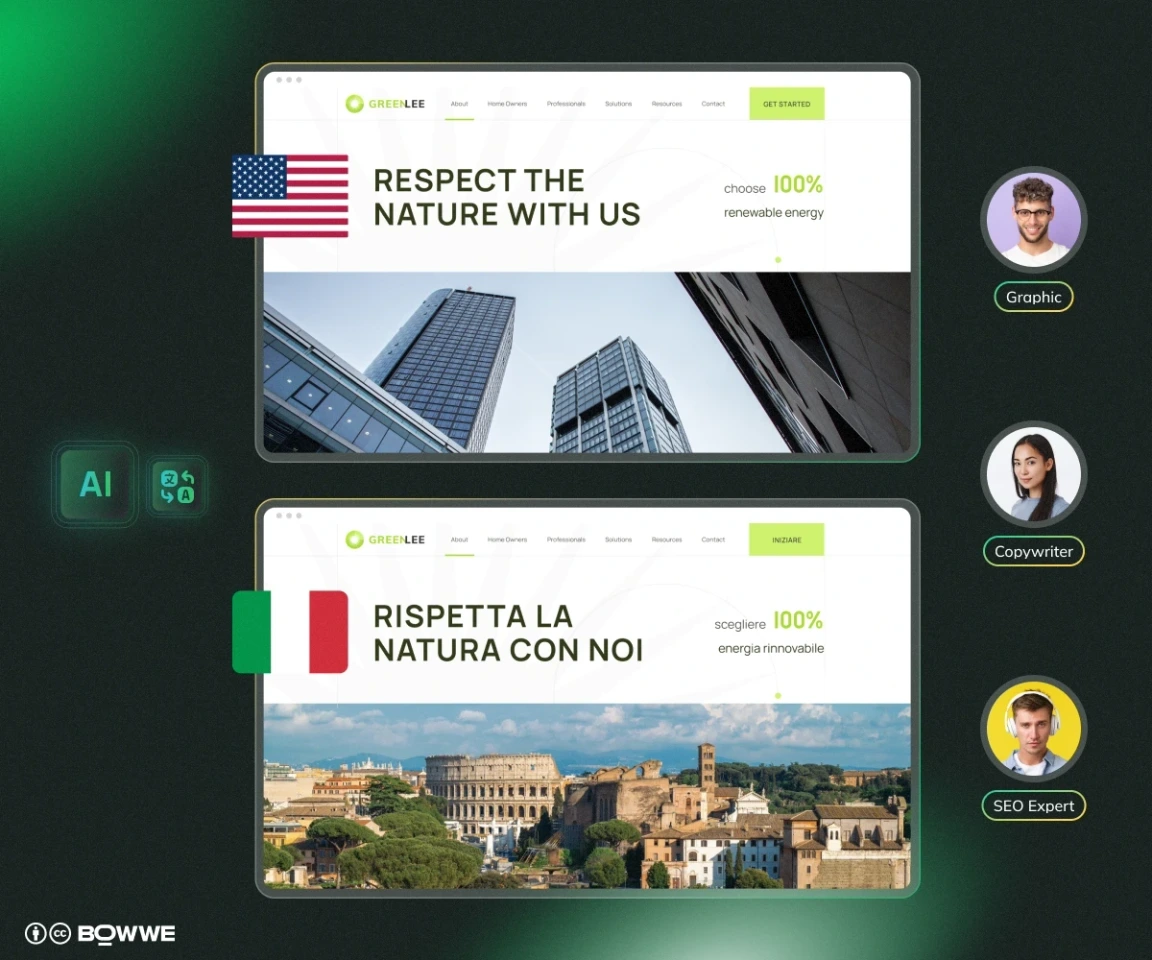
- Want a different hero image or offer on your French page vs. your Italian one? You can do that directly in the builder.
On top of that, BOWWE includes AI text and image generation, flexible content editing per language, and automatic SEO features like hreflang tags and localized metadata - so your translated content isn’t just readable, it’s findable. Get started today!
4. Move to multilingual content localization
4.1 Optimize content for local keywords
- Do they autocomplete?
- Are real websites using them in page titles or product names?
- Do the results match the kind of content you’re trying to rank with?
To go deeper, add those terms to a tool like Ahrefs or Google Ads Keyword Planner with the target country selected. Look for:
- Monthly search volume
- Keyword difficulty (KD)
- Suggested CPC
Pick the phrases that combine strong intent, real volume, and achievable competition.
4.2 Create a localization guide you can reuse
Write a one-page style guide that every linguist or AI editor can follow. Include:
- Target reading level (e.g., “U.S. 8th grade”)
- Tone settings (e.g., “friendly, direct, avoid corporate speak”)
- Formality scale (e.g., Spanish tú vs usted)
- Brand and product names that should not be translated
- Key phrases that must be translated literally
- A short list of core keywords in that language
This way, whether you're working with human help or AI, your content stays on-brand and aligned in every language.
“You are a native‑level French copywriter. Follow this voice guide: …”
5. Take care of the technical details so every locale actually ranks
5.1 Add hreflang tags
Example of correct hreflang setup:
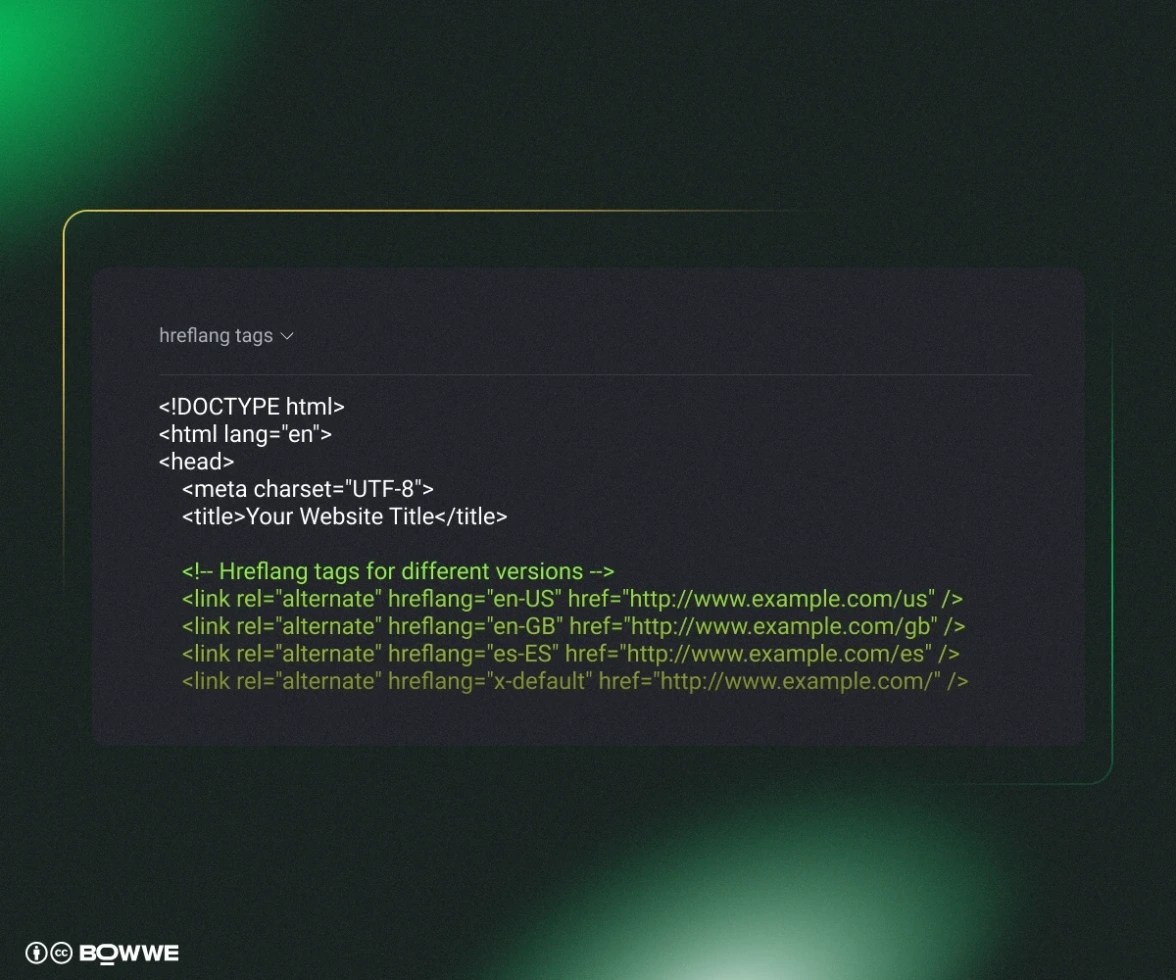
- Every page references all its language siblings, including itself.
- Keep the matrix symmetrical, break one link, and Google ignores the whole set.
- Always include x‑default for fall‑back.
5.2 Choose one URL pattern and stick to it
- Subdirectory – example.com/fr/
- Subdomain – fr.example.com
- Country‑code domain (ccTLD) – example.fr
Once live, never mix patterns (e.g., /fr/ plus de.example.com). Consistency protects link equity, keeps your internal links simple, and makes reporting far easier.
5.3 Generate language‑aware sitemaps
- Create one XML per language or a combined file with hreflang annotations for each URL.
- Resubmit the sitemap in Google Search Console (and Bing, if you track it) for every domain or subproperty.
- Ping Google each time you publish a new translated page so it’s crawled quickly.
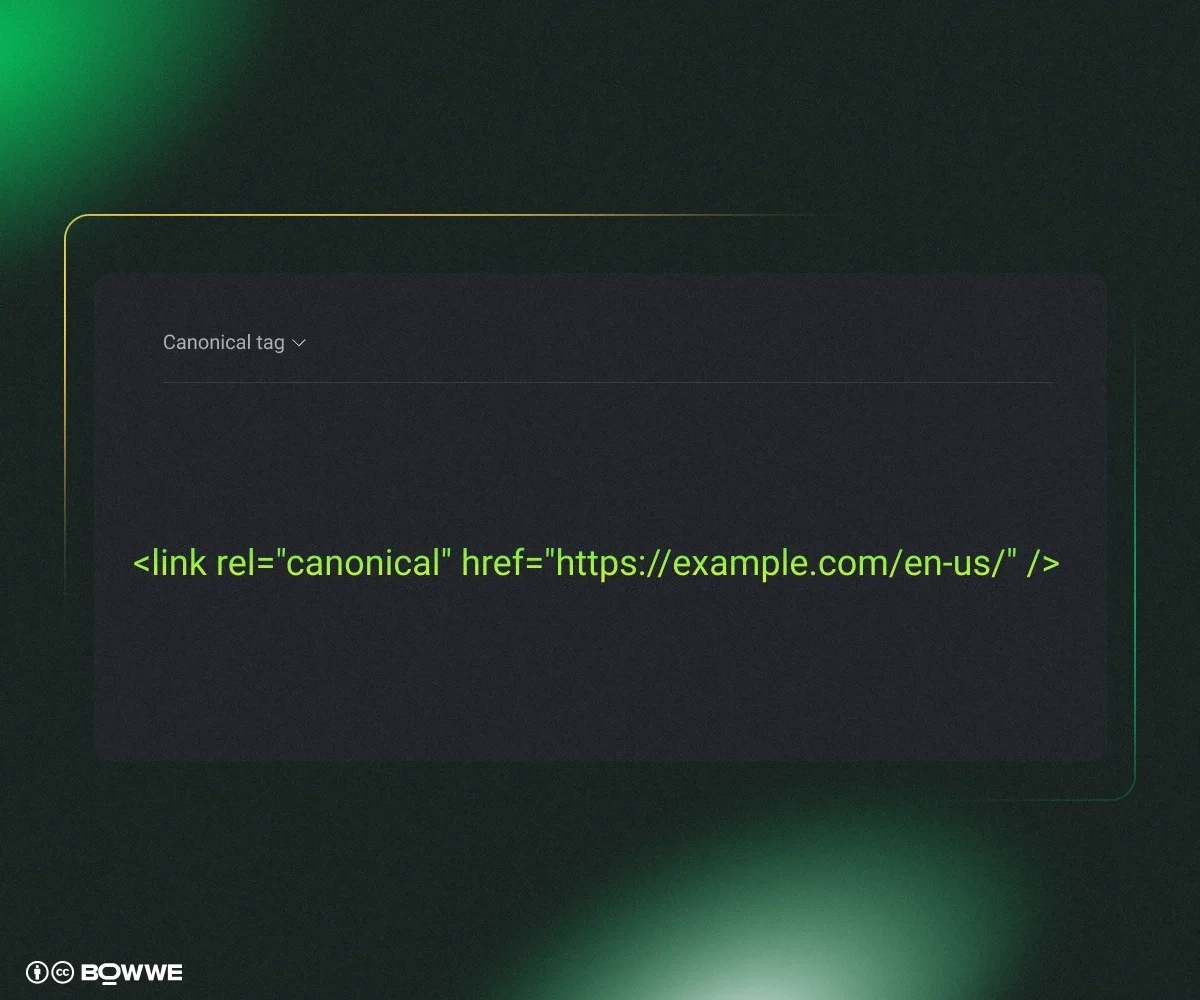
5.4 Protect against duplicate content
To avoid it add a canonical tag on each alternate page that points back to the preferred source:
5.5 Keep Core Web Vitals healthy for every locale
- Use WebP / AVIF images and resize any graphic that contains text for each locale.
- Preload fonts that cover local characters to avoid flash‑of‑invisible‑text.
- Lazy‑load images and other assets below the fold.
- Run Lighthouse on every translated URL, aim for a mobile LCP under 2.5 seconds.
Do this for each locale, and your pages stay fast no matter the language.
How can you automate multilingual content management?
Here are a few proven ways to automate the process:
- AI refresh cycles – Schedule a quarterly re-translation of evergreen content using MTPE (machine translation + human editing). Editors just review what’s changed, not the full post.
- Dictionary-based sync – When you update text in your source language, let your builder flag which translations need attention. In BOWWE, these are automatically marked (like yellow highlights), so nothing slips through the cracks.
- Performance alerts – Set up email alerts in your analytics tool for traffic drops in any specific language. That way, if something breaks or underperforms, you’ll know where to look.
Multilingual content strategy - summary
- Choose high‑ROI languages.
- Pick a builder/CMS that supports multilingual content production and management.
- Choose a content translation method that fits your needs.
- Optimize multilingual content for targeted location.
- Prepare technical details: hreflang, sitemaps, canonicals, fast Core Web Vitals.
- Measure & iterate monthly, plus a quick crawl audit.
Do it once, and every new page or campaign rolls out worldwide in hours, not weeks.
Get Started
Multilingual content - FAQ
How to manage multilingual content efficiently?
Are there any AI website builders that support multilingual content?
How to choose which language to translate content?
You can also use keyword tools to check if people in other regions are searching for your topics and whether the competition is low enough to rank fast. Once you find a language with good traffic potential and manageable translation costs, that’s usually your best first move.
How do I make sure Google shows the right language version?

Karol is a serial entrepreneur, e-commerce speaker among others, for the World Bank, and founder of 3 startups, as part of which he has advised several hundred companies. He was also responsible for projects of the largest financial institutions in Europe, with the smallest project being worth over €50 million.
He has two master's degrees, one in Computer Science and the other in Marketing Management, obtained during his studies in Poland and Portugal. He gained experience in Silicon Valley and while running companies in many countries, including Poland, Portugal, the United States, and Great Britain. For over ten years, he has been helping startups, financial institutions, small and medium-sized enterprises to improve their functioning through digitization.