

But creating a multilingual website shouldn’t mean juggling five different tools, breaking your layout, or losing your SEO rankings. Unfortunately, that’s exactly what happens when you choose a translation plugin or try to add languages on a platform that wasn’t built for multilingual content.
What you need is a multilingual CMS - one that helps you grow global traffic, stay organized, and rank in local markets without rebuilding your site from scratch every time.
In this guide, I’ll show you:
- What to expect from a real multilingual content system.
- What features actually save you time.

Get Started
What is a multilingual CMS (and why do you need more than just translation)?
- Create, edit, and publish content in multiple languages.
- Keep layouts, structure, and SEO settings in sync across versions.
- Manage all your translations from one dashboard.
- Control what gets translated, reviewed, and localized.
It’s not just “translation to another language.” It’s a full content system that supports:
- Language-specific URLs and meta tags.
- Hreflang and canonical tags for SEO.
- Localized images, forms, and even buttons.
- Roles and workflows across teams.
When launching a translated subpage means coordinating three plugins, two spreadsheets, and a manual checklist, you’re not using a true multilingual CMS. A proper platform centralizes translation, content, and publishing.
Why do growing websites need a multilingual CMS (not just a plugin)?
Here’s what a real multilingual content management system lets you do:
1. Keep content consistent across languages
2. Local SEO for every language version
3. Better experience for your team (and your users)
- Writers can edit language versions side by side.
- Designers can change images per locale.
- Reviewers can approve translations in context.
Let proofreaders review translations without touching the code, give marketers access to analytics and stats, and let developers expand or improve your pages - all in one workspace.
4. Real flexibility
You should be able to choose when to use AI translation, when to add human editing, and when to go fully manual - all based on the content’s importance.
How to choose the right multilingual CMS?
Must-mave feature
Why it matters
What to check
Built-in multilingual engine
You can easily expand your website with different language versions.
Can you add languages in one click and manage them from one dashboard?
Language-specific URLs
Essential for international SEO and user clarity.
Does the CMS support clean subdirectories like /es/, /fr/, etc.?
Automatic hreflang tags
Helps Google rank the correct language version.
Are hreflang tags generated and updated automatically per page?
Localizable images, forms & UI
Without translating the UI and images, the localization is incomplete.
Can you localize images, forms, and UI elements per language?
SEO metadata per language
SEO must be localized to rank well in each market.
Can you set titles, meta, slugs, and OG tags for each language?
Dictionary or content library
Centralized updates prevent errors and speed up workflow.
Can you update one string and sync it across all translations?
Role and version control
Prevents publishing mistakes and supports collaboration.
Does the CMS support user roles, approvals, and version history?
Performance & Core Web Vitals
Languages shouldn’t slow down your site.
Do translated pages load fast and pass mobile speed tests?
Different translation options
Every content type needs a different translation method.
Can you choose AI, manual, or hybrid translation workflows?
Handles multiple languages
More languages = more complexity - your CMS must scale.
Does it support managing 5–10+ languages efficiently?
Built-in analytics by language
Measure what works in each language - optimize globally.
Does it track traffic, CTR, and conversions per language version?
1. Built-in multilingual engine (not a plugin stack)
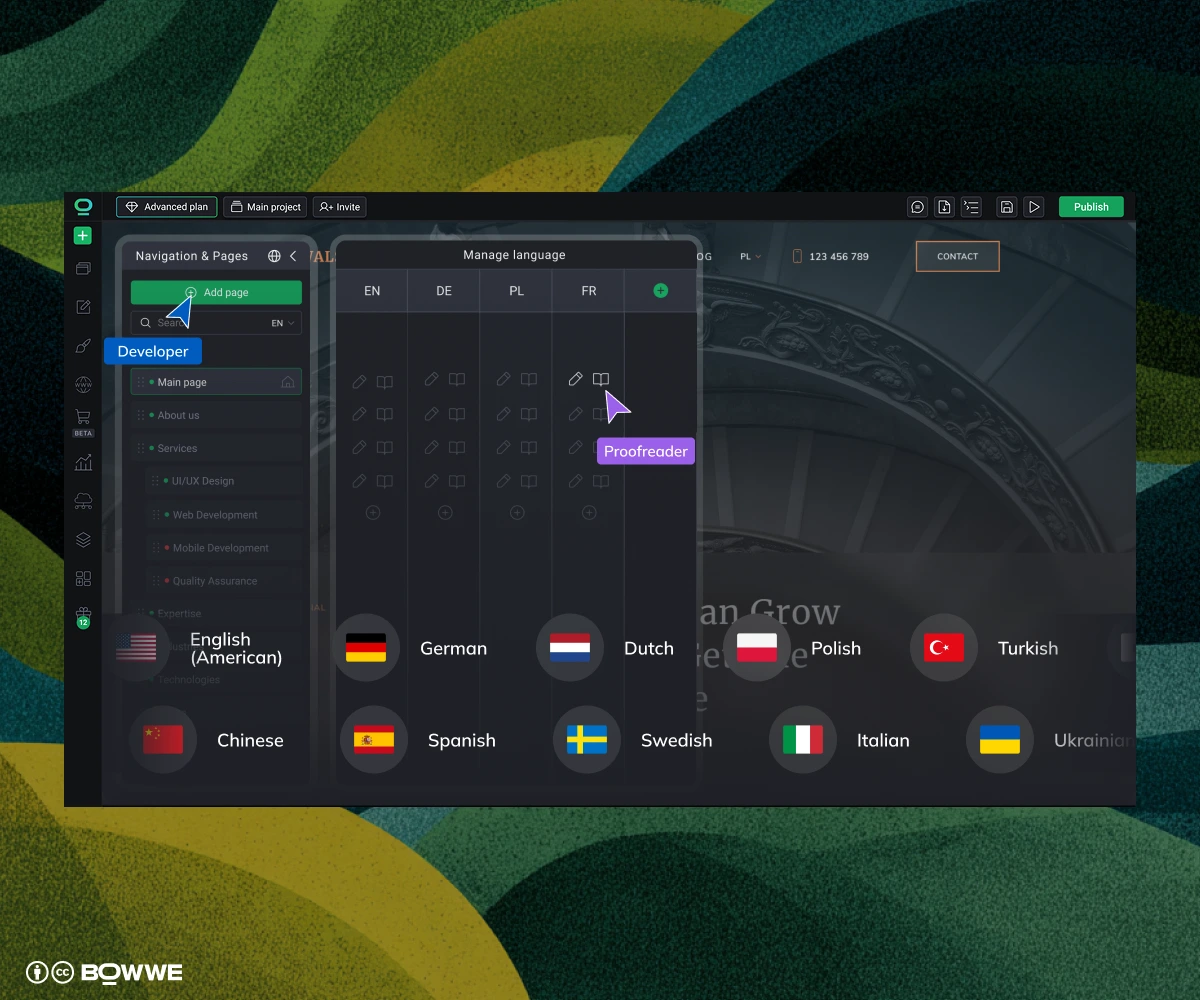
Why? Because relying on third-party plugins or manual workarounds almost always breaks as you scale (broken layouts, untranslated widgets, inconsistent URLs, duplicated SEO tags…).
The best multilingual CMS should:
- Let you add a new language with a single click.
- Keep all content versions organized in one place.
- Show which language versions are missing or out of sync.
- Allow you to manage all translations from one interface without copy-paste.
2. Language-specific URLs
- example.com/
- example.com/fr/
- example.com/de/
Avoid platforms that:
- Use query strings like: ?lang=fr.
- Don’t allow you to control slugs per language.
- Mix URL formats (e.g., subdomains + folders).
3. Automatic hreflang tags
Manually setting hreflang for every page is time‑consuming, error‑prone, and super easy to mess up. One broken link or missing tag, and Google ignores the whole set.
When choosing a multilingual CMS, make sure it:
- Generates hreflang tags for every page automatically.
- Ensures all tags are valid, reciprocal, and include an x‑default version.
- Updates hreflang tags automatically whenever a new language or translation is published.
4. Localizable images, forms & UI
If your CMS can’t localize all of that, your site will always feel half-translated and your conversions will suffer.
Look for a CMS that lets you:
- Change images per language (e.g., a different hero for your French version).
- Translate form field labels, error messages, and success confirmations.
- Localize UI elements like navigation, buttons, CTAs, and cookie banners.
5. SEO per language version
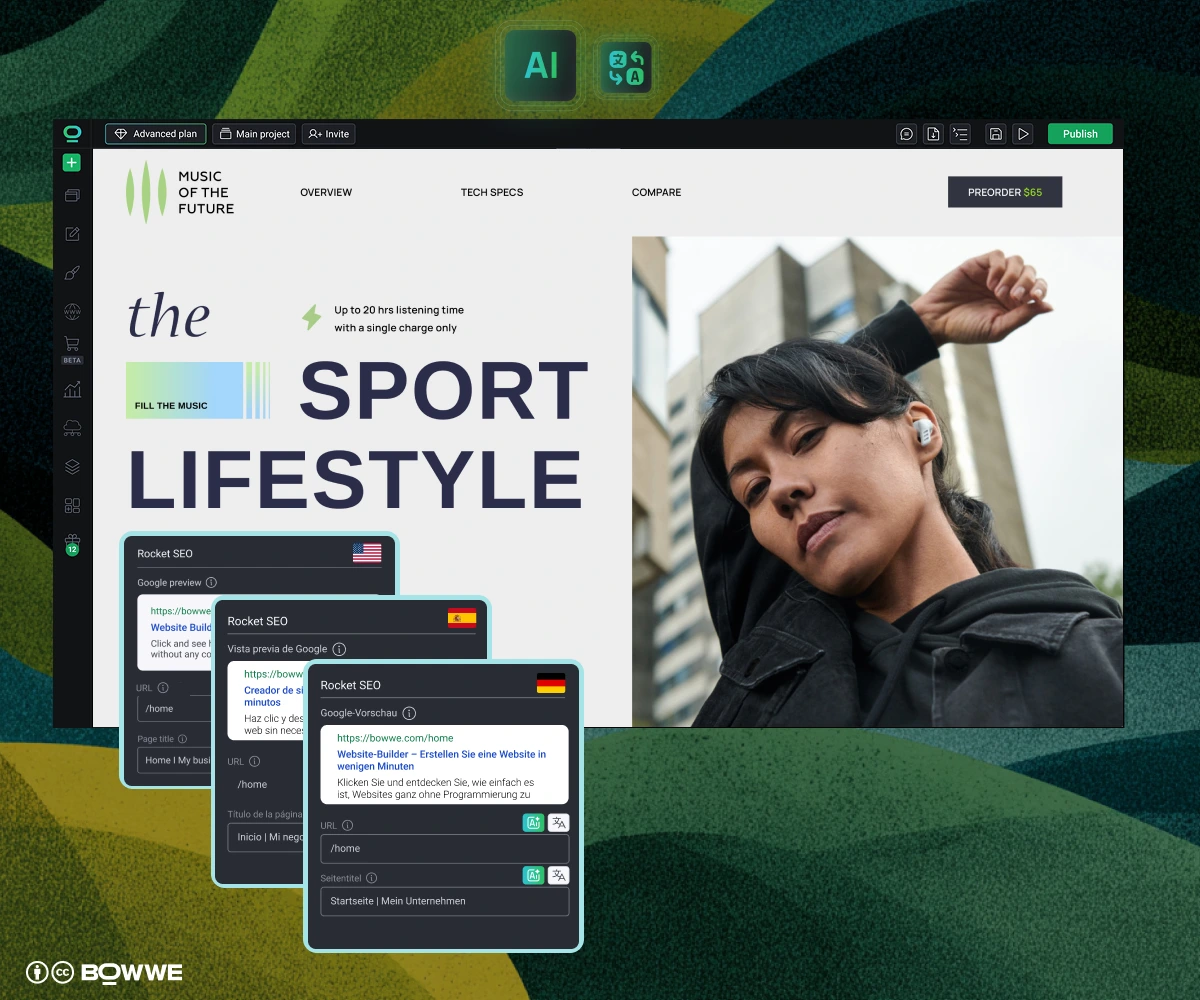
Every language version needs:
- A unique title tag with localized keywords.
- A meta description that makes sense culturally (not a literal translation).
- Open Graph tags so previews on social look right per market.
- A clean, editable slug in the target language (/pricing becomes /precios or /tarifs, for example).
6. Dictionary or “shared string” system
A dictionary system (sometimes called shared strings, content sync, or central content library) lets you:
- Edit a sentence once and update it across all language versions at once.
- Keep translations in sync automatically.
- Avoid accidentally forgetting to update just one version of a CTA or banner.
Without this? You’re stuck copy-pasting edits across languages.
7. Role and version control
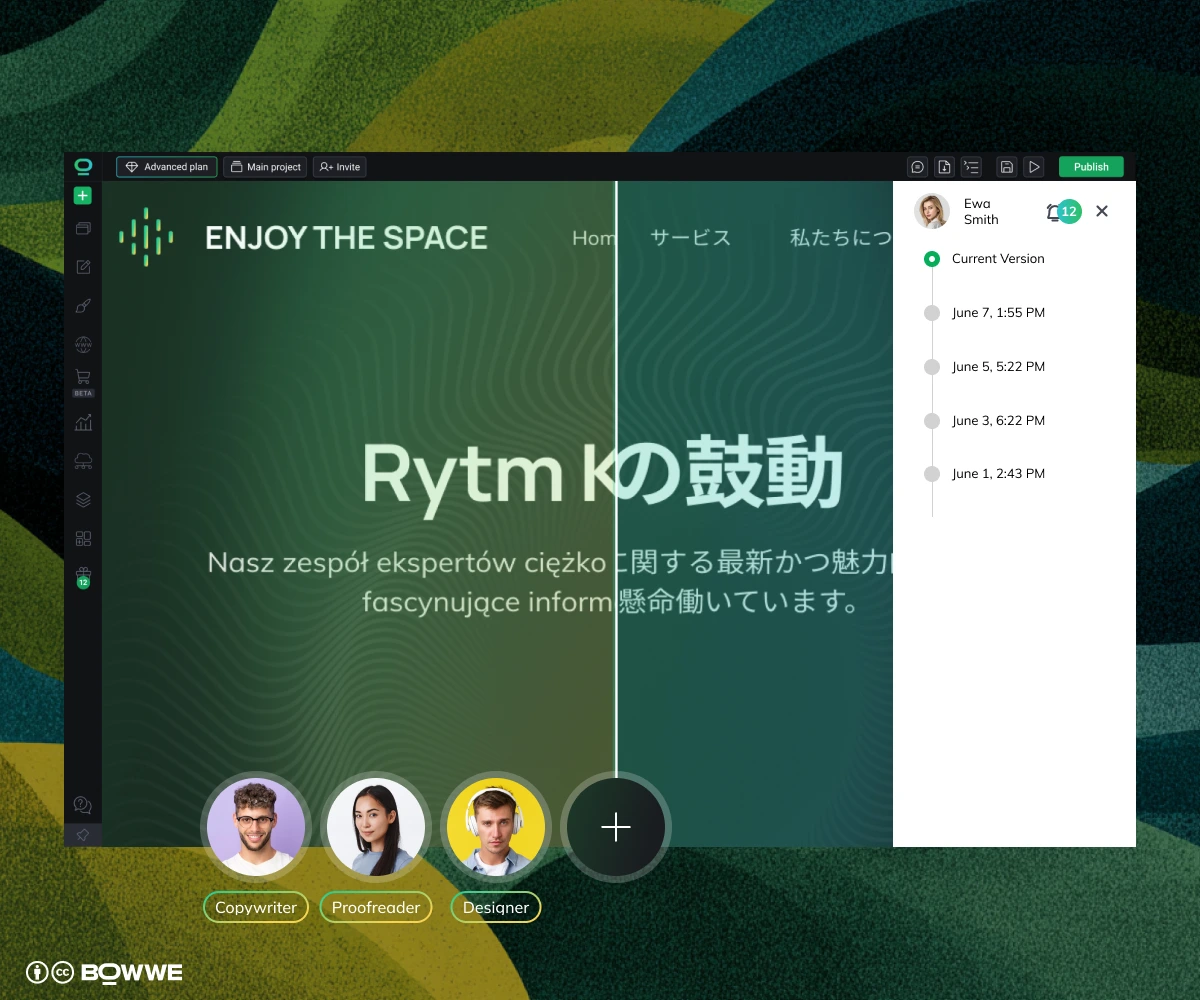
Look for a CMS that supports:
- User roles (editor, reviewer, admin, etc.).
- Approval flows (so nothing gets published by accident).
- Version history (see who changed what, and when and roll back if needed).
8. Scalable performance
Choose a CMS that’s optimized for:
- Core Web Vitals in every language version (especially mobile).
- Smart handling of fonts, images, and scripts for different locales.
- Global CDN support so pages load fast no matter where your visitors are.
Some platforms render each language as a separate page with duplicate assets, which adds load time and hurts rankings. Others don’t support lazy-loading or efficient font management.
9. Different translation options (AI, manual, or hybrid)

The best multilingual CMS should let you:
- Use AI translation for speed (and edit later if needed).
- Add human review where tone or accuracy really matters.
- Skip AI entirely and input manual translations when required.
- Mix translation modes across your pages depending on the use case.
10. Multiple languages translation
A great multilingual CMS should:
- Let you manage 3, 5, 10+ languages from the same interface.
- Show what’s missing, outdated, or needs translation across versions.
- Make global updates fast, like changing a CTA across 6 languages at once.
- Keep translated content in sync with the source, not floating separately.
11. Built-in analytics & tracking by language
Your CMS should help you:
- Track impressions, CTR, and conversions by language.
- See which pages are bringing traffic (or underperforming) in each locale.
- Export language-specific reports or plug into GA4 / GSC.
Common mistakes when choosing a multilingual CMS
- Thinking “any CMS can handle translations” - many tools say they support multiple languages… but what they really mean is “you can install a plugin.” The problem? Plugins often: slow down your site, don’t support SEO properly (like missing hreflang) or don’t let you update all versions easily.
- Only translating the visible text - you’ve got your homepage and product descriptions translated, but what about: SEO meta titles & descriptions, alt image descriptions or images?
- Ignoring localized SEO - just translating content isn’t enough. If you don’t localize your URLs, meta tags, alt texts, and keywords, search engines won’t know which language audience to show your site to or worse, might flag your translated pages as duplicates.
- Using machine translation with no review - AI translations are fast and often good enough for a first draft , but they’re not perfect. Without a human review, your site might end up with awkward phrasing or cultural missteps.
- Choosing a CMS that doesn't scale - what feels fine with two languages becomes a nightmare with five or ten, especially if you’re manually editing every version of a page.
How to choose the right multilingual CMS - summary
- Start with your actual needs - How many languages are you managing now (or will be soon)? Do you need fast translation or deep localization?
- Check how much control you need - If you care about per-locale SEO, layout, media, or user experience – avoid plugins that feel like a “layer on top” and choose something that handles everything natively.
- Look for scale, not just speed - Copying and pasting content might work with 2 languages. But if you’re managing 5+ or plan to update often, you’ll want tools like BOWWE's Dictionary-based sync, AI translation, and visual editing per locale.
With BOWWE’s AI Multilanguage Builder, you get:
- One-click translations (including entire pages and blog posts).
- Dictionary-based updates across all languages.
- Automatic SEO for every version - URLs, hreflang, sitemaps, meta.
- Image + layout localization.
- Built-in AI tools for content + design.
- No code needed.
Start with BOWWE AI Multilanguage - translate, localize, and manage everything in one place. Try BOWWE today.
Get Started
Multilingual CMS - FAQ
What is a multilingual CMS?
What’s the difference between a translation plugin and a multilingual CMS?
How does a CMS handle SEO in multiple languages?
Is machine translation enough for a multilingual website?
Can I localize images and design per language?

Karol is an entrepreneur, e-commerce speaker among others, for the World Bank, and founder of 3 startups, as part of which he has advised several hundred companies. He was also responsible for projects of the largest financial institutions in Europe, with the smallest project being worth over €50 million.
He has two master's degrees, one in Computer Science and the other in Marketing Management, obtained during his studies in Poland and Portugal. He gained experience in Silicon Valley and while running companies in many countries, including Poland, Portugal, the United States, and Great Britain. For over ten years, he has been helping startups, financial institutions, small and medium-sized enterprises to improve their functioning through digitization.