.webp "139_EN_WebsiteLocalization")

You’re getting traffic from Germany, France, Spain… but your site still speaks only one language or it’s poorly translated.
Result?
- People leave after one second because they don’t understand half of the page.
- Your ads look “foreign” and get zero results: zero bookings, zero sales, zero subscribers.
- And your technical team? They’ve pushed “multilanguage” to the bottom of the to-do list. Again.
The good news: website localization doesn’t have to be chaos, plugins, and broken SEO.
In this guide I’ll walk you through a clear website localization process you can follow even if:
- you’re not a developer,
- you’ve never touched hreflang in your life,
- and you’re still not sure if you need an agency or a tool.
Get Started
What is website localization (and why it’s more than just translation)?
Website localization is not the same as simply translating your website with Google Translate.
Website localization is the process of adapting your whole website to a specific country or region so it feels native to people there.
That usually includes:
- Language – all texts on the page: headings, buttons, forms, error messages, emails.
- Content – examples, offers, testimonials, case studies that actually make sense in that market.
- Design & UX – layout that survives longer words (ex. German translation), RTL languages, different reading habits.
- Formats – local currency, date and time formats, units (kg vs lbs), phone numbers, address formats.
- Payments & pricing – local payment methods, tax info, shipping options.
- Legal & trust – privacy policy, terms, cookie info, reviews, and badges that match local expectations.
- Website translation simply converts your text into another language, but keeps everything else - design, structure, offers - the same.
- Website localization goes further by adapting your message, visuals, pricing, and user experience so they actually fit the target market.
- Internationalization (i18n) is the technical groundwork that allows you to support multiple languages without breaking your site.
In this guide, we focus on localization, not just translation.
Why website localization is important
“Is localization really worth the money, or is our base language enough?”
Short answer: if you already see traffic from other countries, one-language website is leaving money on the table.
Here’s what a good website localization strategy gives you in real life:
1. Higher conversion rates in new markets
- People buy more when they understand everything.
- Local language + local currency + local trust signals = more signups, more orders.
For e-commerce this usually means:
- less cart abandonment,
- higher average order value per country,
- better performance on local campaigns.
For SaaS / B2B:
- more demo requests, trial signups, and qualified leads from those markets.
2. More trust and better brand perception
- A fully localized website says: “We understand your market and we work with people like you.”
- A half-translated site says: “We ran this through a translation plugin and hope you’ll figure it out.”
Guess which one people trust with their credit card details.
3. Stronger local SEO
- Localized pages can rank better in the markets you want to reach.
- You can target local keywords, not just keywords in your base language.
- And you’ll get cheaper organic traffic compared to relying solely on ads in one language.
4. Competitive advantage
- don’t localize at all, or
- do a “good enough” translation and stop.
If you put in a bit more effort and use the right multilingual tools, you will look way more “local” than your competitors and grab that trust first.
Website localization best practices: 10 tips to follow
1. Check where demand already exists
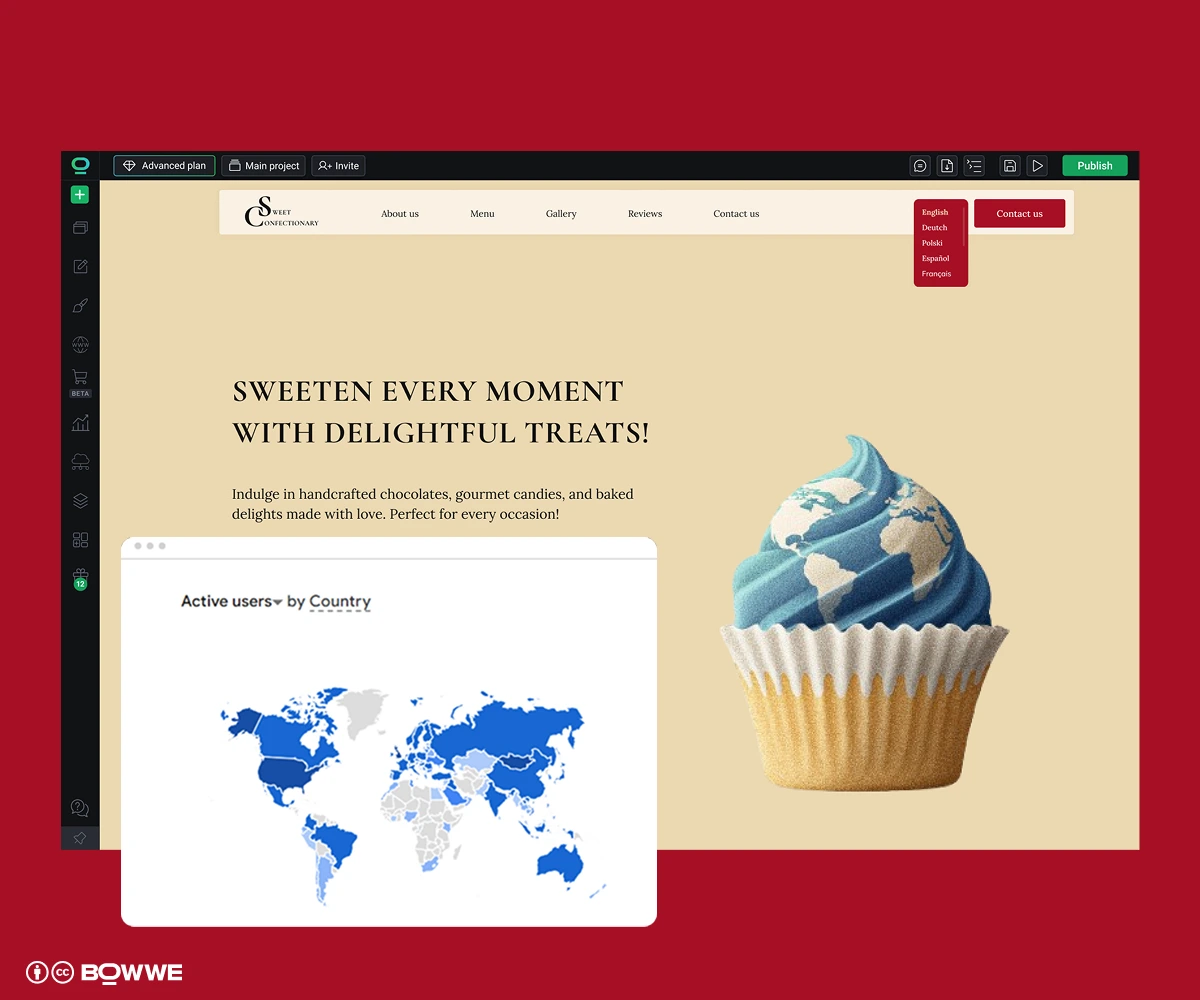
Open your analytics (GA4, Search Console or whatever analytics tool you use) and answer three basic questions:
- Where is traffic already coming from?
- Which of these countries/languages bring revenue, leads, or add-to-carts?
- Where is performance obviously worse than on your main market?
Those “high traffic, low conversion” markets are usually your best candidates for localization of a website. People already want what you’re selling, they just don’t trust or fully understand your site.
Just remember that website localization process gets easier if you don’t try to start with 7 languages at once. Get one market to work, then copy the system.
Multiply the extra conversions by your value per lead or order, subtract the one-time localization cost, and you have your ROI in simple numbers.
Example:
4,000 visits → current CVR 0.5% = 20 conversions. After localization (2.0% CVR) = 80 conversions +60 extra conversions. If each is worth $50, that’s $3,000/month in added value.
*Subtract your one-time localization cost and small monthly tool/reviewer cost, and you have your ROI of website localization.
2. Decide of website localization level for each country
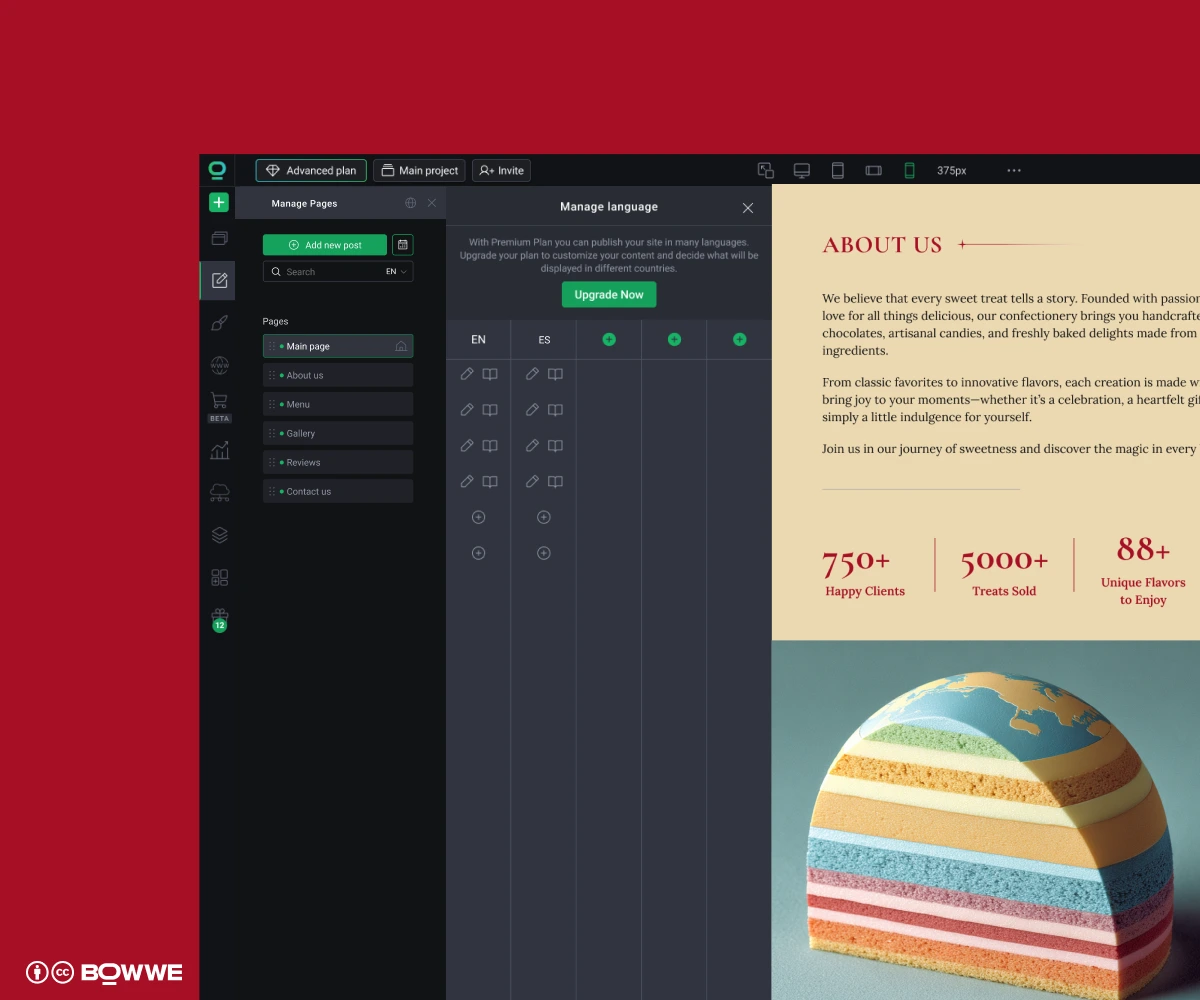
You can think in tiers:
a) Tier 1 (core markets)
b) Tier 2 (promising, but smaller)
c) Tier 3 (testing only)
You can always upgrade a country from Tier 3 → Tier 2 → Tier 1 once it starts bringing solid results.
3. Decide how to handle your website localization process
“Who is actually going to do all this work – us, an agency, a tool… or some mix of all three?”
There are 3 main ways to run your website localization process:
Option 1: Agency
- You give the agency your website + languages.
- They handle translation, proofreading, maybe even UX/local copy and SEO.
- Sometimes they also bring their own translation management system (TMS).
When an agency-driven website localization process makes sense:
- You’re going into many markets at once (5+ languages).
- You have a regulated industry (medical, legal, finance) where precision is everything.
- Your internal team is already overloaded and you just need someone to “own it”.
The downsides of agency-driven website localization:
- Cost: top agencies are expensive, especially for ongoing updates.
- Speed: every small change can become a ticket + invoice.
- Lock-in: your translations often live in their TMS, not your CMS.
- Less control: if you want to test a new offer tomorrow… you wait in line.
If you go this route, my advice is simple:
Keep the website itself in your own hands. Let the agency handle language and cultural expertise, but build and manage your multilingual website on a platform you have access to.
Option 2: In-house + website localization tool
- AI translation,
- native reviewers (employees or freelancers),
- and a localization-ready website builder like BOWWE.
When in-house + tools is a great choice:
- You’re starting with 1–3 languages.
- You want fast experiments (new landing pages, offers, A/B tests).
- You already have (or can hire) at least one native reviewer per language.
- The budget is limited, but you still care about quality.
- Someone on your team must manage the website localization workflow.
- You need at least minimal process (style guides, glossaries, QA).
- If nobody has time to review translations, quality will suffer.
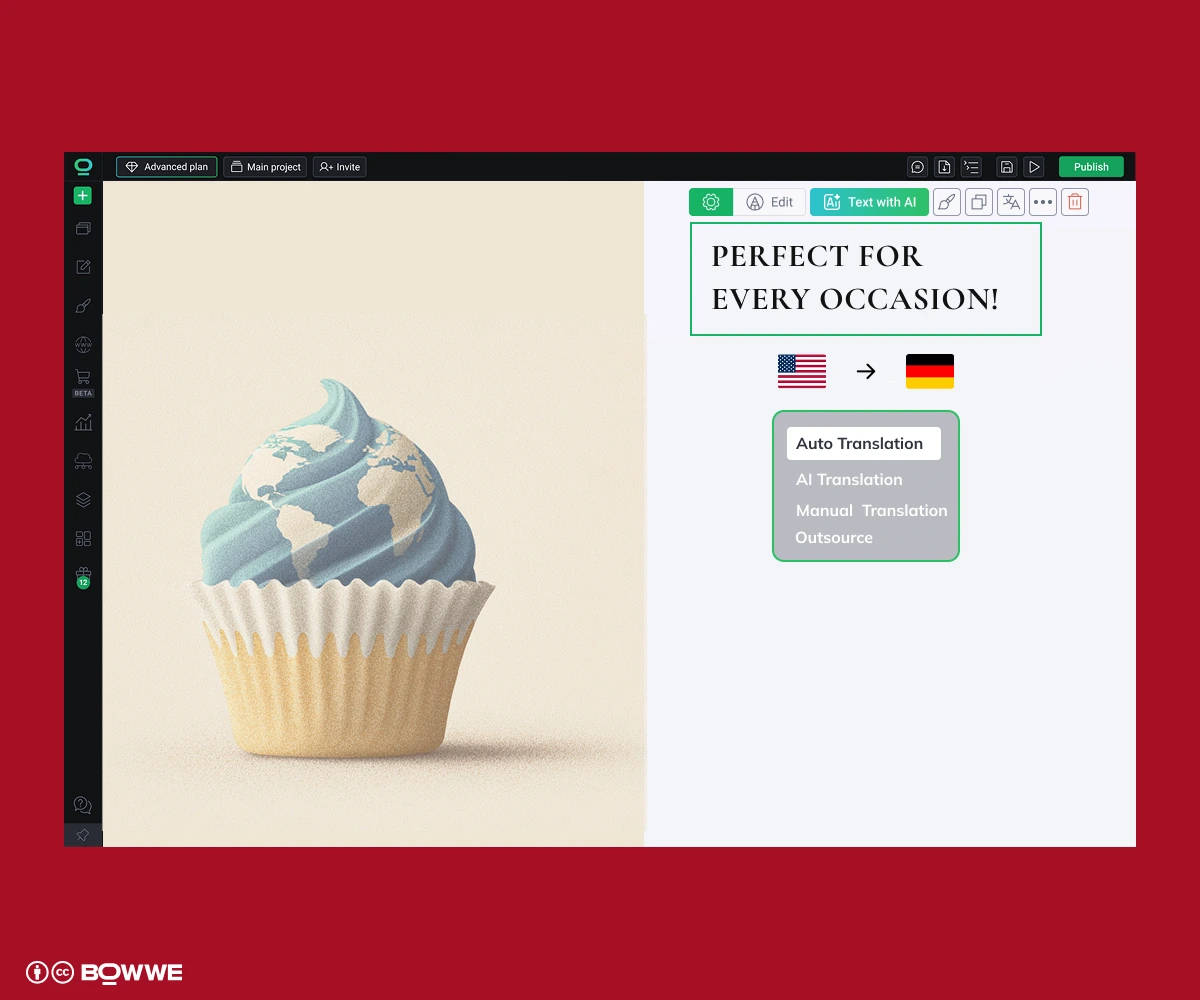
- You build your main pages in BOWWE.
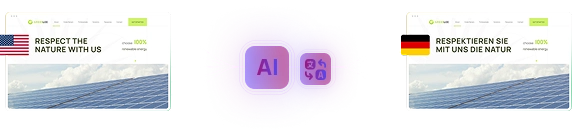
- Add new language and then AI Multilanguage Builder translates the page (including SEO).
- A native speaker (internal or freelance) reviews / adjusts key pages.
- You publish, test, and iterate whenever you want.
Option 3 – Hybrid: tool + agency / freelancers
Your team:
- chooses markets and pages,
- builds and manages the multilingual website in multilingual CMS,
- controls URLs, SEO, and releases.
External experts (agency or freelancers):
- localize high-impact content (home, product pages, pricing, ads),
- fine-tune key messaging,
- maybe help with localized keyword research.
For “supporting” content (blog, help center, low-risk pages), you can safely use:
- AI translation + light human edit (all managed directly inside BOWWE AI Multilanguage Builder).
Why this model works so well:
- You keep full control over your multilingual website.
- You can ship pages when you want, not when an agency has time.
- You spend money on brainwork, not on copy-pasting into tools.
- It scales from 2 languages to 8+ without reinventing everything.
The trade-offs:
- You still need one person internally to coordinate: “this goes to agency” or “this we do with AI + internal review”.
- You need a clear website localization workflow.
- 10 versions of the same text
- all keep in 7 spreadsheets
- across 3 teams
- with nobody knowing what’s final.
If you build your multilingual website in BOWWE:
- All languages, pages, and texts are in one place.
- Dictionaries tell you exactly what changed and what needs re-translation.
- AI translation helps you fill gaps instead of starting from zero.
- Everyone (agency, freelancers, internal team) plugs into the same source of truth.
That’s the difference between a one-off “we translated the site once” project…
and a clean, repeatable website localization process you can actually scale.
4. Decide your URL structure for localized versions

You’ve got 3 main options:
4.1. Subdirectories
- SEO-friendly.
- Easy to manage.
- All languages share one domain authority.
4.2. Subdomains
- Workable, but usually messier for SEO and harder to maintain at scale.
4.3. Country domains (ccTLDs)
- Strong country signal.
- But more domains to manage and separate SEO authority for each.
BOWWE uses the subdirectory approach by default, so your German page URL looks like:
- example.com/de/produkt-name
Clean, crawlable, and predictable.
5. Plan how you’ll manage content across languages
You basically have two ways to manage multilingual content:
5.1. Option A – Independent copies per language
Each one becomes a separate page you edit individually.
Good when:
- you want very different layouts/offers per country,
- you only have 2–3 languages,
- the site doesn’t change very often.
Bad when:
- you have 4+ languages,
- you update your site regularly (new offers, new sections),
- you don’t like updating the same thing 5 times.
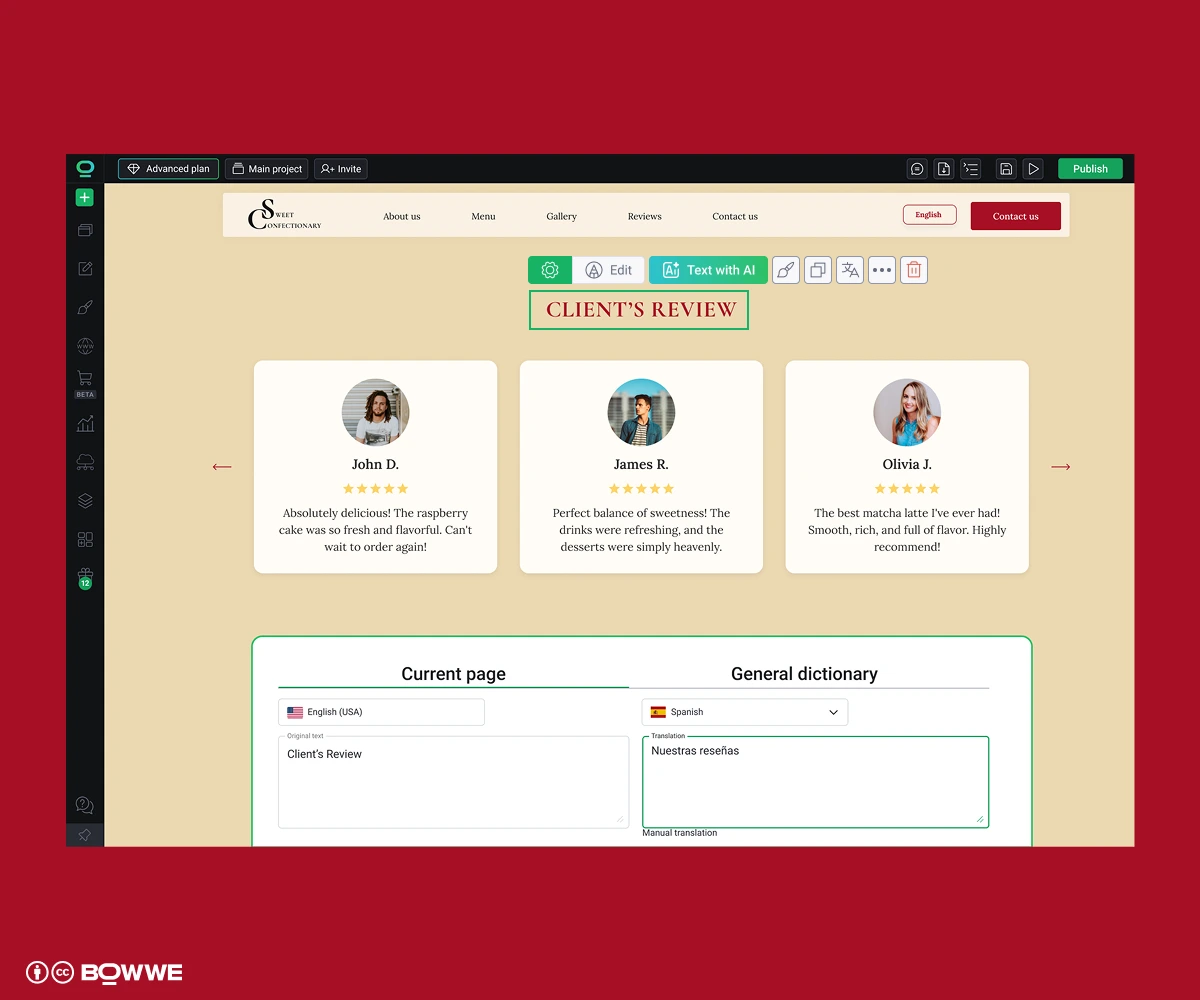
5.2. Option B – Dictionary-based website localization
- keep one base layout,
- store all texts in a central dictionary,
- and each language only changes the “values” of these strings.
So:
- Change a headline in the main language → all other languages get auto-updated and flagged as “needs review” for proofreading.
- Update a string once → it’s updated everywhere it appears, in every language.
For bigger projects (SaaS, e-commerce, content sites), this kind of website localization framework saves a lot of time and mistakes.
This is exactly how BOWWE Dictionaries work:
- each text widget can be linked to a dictionary key,
- translations for all languages live in one place,
- you can enable AI auto-translation,
- and still manually tweak important content.
6. Prepare SEO foundations for website localization
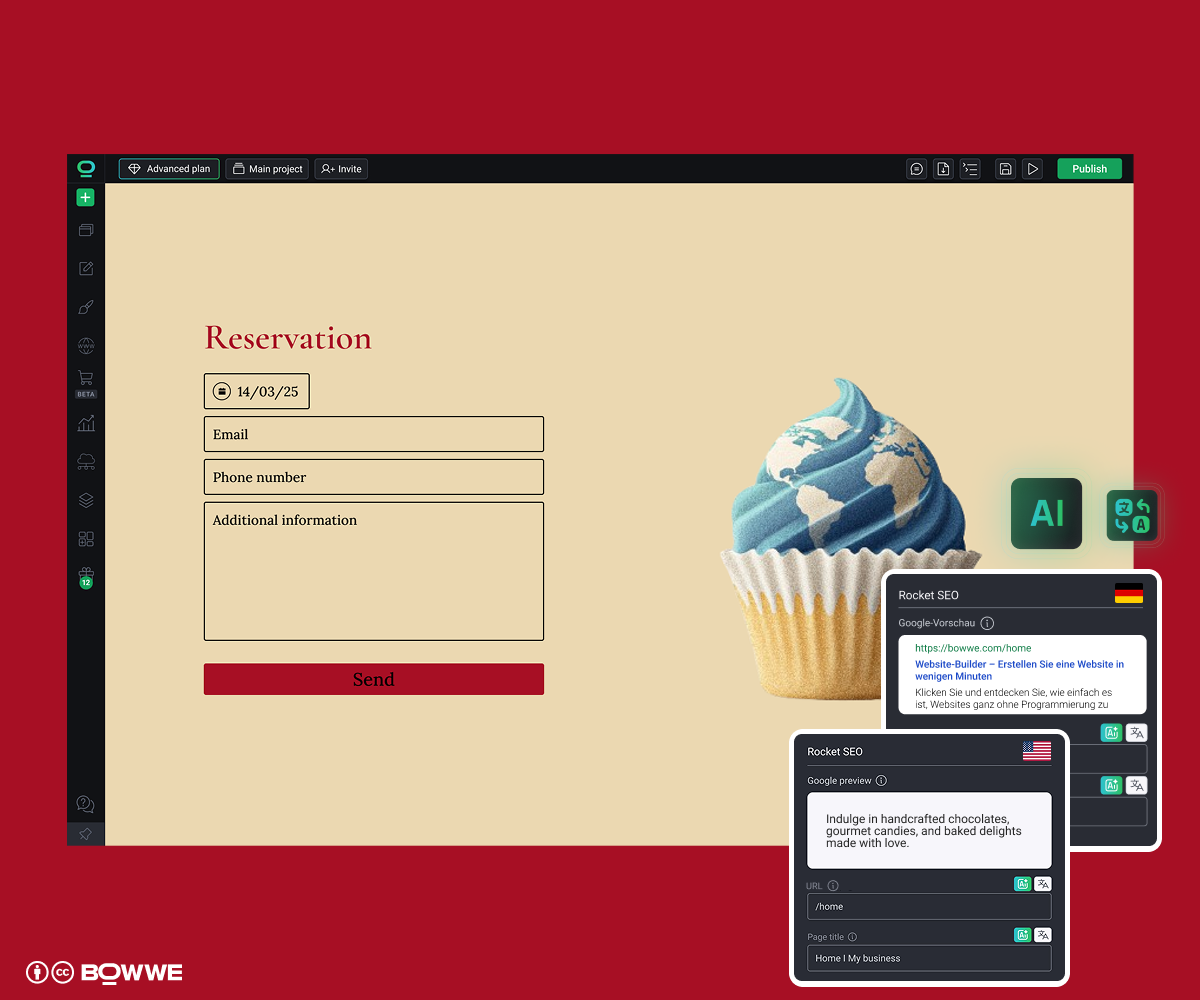
Your platform must let you set, per language:
- Page title
- Meta description
- URL
- Open Graph title & description (for social shares)
- Alt text for images
And it must be able to:
- generate hreflang tags automatically for each page,
- build language-aware sitemaps,
- keep everything on one domain for maximum authority.
- AI can pre-translate your SEO fields for every language.
- Hreflang and sitemaps are generated automatically.
- URLs are clean and SEO friendly.
7. Build a repeatable website localization workflow
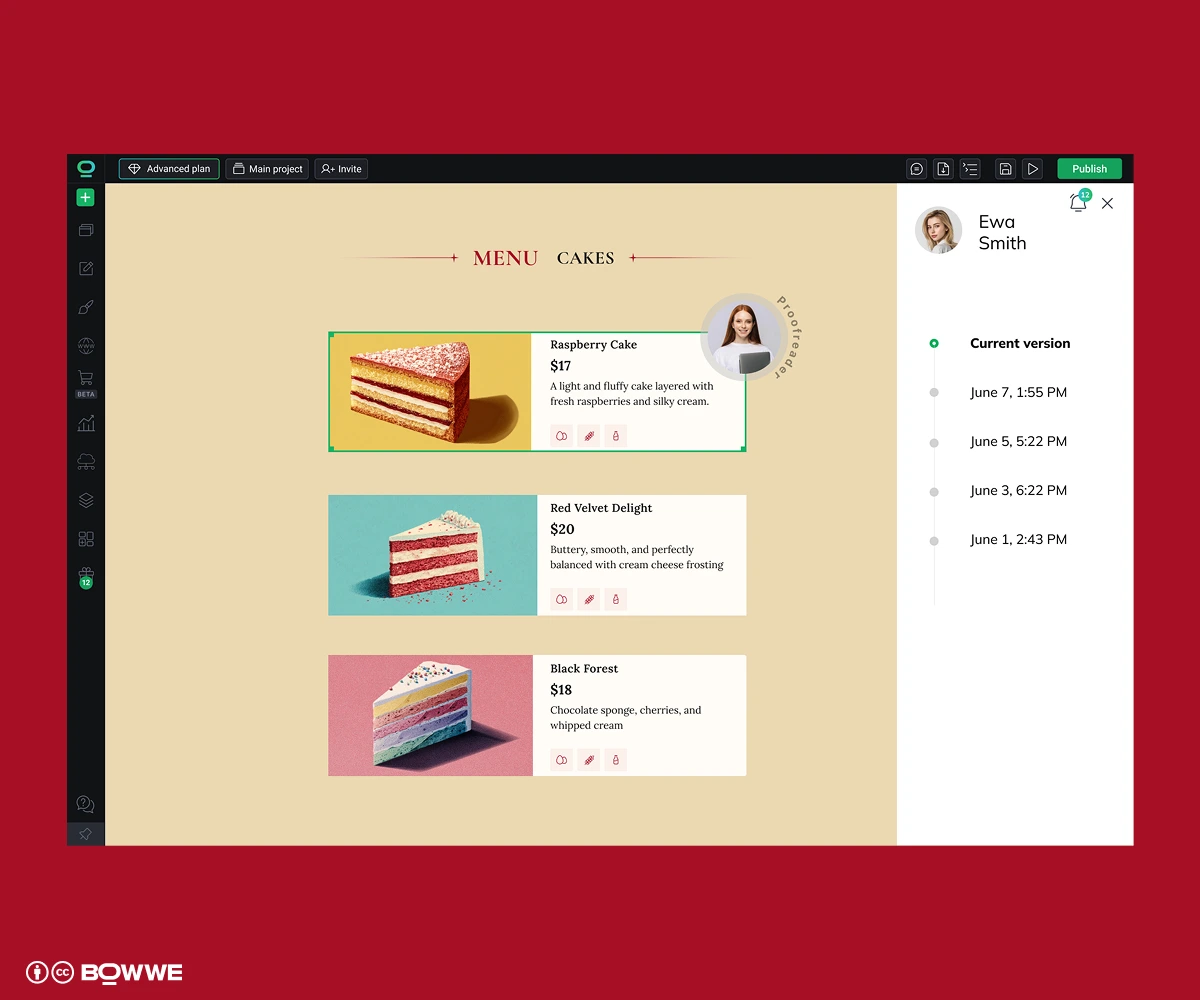
The only way to avoid chaos is to treat website localization like a process, not a one-off project.
7.1. Centralize reusable content
- navigation labels (“Pricing”, “Features”, “Contact”)
- footer links
- CTAs (“Start free trial”, “Book a demo”)
- system messages (“No results”, “Try again later”, “Something went wrong”)
- product names and short descriptions
Then manage those through:
- dictionaries / shared strings in your CMS (ideal), or
- a TMS (translation management system) if you already use one, or
- for very small sites: a single shared doc that everyone actually respects
The principle is simple:
Change once → update everywhere in all languages.
Get Started
7.2. Use one simple localization workflow (and stick to it)
A practical website localization workflow can look like this:
1. Plan
- Pick markets, languages, and specific pages for this sprint.
- Decide what “done” means (e.g. “home + product + pricing + checkout in ES”).
2. Prepare the source version
- Fix and finalize the base-language page first.
- There is zero point translating something you’ll rewrite next week.
3. Translate
- Choose method per content type: MT (machine translation) for low-risk content, MT + human edit for most marketing pages, human-only for legal, UI microcopy, ads, slogans.
4. Review & localize
- Native reviewer checks tone, clarity, cultural fit.
- Adjust examples, offers, and references to match the market.
5. Implement in your CMS / builder
- Paste or sync translations.
- Fix layout for longer/shorter text, RTL, different line breaks.
6. Test
- Language: the whole page should be in the target language – no leftover words in the original language and no mixing two languages in one sentence.
- UX: all flows work (forms, checkout, account).
- SEO & tracking: correct URLs, hreflang, events, goals.
7. Measure
- Track traffic, CTR, and conversions per language.
- Fix the weakest part of the funnel first (visibility vs clicks vs signups/orders).
8. Design a language switcher people actually use
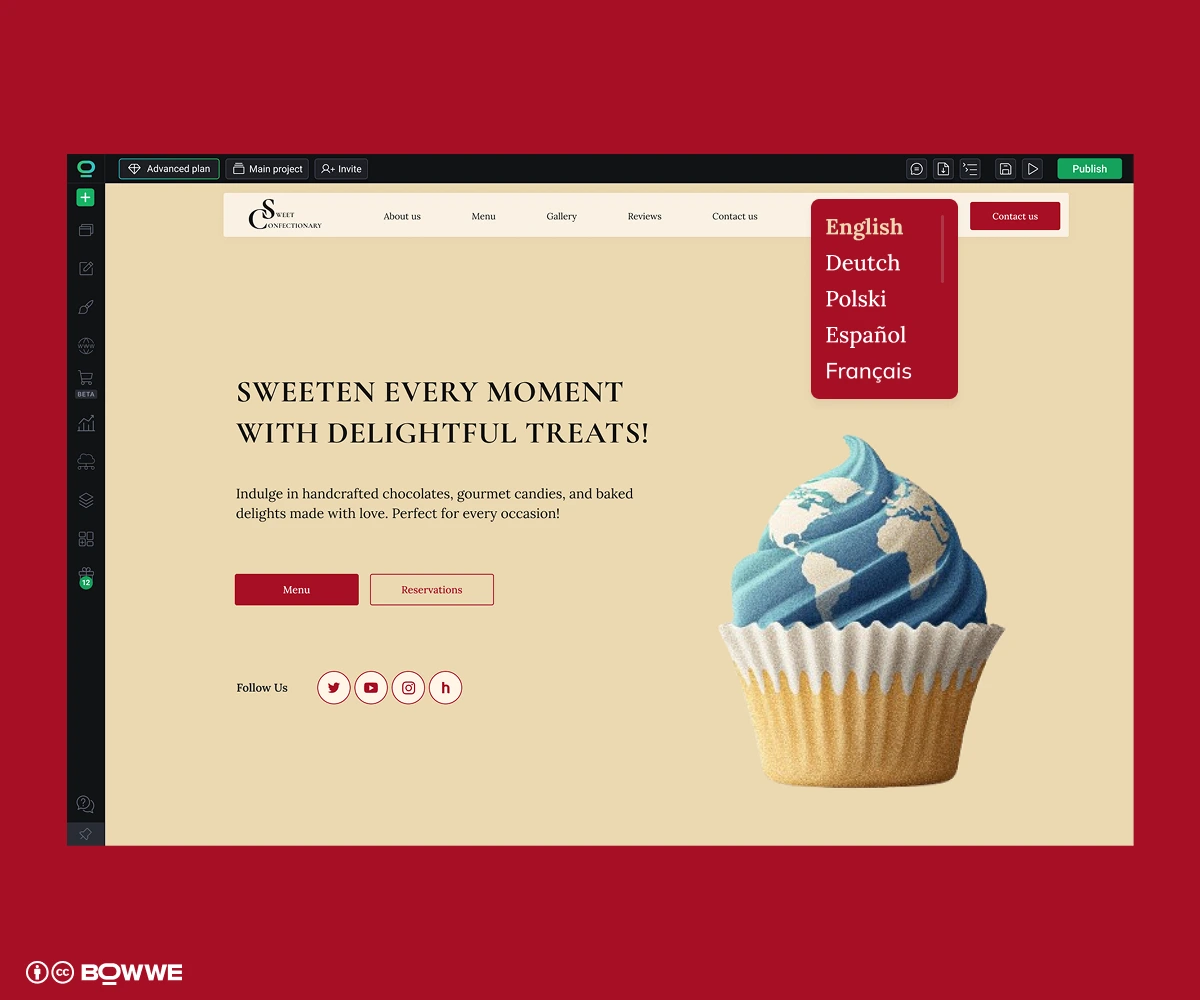
Your goal here is simple: obvious, easy, not annoying.
- Be predictable. Add language switcher at top-right in the header, inside the mobile menu and in the footer.
- Use language names, not just flags: EN | DE | FR or English | Deutsch | Français.
- Decide in what language you will show the first visitor your page: show the default language and let users switch manually or detect browser language or approximate location and show show a small, non-blocking banner with message confirming language version or auto-redirect (usually a bad idea) based on browser language for example.
9. Localize user journey
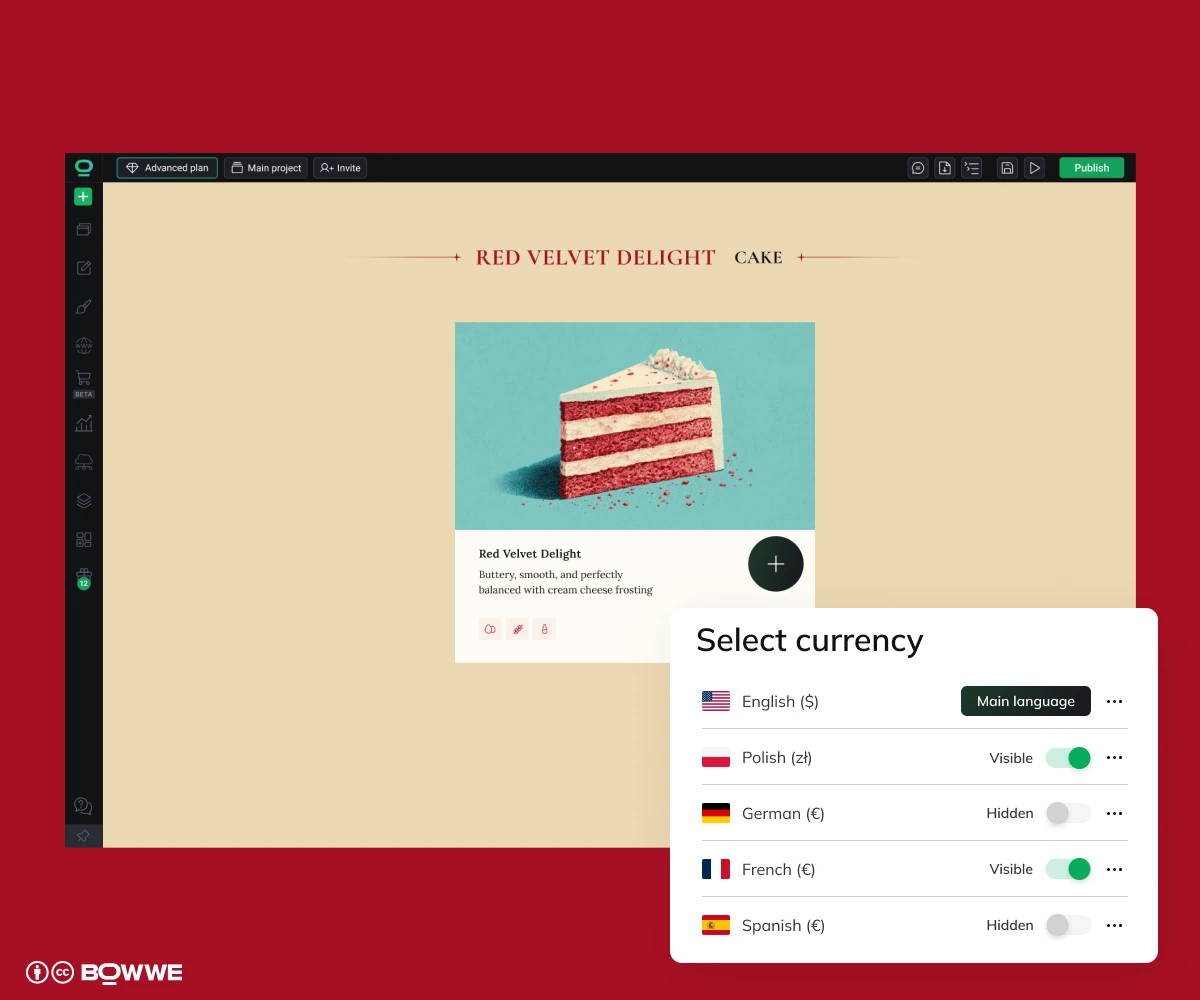
- Fix the map of your site by localizing main menu, dropdowns, footer links, utility links (Login, Sign up, Help, Pricing, Docs, etc.).
- Show the right currency, mention VAT / tax where expected, and highlight the type of guarantee that matters most in that market (refund, support, security, etc.).
- Ensure the entire journey stays in one language.
- Adapt offers & trust elements by country (when needed). local payment options, clarify shipping times / returns per region, highlight different benefits.
10. Measure, improve, and scale to more languages
10.1. Set KPIs per language
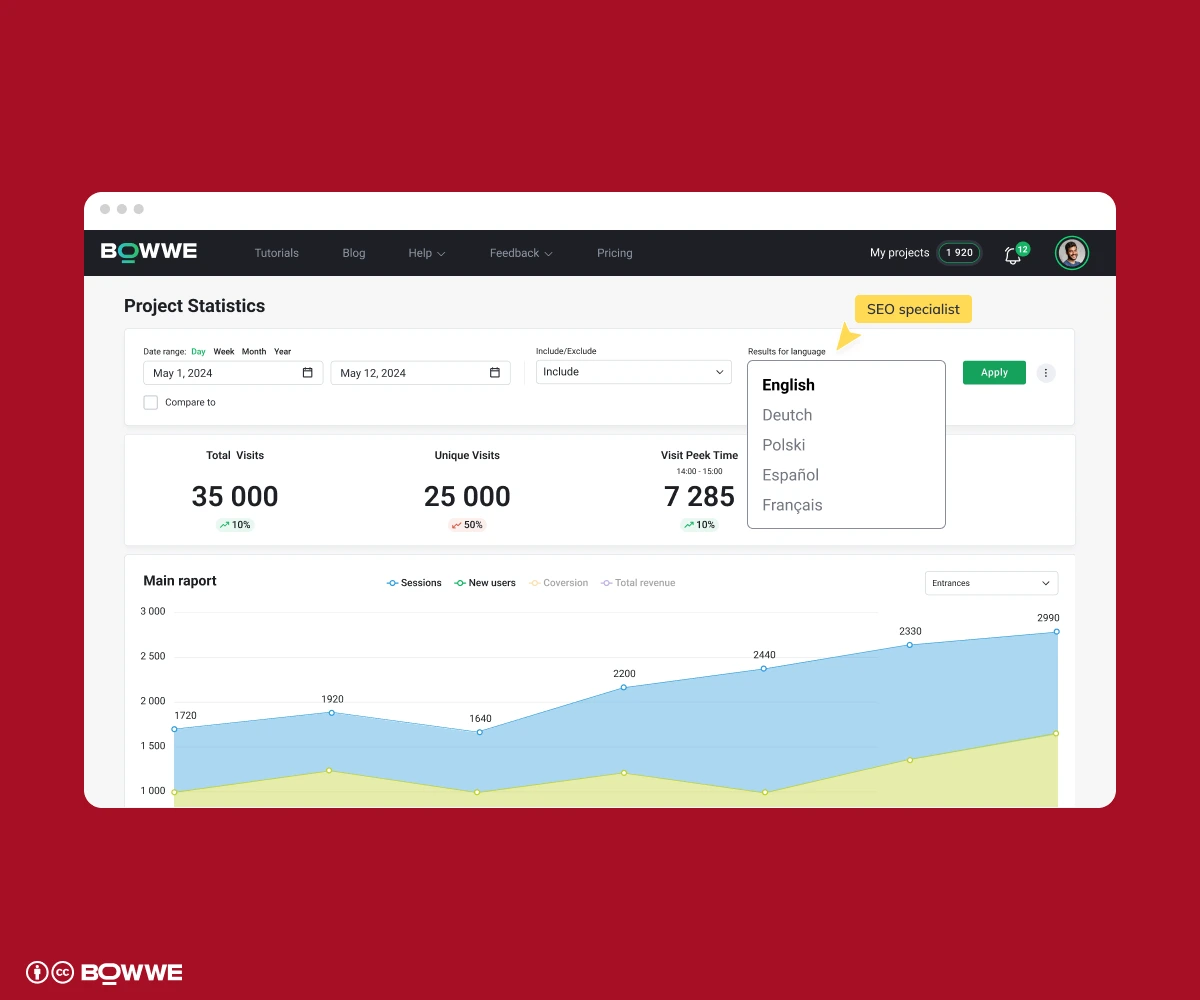
- Organic traffic from that country / language.
- Ranked local keywords (Top 10 / Top 3).
- Conversion rate (demo, signup, purchase) per locale.
- Revenue or pipeline from that locale.
- Bounce rate & time on page for localized pages.
If a language doesn’t move any of those numbers, it’s just a translation cost, not an investment.
10.2. Build simple analytics dashboard
- GA4 – traffic, engagement, conversions by country / language
- Google Search Console – queries, clicks, positions by country
- Your CRM / product analytics – deals, ARR/MRR, orders per locale
Once a month, look at:
- “Winner” markets – growing traffic and conversions
- “Problem” markets – traffic but no conversions, or high bounce
10.3. Fix the weakest step of the funnel
- Low impressions → you have an SEO / content problem
- Good impressions, low CTR → problem in titles & meta
- Good CTR, low conversions → problem in UX / trust / offer
10.4. Decide when to add another language
Rough criteria to “graduate” a market from test to full website localization:
- Stable traffic (not just a random spike).
- Solid conversion rate compared to your main market.
- Clear payback on localization cost (your extra revenue or pipeline covers the one-time setup + ongoing review work).
Only then does it make sense to repeat the same process for the next language.
Otherwise, you’re just multiplying chaos in three languages instead of one.
Website localization as a growth machine - summary
- Pick markets that actually pay off – based on traffic, conversions, and realistic ROI.
- Choose the right localization level per country – test market ≠ core market.
- Decide who does the work – agency, in-house + tools, or a hybrid setup.
- Set a clean technical base – URL structure, content model, dictionaries, and SEO foundations.
- Localize what actually moves revenue first – navigation, money pages, full user journeys.
- Treat website localization as an ongoing process – simple workflow, parity checks, monthly reviews.
- Measure per language – and only add new languages when the last one is clearly working.
If you already manage content in multiple languages (or plan to), it’s worth making sure your tools don’t fight you. A multilingual-ready CMS / website builder with dictionaries, roles, language SEO, and automation will make a big difference. Try BOWWE AI Multilanguage Builder today!
Get Started
Website localization – FAQ
What exactly is website localization?
Translation = only the text. Localization = text plus examples, offers, pricing, trust signals, formats, and flows.
Do I really need localization if “everyone speaks English”?
But if you already see traffic from Germany, France, Spain, etc., and those users convert worse than your main market, then yes – you’re leaving money on the table.
How many languages should I start with?
Start where you already see demand (traffic + some conversions), set up a clean process, and get that first locale profitable. Only then add the next one.
What should I localize first?
Do I need an agency, or can I do it myself with tools?
- Agency – good if you have 5+ languages, are in a regulated industry, or have no internal capacity. Expensive and slower, but safe.
- In-house + tools – good for 1–3 languages, fast testing, and limited budgets. You still need at least one native reviewer per language.
- Hybrid (usually the best) – you own the website and SEO, external experts handle key pages + keywords, and the rest uses AI + light human review.
Whatever you choose, keep one multilingual CMS / builder as the single source of truth.
How long does website localization take?
How much does website localization cost?
- Translation – machine + human edit (cheaper) vs full human (more expensive).
- Review / QA – native proofreaders checking key pages.
- Tools – your CMS / multilingual builder, maybe a TMS.
- Internal time – project owner, SEO, dev / web ops.
Very rough way to estimate:
- words × languages × translation rate + review / testing hours + monthly tools cost

Karol is an entrepreneur, e-commerce speaker among others, for the World Bank, and founder of 3 startups, as part of which he has advised several hundred companies. He was also responsible for projects of the largest financial institutions in Europe, with the smallest project being worth over €50 million.
He has two master's degrees, one in Computer Science and the other in Marketing Management, obtained during his studies in Poland and Portugal. He gained experience in Silicon Valley and while running companies in many countries, including Poland, Portugal, the United States, and Great Britain. For over ten years, he has been helping startups, financial institutions, small and medium-sized enterprises to improve their functioning through digitization.